
CybertronIT Blog
Cybertron Blog
Cybertron has been serving the Wichita area since 1997, providing IT Support such as technical helpdesk support, computer support, and consulting to small and medium-sized businesses.


We've all seen the movie version of a hacker. A lone genius in a dark room, hammering a keyboard, green text flying, shouting "I'm in." It makes good TV. It's also nothing like the real thing.
Today's cybercriminal looks less like a movie villain and more like a mid-level manager. Cybercrime isn't a hobby anymore. It's an organized, multi-billion-dollar industry with org charts, help desks, performance targets, and marketing budgets.
If you run a business in the Wichita metro or south-central Kansas, you're not up against a bored kid making a statement. You're up against an enterprise whose entire product is stealing your data.
The tools they buy off the shelf
Because it's an industry, attackers don't build everything themselves. They buy their tools, the same way you buy accounting software.
Ransomware-as-a-service. Skilled developers write the encryption malware and rent it to other criminals for a cut. The person attacking you didn't have to know how to build any of it.
AI-written phishing. The era of obvious typos and broken English is over. Attackers use generative AI to write clean, convincing emails that mimic your vendor, your bank, even your own HR department.
Stolen-password marketplaces. When a big site gets breached, millions of email and password combos land on the dark web. Criminals buy the lists for pennies and run automated tools that try those passwords against hundreds of other business networks. If your team reuses passwords, that's the open door.
How the attack actually unfolds
An attacker rarely stumbles in and starts smashing things. The process is deliberate, and it usually runs in four steps.
First, reconnaissance. They research your company in the open. LinkedIn tells them who runs finance, who handles IT, and what software you use.
Second, access. Most of the time they don't break through a firewall. They log in. A targeted phishing email to one employee, or an unpatched software hole, and they're inside.
Third, quiet movement. Once they're on one machine, they wait. Days, sometimes weeks, moving through your network looking for the valuable stuff: customer data, financial records, and above all, your backups.
Fourth, the payload. Only after they've copied your data and disabled your backups do they pull the trigger. Files encrypted, systems locked, a note on the desktop demanding Bitcoin.
That's the pattern, not a guarantee. Not every attack follows it step for step. The point is that the weaknesses are spread across your whole environment, so your defenses have to be too.
An organized defense beats an organized attacker
If that sounds like a lot to carry on top of running a business, it is. The good news is you don't have to be defenseless. Getting hit isn't your fault. Leaving the front door unlocked is.
Antivirus and a prayer doesn't cut it anymore. A real defense is layered.
Managed detection and response. Not the antivirus that just scans for known bad files. Managed detection and response watches how your machines behave around the clock. If a computer starts encrypting thousands of files at 3 a.m., it isolates that machine before the damage spreads.
Multi-factor authentication. One of the highest-value controls you can turn on. Even if a criminal buys your exact password, MFA stops them cold by demanding a second code from your phone.
Immutable backups. If the worst happens, your backups are the safety net, as long as a hacker can't reach them. Immutable backups can't be deleted or altered, so you can restore your business without paying a cent to a criminal.
We do this for a living
You don't have to become a security expert. You just need a partner that takes your security as seriously as the criminals take their attacks.
We run our own systems and build our own hardware here in Wichita, so this isn't theory for us. We look at how your staff actually works and put a layered defense in place that protects them without getting in the way of the workday.
Want to know whether your business is actually covered? Book a call and let's have a straight, no-pressure conversation.
0 Comments

Most of your business runs on a few communication tools you trust without thinking about them. Email, a chat app, the system you use to move invoices and files. The question worth asking is whether the sensitive material flowing through them is actually protected on the way, or just assumed to be. On a lot of the environments we assess, it's assumed. Here is where to start closing that gap.
Two risks make this worth your attention, and neither is hypothetical. The first is interception. Data sent over an unsecured connection can be read by anyone positioned to watch the traffic, which is how login credentials and financial details leak. The second is the one that actually empties bank accounts. In a business email compromise, an attacker who can read your email threads waits for a real invoice and slips in a lookalike message that redirects the payment to their own account. We see versions of this on assessments more often than we'd like, and the businesses that get hit are rarely careless. They just never had the controls that catch it.
Encrypt what moves
The baseline is encryption in transit, so a message or file in motion is unreadable to anyone who grabs it along the way. The major business platforms support this, but the default settings aren't always the strong ones, and older tools and custom integrations often skip it entirely. We host and secure our own customer-facing systems, so this is something we keep working at on our own infrastructure, not just a line we hand to clients. The job is confirming encryption is on everywhere your data travels, not assuming the logo on the app means it's handled.
Tighten the channels your team actually uses
Most leaks aren't exotic. They come from a normal habit nobody flagged. A few standards close the common gaps.
Keep passwords and financial documents out of plain-text channels like SMS and consumer chat apps. Those were never built to hold your secrets.
Standardize on a vetted business suite that encrypts messages and attachments, so your team isn't improvising with whatever app happens to be open.
Give remote staff a secure path into company systems instead of reaching them across open public Wi-Fi.
This is a compliance question too
If you handle regulated data, protecting it in transit isn't only good practice. It's usually required. The FTC Safeguards Rule, HIPAA, and the NIST 800-171 controls behind CMMC all expect sensitive information to be encrypted as it moves. Getting this right closes a real risk and satisfies a requirement you may already be carrying.
If you're not certain what your communications actually protect today, we'll walk your setup with you and show you where the gaps are. Book a 30-minute call and we'll start with the channels your team uses most.

Antivirus and a firewall used to be enough. They aren't anymore. The attacks that put a business down for a week now use the operating system's own tools to move around, so the antivirus never flags anything and the firewall sees normal traffic.
Putting the whole team on company phones costs real money, so plenty of owners take the cheaper route and let staff use their own. Personal phones check company email, pull up client records, and sit in the company chat. It is convenient and it saves on hardware. It also hands your most sensitive data to devices you do not own, cannot see, and cannot secure.


BYOD started as a win for everyone. The business skipped buying hardware. The employee kept the phone they already liked. The catch nobody priced in: every one of those personal devices is now a door into your business, and you do not hold the keys.
You can’t secure what you don’t control
Give your team company devices and you set the rules. You force updates, require encryption, and block jailbreaking. A personal phone gives you none of that. You cannot make someone patch their phone, and an unpatched phone is a magnet for attackers. Add the dozens of third-party apps on a typical phone, plenty of which quietly scrape data, and that same phone is reading your sensitive email.
Then a device looks compromised and you need to lock it down. The owner may not love you reaching into their personal phone, and they were probably already uneasy about their privacy. It is tempting to soften the policy to keep the peace. Don’t. A policy bent to avoid friction protects no one.
When a key player walks, the data can walk too
Your best salesperson leaves for a competitor. Best case, they took nothing. But it is far too easy for someone on a personal device to walk out with client lists and files still on their phone, at the end of a day or the end of a career. You can try a remote wipe, but if the data never synced, some of it survives, and now you are weighing a lawsuit. At that point the company-owned device you skipped looks cheap.
Most breaches are accidents
The threats with intent are real, but plain mistakes cause more of them. Sensitive data gets copied from a work account and pasted into a personal one without a second thought. A toddler playing with a parent’s phone can share a file with the wrong contact. That still counts as a breach, and it still costs you.
How to make BYOD safe
Most of these risks come down with mobile device management. MDM lets you enforce policy on a personal device while keeping personal and work data firmly separated. When someone leaves, the work data gets wiped and the personal side is left alone. You get the control of a company device without buying the hardware.
Where to start
If your team uses personal phones for work and you have no MDM in place, that is the gap to close first. Want help setting up a BYOD policy and the tools to enforce it? Book a call.

Yes, AI makes people faster. That is exactly why it is already loose in your business. Someone in sales pastes a customer list into a public chatbot to sort it. Someone in operations drops in a spreadsheet to clean it up. Someone summarizes a contract. Nobody asked. Nobody meant harm. Every one of them just handed company data to a system you do not control. That is shadow AI, the AI version of shadow IT.
Why one paste becomes a permanent leak
Most free, public AI tools train on what you feed them. Your input does not just answer your question. It becomes part of the model. Picture a sales team uploading a customer list to speed up sorting. That list has company names, addresses, and financial details. Some clients are sole proprietors, so it has personal information too. Once it is in a public tool, it trains the model, and pieces of it can surface in answers given to anyone else, very possibly including your competitors. Put your own company name in that scenario and read it again. It is not a risk you can claw back once it happens.
Private AI is the locked room
Think of it as the difference between a picnic pavilion in a public park and a locked room with controlled access. Public AI tools learn from outside inputs. Private AI environments, including the enterprise versions Microsoft and other vendors offer, run under no-training terms. The data they process stays inside your organization and never touches the public model. Even then, be careful with client PII. The full picture of running AI on hardware you own is on our Private AI page.
You need an AI acceptable use policy
We are not against AI. We push clients to use it, as long as it is used safely. That starts with a written AI acceptable use policy. It names which tools are approved for company data, which are fine for general research without company data, and which are off-limits. We help businesses write that policy and get their people onto approved, secure tools.
Train the people, not just the tools
A policy nobody is trained on is a document nobody follows. Your team needs one rule cold: strip sensitive details before anything goes into a tool that is not approved to receive them. No client data. No financials. No PII. If the tool is not on the approved list, it does not get the sensitive material.
Where to start
If you do not know what your people are pasting into public AI right now, you are not alone, and that is the gap worth closing first. Want help writing an AI use policy and standing up tools your team can use safely? Book a call.
Most owners assume more security means less speed, so they put up with clunky logins as the price of safety. Here is the trap. When security is too hard to use, your team gets less secure, not more. If signing in takes ten minutes and three devices, people don’t work harder. They work around you, and the workarounds skip your defenses entirely. That quiet leak is worth closing now.
Shortcut culture
People take the path of least resistance. If your security acts like a wall instead of a gate, a painful VPN or a badly configured MFA, your team routes around it. They email sensitive documents to a personal Gmail so they can work from home. They leave workstations logged in all day to dodge the login, which also blocks patches and updates. You can spend thousands on a security stack and still get bypassed because nobody thought about how people actually use it.
MFA fatigue
Multifactor authentication is non-negotiable in 2026. But MFA bombing, a push notification for every app all day, burns people out. Someone tapping Approve twenty times a day loses focus and rhythm. Conditional access fixes it. Modern security reads context. On a managed company laptop, from a known location, during business hours, it stays quiet. It only challenges the login when something changes, like a new device or a new country. Full security, a fraction of the interruptions.
The help desk loop
Old security generates nuisance tickets that drain everyone. I am locked out. My password expired. The VPN will not connect. Every lockout pays two people to be unproductive, the employee who cannot work and the technician who has to fix it. Single sign-on and self-service password reset clear most of that volume, which frees your IT team for real projects instead of unlocking accounts.
From the “department of no” to a “policy of how”
Legacy security teams get known as the department of no. No, you cannot use that AI tool. No, you cannot work from that coffee shop. No, you cannot share that folder. That constant no is exactly what breeds shadow IT. Say no without offering a secure how, and people invent their own way, usually an unencrypted one. The better stance is simple: yes, you can use that, and here is the company-managed version that is safe.
Where to start
The tightest-run businesses win, and a lot of tight is just removing the friction that pushes people into risky shortcuts. Want a look at where your security is quietly costing you productivity? Book a call. The wider security picture is on our Cybersecurity page.

One compromised workstation is all ransomware needs. That is why the old security standbys do not hold up anymore. Small and mid-sized businesses are the prime targets, and many do not have what it takes to catch a threat that is already inside the network. Hoping you will react fast enough is not a plan. The good news is you are not stuck with hope. You have endpoint detection and response.
What EDR actually does
EDR watches the devices your people use. It monitors workstations and mobile devices around the clock and catches threats like ransomware and malware. The difference from traditional antivirus is how it spots trouble. Antivirus checks a file against a list of known-bad files. EDR watches what a file does in real time and flags it when the behavior looks wrong. That shift catches attackers faster and shrinks the damage when something gets through.
Why managed EDR beats running it alone
EDR only works if someone is watching it, and watching it well takes a dedicated team and real expertise. Run it yourself and you drown in false alarms. Our Security Operations Center handles the response automatically, around the clock, without pulling your staff off their actual jobs.
Habits that make EDR work
Good security is half the right software and half daily discipline. A few habits matter most. Limit administrative privileges on every workstation so unauthorized software cannot install itself. Standardize patching so operating systems and applications get security updates within days, not months. Train your team to spot and report phishing, because the attack that slips past the tool gets caught by a person.
Where to start
Protecting a business is a layered job, and EDR is one layer that earns its keep. We will be the team watching and responding when a threat shows up. Want a straight read on where your endpoints are exposed? Book a call. The full security picture is on our Cybersecurity page.

Your people are your biggest security risk. Not because they are careless, but because attackers go after them first. One wrong click can hand over your network. That is not a reason to scare your team. It is the reason to train them, on a real schedule, not once a year. Here is what that training has to cover.
Phishing and social engineering
Attackers rarely break in. They trick someone into letting them in. They pose as a trusted name and lean on urgency so you act before you think. Teach your team the tells. A message that pushes you to hurry, especially with an attachment, deserves a second look. Hover over links to see where they really go before clicking. Watch for clumsy grammar and odd phrasing. Check the sender address closely, because a single swapped letter is the whole scam. When something feels off, confirm through another channel and tell IT. Your team needs a clear reporting process, and that is something we can help you build.
Passwords and authentication
Passwords are a hassle, and weak ones leave the door open. Three habits fix most of it. Use long, unique passwords for every account. Turn on multifactor authentication everywhere, so a stolen password alone is not enough without the PIN, fingerprint, or hardware key. Use a password manager so nobody has to memorize dozens of them. The manager remembers them, which means they can be far stronger than anything a person would invent.
Endpoints and patching
Attackers target the devices your team uses every day, so those devices have to stay current. Install updates and patches promptly, because most breaches exploit a hole that already had a fix available.
Networks, on the road and at home
Public Wi-Fi is convenient for your team and for the criminals watching it. Anyone working on a network that is not yours should be on a company VPN, and everyone should know how to use it. Push the same standards at home: strong passwords and an encrypted connection.
When something goes wrong
Sometimes a threat gets through, and how fast your team reacts decides how bad it gets. Keep the process simple. Contact IT the moment something looks wrong, in-house or us. Report the small stuff too. The near-miss someone flags today is the breach you avoid next week.
Make it stick
Training works when it is continuous, not a once-a-year seminar. Run short, regular refreshers. Test your team with simulated attacks so you can see where they actually stand and aim the next round there. Keep it grounded in real, recent examples, because modern cybercrime gives you no shortage of them.
Where to start
Plenty of businesses become someone else’s cautionary tale because they underestimated this. You do not have to. Want help building a training program and the security to back it up? Book a call. The wider security picture is on our Cybersecurity page.

It is easy to let IT maintenance slide when everything seems fine. But quiet is not the same as healthy. The cracks that cause a surprise outage or a five-figure emergency are usually visible months ahead, if someone looks. Here is the audit we run to find them, in three passes.
Phase 1: hardware and lifecycle
The point is making sure your physical foundation is not one power surge from a full stop. Catalog every server, firewall, and workstation, and where the manufacturer warranty is ending, decide now whether to extend it or budget a replacement. Treat any workstation older than five years as a liability, because that is what it is. Test your UPS batteries, since they tend to fail at the three to five year mark and they fail at the worst time. Inventory every tablet and phone used for work, and retire any the manufacturer no longer patches.
Phase 2: software and licensing
The point is making every software dollar earn its place. Hunt down zombie licenses, the seats still billing for people who left and the tools nobody has opened in months. Confirm every device is on the current operating system, because attackers lean on the version just behind the latest, knowing most businesses are slow to update. Then clean up cloud storage. Archive old projects and delete duplicate backups so you stop paying for terabytes of clutter.
Phase 3: security and growth
The point is matching your protection to your real risk and your real plans. Check your bandwidth, because a connection that fit two years ago may be choking a bigger team now. Read your cyber-insurance policy and make sure your actual setup matches what you promised on the application, since most insurers now require EDR. Map your IT budget to your hiring plans, so ten new people do not catch your hardware and licensing off guard. And clean up shadow IT by asking your team what unofficial tools they have adopted, then standardize the useful ones and block the risky ones.
Where to start
This audit is not about adding to your to-do list. It is about killing the emergency expenses and outages that wreck a good quarter. If running it yourself feels like a lot, we do deep system audits that find the cracks before they break. Want a cleaner, faster, more predictable network? Book a call.

Security is not just million-dollar firewalls. Most of it is small daily habits that stop minor issues from turning into disasters. The line between personal and work life is blurry now, so a compromised personal device can hand someone the keys to your whole company network. The good news is you can get into much better shape in a week. Here is a seven-day digital hygiene sprint. One step a day.
The seven-day plan
Day 1, lock down your personal accounts. Most leaders read work email on personal devices. If your personal Apple or Google account gets popped, your work data is exposed too. Turn on multi-factor authentication for your main personal email and social accounts, and use an authenticator app instead of text codes.
Day 2, clean up shared files. Open your main shared drive, OneDrive, Dropbox, or SharePoint, and review shared folders and external access. Revoke anyone who is not actively working on a project right now.
Day 3, fix your passwords. Reusing one password everywhere is what makes credential-stuffing attacks work. Pick your ten most sensitive accounts, change them to unique passphrases, and store those in a password manager. Then keep going until you have worked through the rest.
Day 4, harden the home office. Home Wi-Fi is often the weakest link. If you are still on the default network name and password, log into your router, update the firmware, change the Wi-Fi password, and switch on a separate guest network for non-work devices.
Day 5, hunt for shadow IT. Quick fixes turn into security holes when nobody approves them. Make a list of the apps and tools you use that IT never signed off on, and ask your provider whether each one is safe to keep.
Day 6, update your emergency contacts. When a breach hits at 2 a.m., confusion is what the attacker counts on. Save your IT provider emergency number in your phone and make sure leadership knows who handles what if something goes wrong.
Day 7, plan for a lost device. Decide what happens to your data if a phone or laptop walks off. Enable remote wipe through a mobile device management tool and confirm Find My Device is active on everything.
That is it. A week of small moves and you are in a much stronger spot than you were, without much effort. If you want help working through any of these, we will walk you through it.
Book a call and we will tighten up the parts that matter most.

For decades software security ran on a quiet assumption. Finding a serious unknown vulnerability took elite people, months of manual code review, and expensive tooling. That friction gave defenders a grace period where obscurity worked as a shield. AI is erasing that grace period. The hard part of attacking used to be the grind. AI does not get bored, does not get frustrated, and chews through tedious steps in seconds. The biggest threat is no longer the bugs you know about. It is the pile of undiscovered ones that machines can now surface fast.
The patch window is now an open door
The old playbook was patch on a comfortable schedule. When the median time to apply a fix is measured in weeks and the time to weaponize a new bug keeps shrinking, that schedule is just a long stretch of exposure. The gap between a vulnerability becoming known and someone exploiting it has collapsed in recent years, and AI is pushing it shorter still. If your approach to updates is roll them out when we get to it, you are leaving the door open on purpose.
The unpatchable device problem
Patching assumes you can patch. Most networks are now full of gear you cannot, the IoT sensors, operational technology, and medical devices that quietly run for years on firmware nobody updates. A bug that has sat in one of those for a decade should be treated as something an attacker will find tomorrow. If you cannot fix the device, you have to contain it.
Shift from patching to containment
Inventory the unpatchables. You cannot protect what you cannot see. Find every legacy controller, medical device, and sensor on your network and write it down.
Assume compromise. If a device has gone years without updates, build your defenses as if it is already breached, because eventually it will be.
Enforce at the network, not the device. Many of these devices cannot run security software, so do not rely on agents. Use network microsegmentation so a compromised device can only talk to the handful of things it actually needs, and nothing else.
The takeaway is simple. The economics of attacking software have changed, and waiting to patch is no longer a safe default. Book a call and we will find the weak spots on your network before something automated does.

Cyber insurance used to be an optional add-on. Now it is closer to a requirement, and it has stopped being a simple transaction where you pay a premium and hand off your risk. Today the policy is a verification process. To get coverage and keep it, you have to meet real technical and operational standards. If your security falls below the baseline, you can be uninsurable no matter what premium you are willing to pay.
What a policy actually covers
Most policies are built on two kinds of coverage. First-party handles your direct losses, the income lost while systems are down and the labor to rebuild data and software the attack corrupted. Third-party handles your liability to others, the defense costs, settlements, and judgments when customers, vendors, or employees sue over mishandled data. With breach class actions now common and regulators active under rules like CCPA and GDPR, that second bucket is what often keeps a breach from ending the company.
The controls insurers now require
MFA everywhere. Multi-factor authentication is the baseline. If it is not on every email account, VPN, and admin portal, expect coverage to be denied. Insurers increasingly want it phishing-resistant with no legacy accounts left exposed.
Immutable backups. Your data has to live somewhere an attacker cannot alter, encrypt, or delete. Underwriters look for the 3-2-1-1 approach, three copies on two media types, one offsite, and one immutable or air-gapped.
EDR or XDR. Real-time endpoint detection that spots unusual behavior and isolates compromised devices is now expected, often with proof it is monitored around the clock.
A paper trail. You need documentation to prove all of the above, logs, configuration evidence, a written incident response plan, and results from tabletop exercises where leadership practices a breach.
The fine print that voids a claim
This is where businesses get burned. The failure-to-maintain clause is the big one. If you said MFA was enabled on the application and a breach comes through an account where it was switched off, the insurer can deny the whole claim. That makes security a continuous obligation, not a box you tick once at renewal. Watch for two more. AI-related losses may fall outside a standard policy and need a specific rider. And systemic events, a nation-state attack or a major cloud provider failure, often carry sub-limits or outright exclusions.
Cyber insurance is now a framework for how you run security, and insurers only share the risk if you can show the controls are real and maintained. Book a call and we will get you to the standard underwriters expect.

The FTC has moved from handing out security advice to enforcing it. The Safeguards Rule, which sits under the Gramm-Leach-Bliley Act, now expects proof that you actually run a security program, not a binder of theoretical plans. If you are covered, missing the basics is no longer a gray area. It is a finding with a price tag.
Does this apply to you?
The Rule covers businesses the FTC defines as financial institutions, and that definition is broader than it sounds. It pulls in tax preparers, accountants, auto dealers, mortgage brokers, payday and finance companies, and a long list of others that handle customer financial information. So this is not only banks. If you are an accounting firm or anyone touching financial data, assume you are in scope until someone proves otherwise. And even if you are not directly covered, these same standards now show up in cyber insurance applications and client contracts, so the bar applies to you either way.
What you have to have in place
A written information security program. A real document that maps where data lives and who is allowed to touch it.
A qualified individual. Someone has to own the security program, whether that is an internal hire or an outside provider.
Encryption everywhere. Customer data has to be encrypted at rest and in transit so it stays useless to anyone who grabs it.
Multi-factor authentication and access controls. MFA on the accounts that matter, and permissions limited to what each person actually needs.
An incident response plan. A written, step-by-step playbook covering detection, containment, investigation, notification, and recovery.
What noncompliance costs
The FTC can seek penalties of up to about $51,744 per violation, and the figure climbs with inflation each year. Each missing safeguard can count as its own violation, so gaps stack. If a breach happens and the FTC finds required protections like encryption or MFA were absent, the exposure runs into the millions. Beyond the fines, meeting the standard is what tells clients you take their information seriously.
This is squarely the kind of work we do for accounting firms and other regulated businesses around Wichita. See our IT for CPAs and accountants page, or book a call and we will map your setup against what the Rule requires.
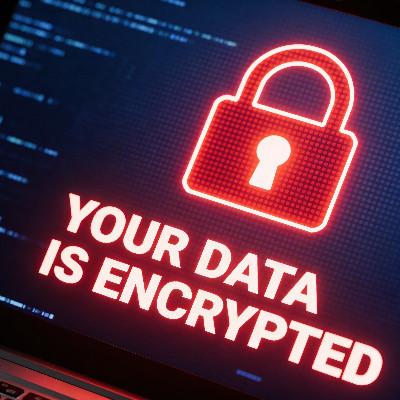
Picture walking into the office and every screen shows the same message. Your files are encrypted. For most businesses that is weeks of lost work, a big bill, and maybe data you never get back. What separates the companies that shrug it off from the ones that fold is resilience, and the foundation of that is an immutable backup. Here is how a real recovery actually plays out.
Why immutable matters
Ransomware goes after your backups first, and for good reason. Attackers know your backup is your one realistic way out, so they try to encrypt or delete it before they squeeze you. A standard backup is vulnerable to exactly that. An immutable backup cannot be altered or deleted once it is written, by ransomware or anyone else, so when you reach for it you are not left wondering whether it is intact.
From crisis to back in business
In a full lockout the job is no longer investigation, it is restoration. With an image-based immutable backup you skip the slow rebuild. You isolate the infected machines to stop the spread, find your last clean snapshot, often one taken minutes before the attack hit, and spin that clean image up on your backup appliance. People start logging back in while the main servers are still being scrubbed. Done right, you are doing billable work again in hours instead of weeks, and the attack becomes a bad memory rather than an obituary.
What that resilience is really worth
The value is bigger than uptime. You avoid the reputation hit that comes with word getting out that you paid a ransom. And your leadership can make bolder moves knowing one employee clicking one bad link will not bring the whole thing down. Notice the framing here. It is not if you become a target, it is when. Operate from that assumption and you put the protection in place before you need it.
With the right setup, a business-ending ransomware disaster becomes a few-hour speed bump. Book a call and we will build that kind of resilience into your business.

A client in the lobby asks for the Wi-Fi, and you want to say yes. Good hospitality is good business. The smart way to offer it is a guest network kept separate from the systems your business runs on. Put a visitor on your main network and their device sits a step from your servers and workstations. If that device is carrying malware nobody knew about, it now has a path in. A separate guest network gives visitors the internet they came for while your business stays walled off. It is the setup most well-run offices already use, and it is worth getting right.
Build a digital fence with segmentation
The fix is not to stop being helpful. It is to be smart about how people connect. Network segmentation puts visitors on a separate guest network that is walled off from the systems your business actually runs on. Guests get their internet, and your servers, files, and workstations stay on the other side of the fence where a guest device can never reach them.
It also protects your speed
A guest network is not only about security. Ever notice your video call stuttering or an upload crawling while the lobby is full? Without separation, everyone fights over the same pipe. A guest network lets you cap how much bandwidth visitors can use, so someone streaming HD video in the waiting area does not throttle your team trying to process transactions or make a deadline. Your business traffic stays in the fast lane.
Do it right
Use a different password. The guest network should never share a password with your internal network, and you should change it from time to time to stay in control.
Turn on device isolation. This keeps guest devices from seeing or talking to each other, so one infected laptop in the lobby cannot poke at anyone else connected.
Hide your private network. Your staff network does not need to be visible to everyone who walks in. Keep it from broadcasting so it is not even an option a visitor can see.
Your Wi-Fi should drive productivity, not sit open as a gateway for intruders or a drain on your speed. Book a call and we will set up a clean, secure guest network for you.
The FTC spent years handing out security advice. Under the Safeguards Rule, which comes from the Gramm-Leach-Bliley Act, that advice has become an enforceable requirement. The standard now is simple. You need protections actually in place, not plans on paper. Here is a quick way to check whether your business measures up.
Does it even apply to you?
The Rule covers businesses the FTC calls financial institutions, and that net is wider than most people expect. It includes accountants, tax preparers, auto dealers, mortgage brokers, and a long list of others that handle customer financial information, not just banks. Even if you are not formally covered, these same expectations now show up in cyber insurance applications and client contracts, so the bar tends to find you either way.
The compliance checklist
Multi-factor authentication. Any access to customer data needs more than a password. MFA is a baseline, not a nice-to-have.
Encryption. Customer data has to be scrambled beyond use without the key, both while stored and while being sent.
A designated security lead. One person has to own your security program, whether that is an internal hire or an outside provider.
An incident response plan. A written guide that walks your team from detection and containment through investigation, notification, and recovery.
Tight access. Sensitive data should only reach the people who genuinely need it for their jobs.
What it costs to ignore
Fall short and the penalties are steep, up to roughly $51,744 per violation, and that figure climbs with inflation every year. That assumes you have not been breached. If you have, and the FTC finds you were missing encryption or MFA, the exposure can run into the millions. Beyond the fines, falling short tells prospective customers you do not take their data seriously.
Compliance is not optional for a business that plans to be around. This is exactly the work we do for accounting firms and other regulated businesses around Wichita. See our IT for CPAs and accountants page, or book a call and we will check you against the Rule line by line.

You have heard a decade of password advice. Most of it has not aged well. Automated tools now crack even nasty-looking complex passwords without much trouble, so the old playbook needs a rethink. The fix is the oldest advice there is, and it still works best. Make it longer. Here is why complexity is overrated and how to build a password that actually holds up.
The complexity myth needs to die
Complexity helps a little, but it is no substitute for length. A password like P@ssw0rd1 looks tough and is not. Attackers run dictionary attacks and pattern masks that hunt for exactly those common letter-for-symbol swaps, so the cleverness buys you almost nothing. The real problem is that complex passwords tend to be short, eight to ten characters, which means a small number of combinations. Just requiring more than eight characters increases your security dramatically, without anyone working harder.
Length is where the strength lives
Security people call the thing that makes a password strong entropy, which is really just randomness plus length. Every extra character makes a password far harder to crack. A long password built from simple words beats a short one stuffed with symbols. If an eight-character complex password is a good padlock on a flimsy door, a long one is a good padlock on a vault. Length is what turns the math against the attacker.
Use a passphrase
Here is the move. String together a few unrelated words, and add a symbol or number if a site demands it. Passphrases are the current go-to because they work with human memory instead of against it. A run of random words is easy to remember precisely because it is absurd to picture. And four words usually lands you past 20 characters. That solves two problems at once, your password becomes effectively uncrackable and people stop forgetting it.
If your team is struggling to move to stronger password habits, we make it painless. Book a call and we will help your staff lock things down without the headaches.
Forget the frantic hacker scenes from movies. Real cybercrime is not a smash-and-grab, it is a slow burn. Most attackers are not trying to make a scene. They want to get comfortable. An intruder can sit inside a network for weeks before anyone notices, quietly copying data, mapping your systems, and waiting for the most profitable moment to strike. Mandiant puts the global median at around eleven days, and plenty of intrusions run far longer. Catching that early comes down to awareness. Here are seven red flags that someone uninvited is already in your infrastructure.
The warning signs
Machines running hot for no reason. If your computer fans are pinned at full speed and the office sounds like a runway, processors may be cryptojacking, secretly mining cryptocurrency or attacking other businesses on your electricity and hardware.
Admin accounts nobody created. Access should be tightly controlled. New administrator profiles with generic names like sysadmin or IT_Support that your team never set up are a classic backdoor.
The mouse moving on its own. A cursor drifting across the screen or windows opening and closing by themselves is rarely a glitch. It is often an attacker testing remote control of the machine.
Emails already marked as read. If unread messages are opened before you get to them, someone may be reading your mail to study your writing style and send convincing phishing from your account.
Sudden, lasting network lag. A persistent drop in speed is rarely just the provider. It can be data being siphoned out, or ransomware getting into position to lock you out.
Software you never installed. Programs, browser extensions, and toolbars do not appear on their own. Anything you or your IT team did not authorize is likely malware logging keystrokes or redirecting traffic.
Logins and alerts that do not add up. Failed login spikes, sign-ins at odd hours, or security tools quietly disabled all point to someone probing from inside.
What to do if this sounds familiar
Do not panic, but do act. First, isolate the device, do not shut it down. Unplug the network cable or turn off Wi-Fi, but leave it powered on, because shutting down wipes the memory where forensic evidence lives. Next, check your sent folder to see whether your account has been used to spread the infection to clients or partners so you can warn them. Then bring in professionals. Once a breach has happened, cleanup is not a DIY job, you need a real diagnostic to confirm the threat is fully gone and has not left anything behind.
You should not have to wait for a disaster to know your systems are clean. Book a call and we will run a full security audit before a quiet threat turns into a loud one.

Do you buy tools one at a time, or do you choose them based on how well they work together? It can sound like buzzwords, but solutions that reinforce each other make your whole operation tighter. Take three that look unrelated at first, VoIP, endpoint detection and response, and multi-factor authentication. Put the right combination together and the result is far stronger than any one of them alone.
VoIP and EDR: secure calls that follow the device
Your business phone is no longer a plastic box on a desk. It is an app on a laptop or smartphone. Because VoIP is software, it is only as secure as the device it runs on. EDR protects that device. If someone accidentally downloads a malicious file, EDR can catch it before an attacker can listen in on client calls or record meetings. With the traffic encrypted and the device monitored, your team can take calls confidently from anywhere, the coffee shop or the office. Security buys mobility, and mobility makes you more responsive.
MFA and VoIP: locking the front door
Think about the damage if someone took over your phone system. They could call your clients, spoof your caller ID, and request fraudulent wire transfers, all from your real business line. MFA shuts that down. It sends a push to a trusted phone, so a stolen password alone is not enough to get in. Pair it with single sign-on and your team logs in once, securely, instead of juggling passwords across every tool.
EDR and MFA: a stack that heals itself
The real payoff comes when these systems talk to each other and stop a breach in real time without anyone lifting a finger. If EDR spots suspicious behavior on a device, it can automatically trigger an MFA check. If the person cannot verify, EDR can lock the device and sign them out of every company app, including VoIP. That self-healing response keeps you protected even after the team has gone home for the night.
The lesson is not to buy more powerful software. It is to make the software you have work in tandem. Book a call and we will help you put VoIP, EDR, and MFA together into a stack that pulls its weight.

© 2026 CybertronIT. All rights reserved.Privacy Policy · Sitemap