
CybertronIT Blog
Cybertron Blog
Cybertron has been serving the Wichita area since 1997, providing IT Support such as technical helpdesk support, computer support, and consulting to small and medium-sized businesses.

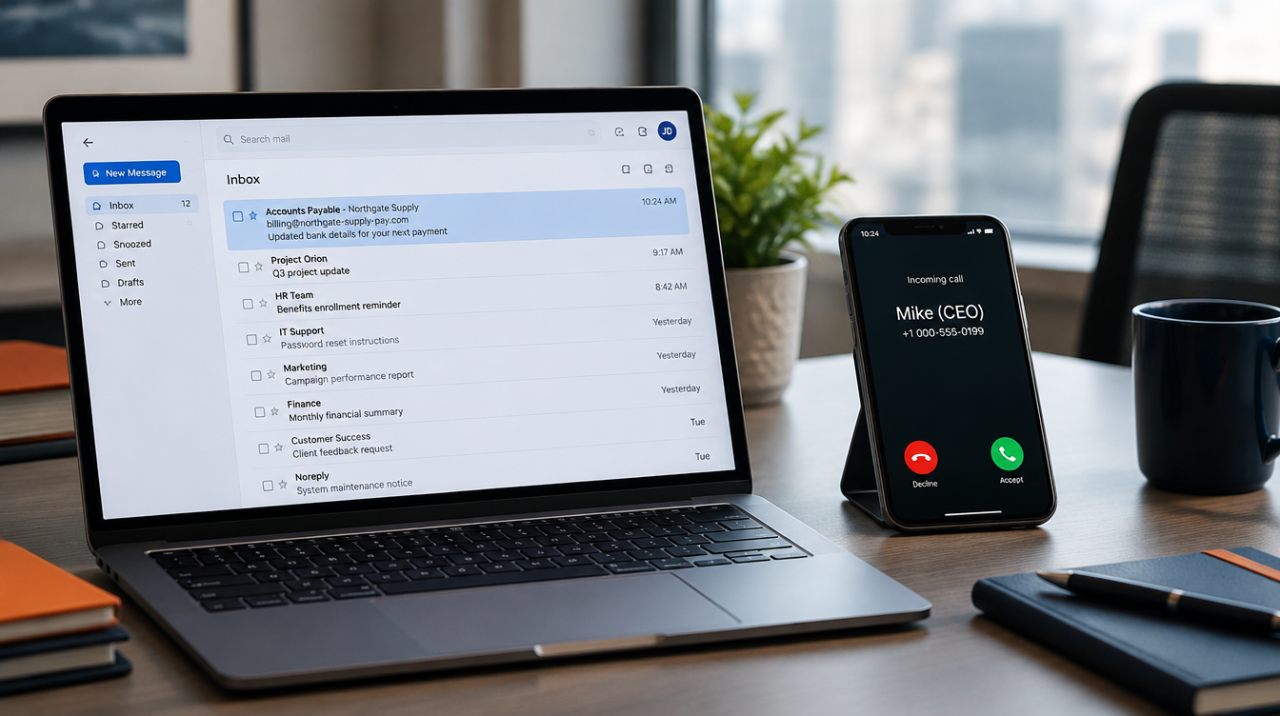
The scam that costs you money this year probably won't look like a hack. No malware, no alarm, no link to click. It'll look like a normal request from someone you trust. A voicemail from the boss. An invoice from a vendor you pay every month. An email that says the bank account changed. The job gets done the way it always gets done, and the money is gone before anyone thinks to check.
AI made these old tricks cheap and fast. A scammer used to need time and skill to fake a convincing voice or clone an invoice. Now a few seconds of audio from a voicemail greeting or a webinar clip is enough to copy someone's voice. A logo and a PDF are enough to rebuild your supplier's invoice line for line. The attack didn't get smarter. It got mass-produced.
A 2026 survey found that roughly half of small businesses reported a security incident in the past year. Microsoft reported catching more than a million fraudulent emails in a single three-day stretch this past August, many of them aimed at the people who pay the bills. Treat those numbers as direction, not gospel. The direction is clear enough: this is aimed at you, and it's aimed at the person who signs the checks.
Here's what the three plays look like, why they work on a business your size, and the handful of rules that shut the door. None of it requires buying anything today.
Why they come after small businesses
Big companies have an accounts-payable department, a two-signature policy, and a fraud team. You have a person. Maybe that person is you.
That's the whole appeal. A small business moves real money with less friction. The owner signs off fast because the owner is busy running the place. There's no separate desk whose only job is to question a payment. And the relationships are personal, so a request that sounds like it's from a familiar name gets handled, not interrogated. Attackers read your website and LinkedIn, figure out who approves payments and who reports to whom, and wait for a believable moment. Then they add urgency, because urgency is what turns a careful person into a fast one.
We're not immune to this either. We run accounts payable, payroll, and vendor wires across the businesses we operate, including import and export with partners who change their banking details for real reasons. So we field the same "please update our remittance info" emails your staff does. We know how ordinary the fake version looks, because the real version looks identical.
The three plays being run right now
Voice cloning. A scammer pulls a few seconds of someone's voice off a voicemail greeting, a social video, or a recorded webinar, and clones it. Then your bookkeeper gets a call. It's the owner's voice, stressed and in a hurry: wire this now, or go buy gift cards for a client, I'm about to walk into a meeting, don't let me down. "I recognized her voice" stopped being proof. The gift-card version sounds too small to be a real scam, which is exactly why it's chosen. Gift cards are fast, hard to reverse, and usually below the dollar amount that would trigger a second set of eyes.
Fake supplier invoices and business email compromise. This is the expensive one, because it rides a payment you were already going to make. The attacker either spoofs a supplier's email domain or, worse, gets into the supplier's real mailbox and watches a live invoice thread. Then a message arrives: same vendor, same invoice number, same layout, new bank account, please pay to this going forward. Nothing looks wrong because almost nothing is wrong. One field changed. The money lands in a criminal account and the real vendor calls a month later asking where their payment is.
Payment-redirect fraud. The close cousin. An email shows up that says, in so many words, "our banking details have changed, here's the new account for future payments." Sometimes it's a vendor, sometimes it's dressed up as payroll or a landlord. It may come from a lookalike domain you won't notice at a glance, or from a real account the attacker broke into. The point is always the same: reroute money that was heading somewhere legitimate into an account they control.
All three work for the same reason. There's nothing technically malicious to catch. No filter flags an email that's just a reasonable request, and no antivirus stops a phone call. These attacks target tired people doing normal jobs, which is why the fix isn't a product. It's a habit.
The rules that actually stop this
You don't need to out-tech the attacker. You need a few rules that don't bend for urgency, because urgency is the tool they're using against you.
Verify out of band, every time. Any request to send a payment, buy gift cards, or change bank details gets confirmed on a phone number you already have on file. Not the number in the email. Not the number in the signature. Not the callback number the caller gives you. The number you had before any of this started. This one rule breaks voice cloning, fake invoices, and payment redirects all at once, because the scammer controls the message but not the real vendor's real phone.
That includes the boss. This rule doesn't stop at vendors. When a message appears to come from the owner or a manager and asks for something out of the ordinary, a sudden wire, a batch of gift cards, a payroll change, a pull of employee W-2s, verify it the same way before acting, in person or on a known number. A real owner won't mind the check. An emailed "boss" is the easiest person in the company to impersonate, because staff don't want to question the person who signs their paycheck. Make it policy that extraordinary requests get confirmed no matter whose name is on them, so no one has to decide in the moment whether it's rude to ask.
Set a code word for money requests by voice. Pick a word or short phrase and share it with the handful of people who can approve or move money. If a call asks for a payment or a banking change, the right person can say the word. A cloned voice can copy how someone sounds. It can't know a word that was never said out loud online. It feels a little silly the first time. It works.
Require two people above a threshold. Pick a dollar amount that makes sense for your business. Any payment above it, and any change to a vendor's banking details at all, needs a second person to approve. Splitting the decision across two people defeats the whole model, which depends on getting one busy person to act alone. This costs nothing but a few minutes and a little discipline.
Treat urgency as the warning sign, not the reason to hurry. Real vendors and real coworkers can wait ten minutes for a callback. "Do it now, don't tell anyone, I'm unreachable" is not how legitimate business talks. It's the script. When a request leans hard on speed and secrecy, that pressure is the tell. Slow down exactly when you're being pushed to speed up.
Those four are free. Here are the technical backstops that make them stronger, and these are where a managed setup earns its keep:
- Turn on multi-factor authentication everywhere, especially email. It's the single biggest barrier to someone getting into a mailbox and running the invoice trick from the inside. Prefer an app or a security key over text-message codes.
- Lock down your email with SPF, DKIM, and DMARC. These are authentication records that make it much harder for a scammer to spoof your own domain, and they help your staff trust that internal-looking mail is actually internal. Most small businesses we audit have these missing or set to monitor-only, which watches the spoofing happen and does nothing about it.
- Run short, regular awareness drills. Not a once-a-year video nobody remembers. A quick, realistic test now and then, built around these exact scams, keeps the habit alive. Your best firewall is a staffer who pauses and makes the call.
If you only do three things
Start here this week. These three stop most of it:
- Put a callback rule on every payment and banking change, verified to a number you already have, never the one in the message.
- Set a code word for any money request that comes in by voice.
- Turn on multi-factor authentication on email and every account that offers it.
Give your team permission to push back
Most of these scams succeed because an employee doesn't want to look difficult or slow by questioning the boss or a familiar vendor. Take that worry off them. Tell your staff, out loud, that pausing to verify a payment is doing their job right, and that no real request from you will ever suffer for a ten-minute check.
Give them a line they can use without feeling rude:
"Our policy is to confirm any payment or banking change by phone before it goes out. I'll call you right back on the number we have on file."
That sentence is polite, final, and scam-proof. A real vendor will respect it. A real boss will be glad you said it. A scammer will hang up.
The honest bottom line
AI didn't invent these scams. It made them cheap, fast, and convincing enough that your own eyes and ears aren't reliable anymore. The defense is old-fashioned and it holds: verify on a known number, use a code word for voice requests, split big payments across two people, and treat urgency as a reason to slow down. Back it with MFA, real email authentication, and a team that knows the pause is part of the job.
This is exactly the kind of thing a managed setup is supposed to handle in the background: email authentication configured correctly, MFA turned on across the board, and staff training that's tuned to the scams actually being run. If you want a straight read on where these gaps sit in your business, book a call and we'll walk your setup on a screenshare.
FAQs
Can someone really clone a voice from a few seconds of audio?
Yes. The tools are widely available and cheap, and a short clip from a voicemail greeting, a social video, or a recorded call is enough. That's why "I recognized the voice" is no longer proof of anything. For money requests by phone, use a code word that was never shared online.
What's the single most effective thing we can do?
Put a callback rule on every payment and every banking-detail change, verified to a phone number you already have on file, never the number in the email or the one the caller gives you. It's free, it takes an afternoon to write into your process, and it stops all three of these scams at once.
We're a small team. Isn't dual approval overkill?
Pick a threshold that fits you. The point isn't to slow down every coffee-run reimbursement. It's to make sure the big wires and any change to a vendor's bank account need a second set of eyes, because the whole scam depends on getting one busy person to act alone.
We already use multi-factor authentication. Are we covered?
It's a big help and worth doing everywhere, especially on email. It's not the whole answer, because these scams often don't need to break into an account at all. A cloned voice on the phone and a spoofed invoice both work without touching your login. MFA plus the verification habits above is what actually holds.
Money already went out. What now?
Move fast. Call your bank immediately and ask them to try to recall the transfer, and report it to the FBI's Internet Crime Complaint Center at ic3.gov as soon as possible, because quick reporting sometimes allows a wire to be clawed back. Then figure out how it happened and close that gap before they try again.
0 Comments

If you typed "CMMC grants" into a search bar this month, you're in good company. It's one of the most common questions we hear in exploratory calls with Wichita-area suppliers, and the honest answer is short. There is no federal grant program that pays for CMMC compliance today. There's no CMMC loan program and no CMMC tax credit either. Several have been proposed. None has passed.
The search for money usually hides a better question. The suppliers we see spending the most in prospect assessments aren't the ones who couldn't find a grant. They're the ones who bought tools and enclaves before they knew where their CUI actually lived. Scope sets the bill, and financing only decides who carries it. So this piece covers both: the funding that exists today, and how to keep the bill from growing past what the work requires.
Here's the straight read on both.
What funding actually exists
The closest thing to a real CMMC grant is a provision in the Senate's FY2027 defense authorization bill, S. 4784. Section 1626 would direct DoD to stand up a grant program for small businesses and new entrants, capped at $100,000 per award and $50 million in total, with a July 1, 2027 deadline to establish it. Read the fine print. It would pay for the third-party Level 2 assessment only, not the work it takes to pass one. The House passed its own defense bill on July 22 with no matching grant. The Senate bill cleared committee but stalled on the floor after a July 14 procedural vote failed 50 to 46, and it has been pushed to the post-election session. Nothing has been enacted or funded. Watch it. Don't budget against it.
If it does pass, not everyone qualifies. The Senate language limits awards to SBA small businesses or nontraditional defense contractors that already hold, or are actively pursuing, a DoD contract or subcontract that requires Level 2 C3PAO certification. You can't already hold a third-party certification at that level. Companies that have never held a DoD contract get priority, but existing contractors aren't shut out. Recipients have to show a good-faith effort to reach certification within a year. That's effort, not a guarantee you pass.
The money is narrow. It covers the C3PAO Level 2 certification assessment and, subject to the program rules, assessment charges tied directly to that certified assessor. It does not cover readiness consulting, gap analysis or remediation, writing your System Security Plan and policies, new servers, firewalls or security tools, Microsoft 365 GCC High or licensing, ongoing managed IT, or Level 1 self-assessments. This is a check written to the assessor, not a general cybersecurity improvement grant.
The $100,000 number is doing a lot of work too. DoD's own 2024 regulatory cost model put a small business's Level 2 assessment and first affirmation at $101,752, a $31,234 C3PAO assessment fee plus $70,518 in assessment support and participation. That's a regulatory estimate, not a vendor quote or a promise of what you would get. The $50 million is a ceiling, not money sitting in an account. At $100,000 each it would reach about 500 businesses nationwide, more if the awards run smaller.
Three things still have to break the right way. The Senate has to pass its bill. The House version has no grant and instead tells DoD to study lowering CMMC costs and improving assessor capacity, so the grant could be reshaped or dropped in conference. And the grant is tied to a certification requirement that DoD just suspended, which Congress and DoD would have to square first. If you are already a client and eventually need certification, a grant like this could offset the independent assessment and free up cash for the compliance work. It would not pay for that work, or for us. We're an RPO, not a C3PAO.
Here's the bottom line on grants. Congress is talking about helping companies pay for the certification assessment, not the cybersecurity work it takes to pass it. Keep your readiness and managed IT budget where it is. Don't build it around a grant that doesn't exist yet.
A 30 percent tax credit for cybersecurity spending at companies under 50 employees has been floated in Congress and has drawn public support from DoD leadership. It hasn't been enacted. Same advice.
Everything above is still just proposed, and none of it can help you this quarter. What can help you already exists, and it is less exciting only because it is real. Direct CMMC grant money isn't available today, but other assistance is. APEX Accelerators (the old PTACs) are DoD-funded and free. Kansas has one, and its counselors will walk a supplier through Level 1 and the front end of Level 2 at no charge. The NIST Manufacturing Extension Partnership network cost-shares readiness projects for small manufacturers, and Kansas Manufacturing Solutions is the Kansas center. Project Spectrum, run by the Defense Department's Office of Small Business Programs, is free too. It offers CMMC training courses and a NIST 800-171 readiness self-check so you can see where you stand. None of it is grant money, and the self-check doesn't replace a formal assessment. It just gets you ready for one. You will also see "in-kind gap assessment grants." Those aren't grant money either. They're vendors or RPOs offering a free or discounted gap assessment to win your paid engagement. The assessment can be useful, but no cash changes hands, so don't budget around it as funding. Your prime may also have supplier development resources it hasn't advertised. Ask.
On the tax side, compliance spending is generally deductible as an ordinary business expense, and hardware may qualify for accelerated depreciation under Section 179. Confirm both with your CPA. None of that is a program, just how the code already works, but it does change the after-tax number.
Loans are the same story. Nothing CMMC-specific. A standard SBA 7(a) loan can cover eligible working capital and equipment for a compliance project the same way it covers a new CNC machine. SBA 504 loans are limited to fixed assets like equipment and real estate, so they can't finance working capital, consulting or labor. Match the loan to the cost.
The pause changes timing, not the requirement
The same cost pressure that put those grant bills in front of Congress is what stalled the rollout. On July 13, 2026, the Department of War suspended the transition to CMMC Phase 2, which would have started putting third-party Level 2 assessment requirements into contracts on November 10, 2026. A September 3 class deviation made the suspension binding on contracting officers. The stated reason was cost and assessor capacity. In its own filings the SBA Office of Advocacy estimated the total cost of compliance near $593,800 for a company pursuing third-party certification and near $388,600 for one relying on self-assessment. Those are full compliance estimates, not assessment fees. It counted roughly 100 approved assessors against more than 120,000 small DIB businesses (Secureframe CMMC news tracker, September 2026). As of October 20, 2026, DoD has not announced a replacement Phase 2 date.
Two things follow from that. First, the money question is being taken seriously in Washington precisely because the numbers are that large, which is why the grant bills exist. Second, nothing underneath Phase 2 moved. DFARS 252.204-7012, NIST SP 800-171, your SPRS score, the Level 1 and Level 2 self-assessments, and the annual affirmation your company signs are all still in force. An inaccurate affirmation still carries False Claims Act exposure, and on September 1 the Justice Department announced a $2 million settlement with a large aerospace contractor over alleged 800-171 shortfalls from 2020 to 2023, before any CMMC assessment requirement existed in contracts (Secureframe, September 2026).
So the pause buys time. It doesn't buy relief. Use the time to scope correctly instead of sprinting toward a date that no longer exists.
Where the money actually goes
Three scoping decisions set the size of a CMMC project, and in the assessments we run they get made by default far more often than on purpose. Level, boundary, and stack. Each one moves the number more than any grant on the table.
The first is level. A surprising share of suppliers assume they need Level 2 because a prime mentioned CMMC, when the data they actually receive is Federal Contract Information and Level 1 is the requirement. Level 1 is 15 practices and a self-assessment, while Level 2 runs to 110 controls. Confirm what you handle before you buy anything, and get it in writing from the prime if the contract language is vague.
The second is boundary. If CUI touches every workstation, every file share and every email account in the building, all of it is in scope and all of it has to meet 110 controls. If CUI lives in a segmented enclave that a handful of people access, the assessment boundary shrinks to that enclave, and so does the bill. We find, more often than we'd like to, that a supplier has already paid to bring the whole network up to Level 2 when a third of it never needed to be there. One caution. An enclave doesn't make everything outside it vanish from the assessment. The security tools that protect the enclave and certain external service providers stay in scope, so the boundary has to be drawn to the scoping rules, not just drawn small.
The third is stack. Buying a separate product for every control family produces a pile of overlapping licenses and a documentation burden that outlives the project. A smaller set of platforms, chosen to cover as many control families as they reasonably can, keeps that burden down. Software alone won't get you there. CMMC has operational and administrative requirements sitting next to the technical ones, so tools handle part of the picture and people and process handle the rest. CMMC also doesn't require that your documentation and your IT operations come from the same company. But putting them together helps. It cuts duplicated effort, keeps the System Security Plan matching how the systems actually run, and makes continuous compliance easier to hold. When the SSP and the live network are maintained by different hands, they drift, and the drift is what an assessor finds.
We build PCs and servers on our own line and have lived inside the DFARS flowdown as a manufacturer, which is part of why we push the boundary conversation before the product conversation. Segmentation and hardware placement are cheaper to get right on paper than to re-do after the enclave is built.
What to do this quarter
Start with your level. Confirm whether you handle FCI or CUI and what your contracts actually require, and get it from your prime in writing. Next, map where CUI enters, moves and sits, and which systems and people touch it, so you know what a boundary would have to contain. Then look at the assistance that exists and work out what technical work you actually need. The Kansas APEX Accelerator and Kansas Manufacturing Solutions can help with readiness at little or no cost, and they're worth a call. Keep your SPRS score honest and your affirmation current the whole way through. Government assessment and enforcement are still on the table even with Phase 2 paused, and you're the one signing that affirmation.
The next step is to have someone who knows the framework look at your scope before you spend on tools or a full 110-control build. That's the conversation we'd rather have first. Our CMMC readiness work is bundled with Managed IT because running the environment and owning the documentation together keeps the two in sync, and the first call is about whether your scope, your contract and your timing make that worth doing at all. If they don't, we'll say so.
Book a 30-minute exploratory call. Bring your contract clauses and a rough idea of where CUI lands. We can't define your full scope without seeing your environment, but we can point to the requirements you're likely facing, where the savings probably sit, and what needs a closer look before anyone talks about buying anything.
FAQ
Is there a federal grant for CMMC compliance?
Not today. The Senate FY2027 NDAA includes a proposed grant program that would cover the third-party Level 2 assessment for small businesses, capped at $100,000 per award and $50 million in total. It pays for the certification assessment, not the work to pass it. The bill is stalled, and even if enacted the legislation directs DoD to establish the program by July 1, 2027, so it is not money you can count on this quarter.
Are CMMC costs tax deductible?
Compliance spending is generally deductible as an ordinary business expense, and qualifying hardware may be eligible for Section 179 accelerated depreciation. Confirm treatment with your CPA. No CMMC-specific tax credit has been enacted.
Does the Phase 2 pause mean I can stop working on CMMC?
No. The pause suspended the new third-party Level 2 assessment requirement, not your existing contractual obligations. DFARS 252.204-7012, NIST SP 800-171, SPRS scoring and the annual self-assessment affirmation all remain in force, and an inaccurate affirmation carries False Claims Act exposure.
What free help is available in Kansas?
The Kansas APEX Accelerator offers free one-on-one counseling for DoD contractors. Kansas Manufacturing Solutions, the state's NIST MEP center, cost-shares some readiness projects for eligible small manufacturers. Project Spectrum, run by the Defense Department's Office of Small Business Programs, offers free CMMC training and a NIST 800-171 readiness self-check online. It is not a grant. Availability and eligibility vary, so confirm what you qualify for.
What cuts CMMC cost the most?
Confirming the correct level, shrinking the CUI boundary to a segmented enclave, and consolidating the tool stack. Scope has to be reduced within CMMC's scoping rules, so an enclave still has to account for the assets that protect it, but done correctly these decisions move the total more than any grant or credit currently proposed.
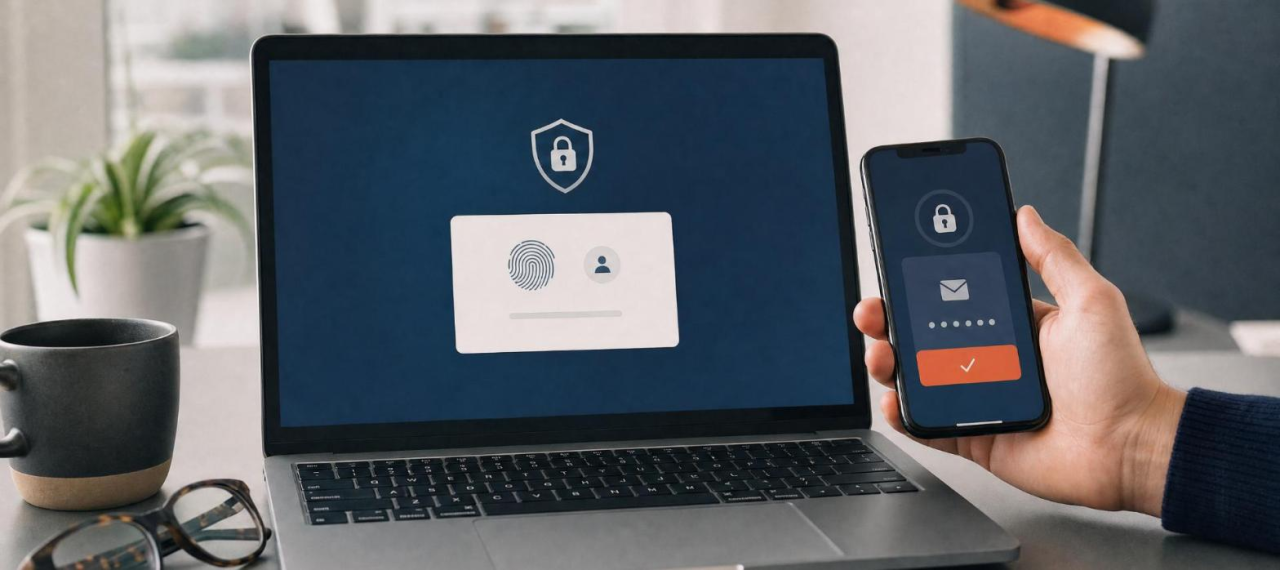
Every few weeks someone asks us to loosen a password policy. Can we stop passwords from expiring? Can we drop the two-step login for a couple of people who find it a hassle? Can we make the password rule simpler so the front desk stops calling for resets?
The requests are reasonable. A few people are frustrated, work slows down, and relaxing the rule looks like an easy win. We usually say no anyway, and here's the honest reason.
Most of the time you're asking us to relax the wrong rule. The password policy people hate, the 12-character mix of symbols that has to change every 90 days, was never very good to begin with. It's annoying and weak at the same time. It trained everyone to pick "Summer2025!" then "Summer2026!" and to reuse that password everywhere. The good news is that the modern guidance already agrees with your instinct. Password security got easier over the last few years, not harder. It just got easier in a different direction than most companies expect.
What good password guidance looks like now
The clearest reference point for this is NIST, the National Institute of Standards and Technology. Their digital identity guidance, SP 800-63B, was updated to Revision 4 and finalized in July 2025. It's written primarily for federal systems, so no private business is legally bound to it, but we use it as our benchmark because it reflects where the research actually landed. Here's what it says, and most of it runs opposite to the rules people still carry around in their heads.
Length beats complexity. NIST now treats length as the main driver of password strength and says the old composition rules (one capital, one number, one symbol) tend to produce weaker passwords, not stronger ones, because people game them in predictable ways. The current floor is 15 characters when a password is the only thing guarding an account, and systems should accept at least 64 so people can use full passphrases. When the password sits behind multi-factor login, the minimum drops to 8, because the second factor carries the load.
Stop forcing scheduled resets. NIST says not to expire passwords on a calendar. Force a change only when there's real evidence the password may be exposed. Routine 60 or 90 day rotation just pushes people toward small, guessable tweaks and more reuse. If you're still running a quarterly expiration, that's the old model, and it's costing you help-desk calls for no security gain.
Screen for known-bad passwords. Instead of complexity theater, check new passwords against a blocklist of common and previously breached ones and reject the bad matches. That's the step that actually keeps weak passwords out, and users barely notice it.
Let people paste, and let them use a password manager. The guidance says password fields should allow paste and work with password managers. Blocking paste only ever punished the people using the safest tool available.
Use multi-factor authentication, and know that the type matters. NIST pushes MFA hard and, at higher assurance levels, calls for phishing-resistant methods. It brings passkeys into the standard and downgrades SMS text codes and email one-time codes, because both can be intercepted or phished. More on that below, because it's the part worth getting right.
Notice that almost none of this is more work for your people. A passphrase you can remember, no quarterly reset scramble, a manager that fills logins in for you. The current best practice is less annoying than the thing it replaced.
The risk you're actually weighing
The friction is real. So is what happens when authentication fails, and the data has shifted in a way worth being precise about.
For years, stolen credentials were the number one way attackers got into businesses. That changed in 2026. Verizon's latest Data Breach Investigations Report found that vulnerability exploitation is now the top initial access vector at 31 percent, and credential abuse dropped to 13 percent as the way-in. That's the first time in the report's history that stolen credentials lost the top spot.
Do not read that as "passwords matter less now." Read the rest of the report. When Verizon counts credential abuse anywhere in the attack, not just the first step, it shows up in 39 percent of breaches, more than any other single factor. Attackers still need valid logins to move through your network, reach the good data, and stay in. The front door changed. The hallway didn't.
Reuse is what makes stolen passwords so useful to them. A 2025 study pulled together more than 19 billion leaked passwords and found only about 6 percent were unique values across that pile. The rest were duplicates and repeats. That's a dataset measurement, not proof that 94 percent of people are careless, but the direction is clear enough: the same passwords turn up over and over, which is exactly why an attacker will try a password leaked from some random website against your email and your payroll.
Then there's malware. Infostealers, the class of malware built to grab saved logins, had a heavy year. Modern browsers do encrypt saved passwords now. Chrome uses app-bound encryption on Windows, and Edge encrypts credentials on disk and ties them to the device. That's a real improvement over the old days. What it doesn't stop is malware running as the signed-in user, which is precisely the situation infostealers create. Once something is executing as you on your machine, it can often reach what your browser can reach. Browser-stored passwords are a smaller target than they used to be, but they're still a target, and they still travel with the browser profile.
If you do defense or government work, some of this isn't optional
This part matters most for our manufacturing and defense-adjacent clients, and it's where "we'd rather not" stops being a real answer.
If your company handles federal contract information or controlled unclassified information, you fall under CMMC, the Cybersecurity Maturity Model Certification, which is built on the NIST SP 800-171 controls. The DFARS rule that puts CMMC into defense contracts became effective November 10, 2025. Self-attestation without outside verification is on its way out.
The level you're held to decides how strict the login rules get. CMMC Level 1 covers the less sensitive federal contract information. For authentication it mostly wants unique identities and basic authentication, no shared logins. It does not mandate MFA. If that's your scope, the general guidance in this article is a fine target.
CMMC Level 2 is a different world. It covers controlled unclassified information and maps to the full 110 requirements in NIST SP 800-171 Revision 2. The control written as IA.L2-3.5.3 requires multi-factor authentication for local and network access to privileged accounts and for network access to regular accounts. This is the one people ask us to waive, and it's close to the worst one to waive. MFA carries heavy weight in CMMC scoring, and high-value requirements like it generally can't be pushed onto a "we'll fix it later" plan the way minor items can. So when a defense client asks us to drop MFA for a few users, the honest answer is that it can put the certification, and the contract behind it, at risk.
One wrinkle worth naming plainly. The 800-171 controls behind CMMC Level 2 were written around the older, complexity-heavy password model, while NIST's newest identity guidance moved toward length and breach-screening. You can satisfy both. Long passphrases, a password manager, and phishing-resistant MFA in front of anything sensitive clear the modern bar and the compliance bar together. For the exact application to your environment, that's a conversation for your assessor and your IT team.
A note on our role, because it's easy to get wrong. CybertronIT is a Registered Provider Organization, an RPO. We help you prepare for CMMC and get your controls in shape. We are not a C3PAO, so we don't run the official certification assessment. We get you ready. An authorized third party does the certifying.
What we actually recommend
When the request to loosen things lands on your desk, the useful move is to change the question. The goal isn't looser security. It's a secure path that's easy enough that nobody wants to route around it. That's usually cheaper than the friction you're trying to remove.
For most businesses, that comes down to a short list. Use passphrases instead of passwords, four or more words with some length, like "copper otter lantern drift," which beats "P@ssw0rd7" and is easier to remember. Put a dedicated password manager in place, not the browser's save prompt. The point of a password manager isn't that it's magically immune once a laptop is compromised. It's that it generates a different strong password for every account, keeps them out of the browser profile, and gives you central policy, controlled sharing, and an audit trail you can't get from twenty separate browser vaults. Never reuse a password across accounts, which the manager makes painless. And turn on MFA everywhere it will go.
If the real complaint is that there are too many logins, the fix is single sign-on, so people authenticate once with strong protection instead of juggling twenty passwords. If the complaint is that the login dance is annoying, passkeys are often faster than typing a password and happen to be phishing-resistant. If the complaint is that passwords expire too often, stop expiring them and require length plus MFA instead. Every one of those makes your people happier and your company harder to breach.
On the MFA point, the type is worth a sentence. A text-message code beats nothing, but it can be phished. An attacker stands up a fake login page, you enter your password and the code, and a tool relays both to the real site in real time. Push prompts have the cousin problem: spam someone with approvals until they tap "yes" to make it stop. Passkeys and hardware security keys close that door because they're tied to the real site's address. Land on a lookalike and the key just won't work. There's no code to steal and nothing to approve by mistake. You don't have to get there overnight. Get MFA on everything first, prefer an authenticator app over text codes, and move your most sensitive accounts to passkeys as you go.
If you want to see where your own authentication stands, or you're staring down a CMMC deadline and need your controls in shape, that's the kind of thing we do. Better to look now than to let an attacker find the gaps for you.

Before you read
You run a nonprofit. You hold donor names, addresses, and payment cards. You may hold constituent records that are just as sensitive as anything a clinic keeps. You run on a tight budget and a smaller team than the work deserves, and now a vendor has emailed you about "cybersecurity," or a grant application asked how you protect data, or your board asked whether the online donation form is safe. Every vendor sounds confident. Every proposal has a number on it. And you're nodding along to words like "PCI DSS," "SAQ," "encryption," and "SOC 2," hoping the person across the table actually understands what they mean for an organization that has to keep every donor's trust to survive.
Here's what most vendors won't lead with. Nonprofits are targets, not exceptions. In a recent survey, 85% of nonprofits said they'd been hit by a cyberattack, and more than half said they don't have enough staff to defend themselves. You hold exactly what attackers want: donor payment cards and personal information, held by a lean team. And the rules already apply to you. If your organization accepts, stores, processes, or transmits card payments, and almost every nonprofit that takes online donations does, you're subject to the Payment Card Industry Data Security Standard (PCI DSS), the same standard as any business. On top of that, comprehensive state privacy and breach-notification laws are now active in roughly 20 states and counting, and they don't exempt you because you're a charity.
And the stakes are real. Payment processors levy monthly non-compliance fines that commonly run from $5,000 to $100,000, on organizations that can least absorb them. State laws require you to notify people when their data is exposed, on a clock. And the damage that's hardest to price is the one that matters most: a breach of donor data is a breach of donor trust, and trust is the entire currency of a nonprofit.
So we wrote this down. Not a teaser, the real thing. First we decode the jargon and lay out what actually applies to a nonprofit, in plain English: PCI DSS for donations, state breach and privacy laws, and the security expectations that increasingly ride along with grants. Then we give you a ten-minute exercise to map where donor and payment data lives. Then the ten questions we'd ask if we were sitting in your chair, each with what a strong answer sounds like, what a weak one sounds like, and a real requirement to hold the vendor to.
Ask these of every vendor you're talking to, including us. The right partner welcomes them and answers straight. The wrong one gets vague. How a vendor handles these ten tells you more than any proposal ever will.
One note on us. We run managed IT and security for organizations that hold sensitive data on lean teams, and we help build and maintain the protections that matter: securing how donations are processed so your PCI scope stays small, protecting donor and constituent information with encryption and multi-factor authentication, standing up the monitoring and documentation that grants and boards ask about, and having a real plan for the day something goes wrong. We deliver that on one agreement, with the labor included rather than billed by the hour. We've built our own PCs and servers on our own line in Wichita since 1997.
Nonprofit data security in plain English
Nonprofits are covered by the same core rules as businesses. There's no charity exemption. If you take card payments, PCI DSS applies. If you hold personal data on residents of states with privacy laws, those laws apply. Being mission-driven doesn't change the obligation; it just means a breach hurts more, because your organization runs on trust.
PCI DSS: the donation rule. The Payment Card Industry Data Security Standard applies to any organization that accepts, stores, processes, or transmits cardholder data. That's essentially every nonprofit taking donations. The current standard (PCI DSS v4.0.1 at the time of research) expects controls like multi-factor authentication, monitoring of the scripts on your donation pages, and, depending on how you take payments, external vulnerability scanning. Even with a hosted payment page, you typically complete an annual Self-Assessment Questionnaire (SAQ) and maintain a written PCI program. The single biggest lever is keeping card data out of your own systems, which shrinks your scope and your risk.
State breach and privacy laws. As of early 2026, comprehensive consumer-privacy laws are active or taking effect in roughly 20 states, including California, Virginia, Colorado, Connecticut, Texas, Oregon, Montana, and more. On top of those, essentially every state has a breach-notification law requiring you to tell affected people when their personal information is exposed. Verify what applies to the states your donors live in.
Grant and funder expectations. More and more funders, government grants especially, ask about your data security posture as a condition of the money. Good security is becoming part of being fundable.
Vendor security matters as much as yours. Your donor CRM, your payment processor, your email and cloud providers all hold or touch your data. A common baseline to ask for is SOC 2 Type II. Your data is only as safe as the weakest vendor holding it.
Where CybertronIT sits. We help you take payments in a way that keeps your PCI scope small, protect donor and constituent data with real controls, stand up the monitoring and documentation funders and boards ask about, vet the security of the vendors holding your data, and build a plan for the day something goes wrong. We're not your attorney and not your auditor or QSA; the organization owns the final accountability.
The jargon, decoded
- PCI DSS. The security rules for anyone who accepts, stores, processes, or transmits payment-card data. If you take donations by card, it applies to you.
- Cardholder data. The card number and related details. The less of it that touches your own systems, the smaller your PCI scope and risk.
- PCI scope. Everything in your environment that touches cardholder data. Keeping scope small (hosted or tokenized payment flow) is the cheapest, most effective PCI move a nonprofit can make.
- SAQ (Self-Assessment Questionnaire). The annual PCI form you complete to attest how you protect card data. Even with a hosted page, you usually still owe an SAQ.
- Tokenization / hosted payment page. Ways to take payment without card data landing in your systems: the processor handles the card and hands you a harmless token.
- Encryption at rest and in transit. Protecting donor data both where it's stored and where it moves. A basic, expected control.
- MFA (Multi-Factor Authentication). Requiring more than a password to reach sensitive systems. PCI v4 pushes MFA broadly.
- Breach notification. State laws requiring you to notify affected people when personal data is exposed, usually on a defined timeline.
- SOC 2 Type II. An independent audit verifying a vendor's security controls actually work over time. A reasonable baseline for the CRM and payment vendors holding your data.
- Vulnerability scan. An automated check for known weaknesses. Depending on how you take payments, PCI may expect quarterly external scans.
The 10 questions
Here are the ten questions, with why each one matters for a real nonprofit. Ask all ten, and watch the reactions as closely as the answers.
1. What actually applies to us: PCI DSS, state breach laws, and what funders ask?
If you take card donations, PCI DSS applies, nearly every state has a breach-notification law, roughly 20 states now have broader privacy laws, and funders increasingly ask about your security. A vendor who can't explain what applies to your organization and your donors' states is selling a product, not protection.
2. How do we take payments so that card data stays out of our systems and our PCI scope stays small?
The cheapest, most effective PCI move is keeping raw card data with the processor (hosted page, tokenization). A weak vendor is fine with card numbers living in a spreadsheet, which is exactly the setup that maximizes your risk and cost.
3. What counts as donor and constituent data for us, and where does it actually live?
Sensitive data isn't just card numbers: it's your CRM, email lists, exports on laptops, shared drives, backups. A vendor who scopes only "the network" has missed the donation form, the spreadsheet, and the CRM, which is where the actual exposure is.
4. Do you provide encryption and MFA across everything that holds donor data, and can you prove it?
Encryption at rest and in transit and MFA on the systems holding donor data are basic, high-value controls, and PCI v4 pushes MFA broadly. Account takeovers are one of the most common ways nonprofits get hit.
5. How do you help us complete our annual PCI Self-Assessment Questionnaire and keep it current?
Even with a hosted payment page, you typically owe an annual SAQ and a written PCI program. A vendor who treats PCI as a one-time setup has skipped the part that keeps you compliant, and processors fine non-compliance monthly.
6. How do you vet the security of the vendors holding our donor and payment data?
Your donor CRM, payment processor, and email tools all hold your data, and your security is only as strong as the weakest one. A strong vendor asks about your other vendors and looks for a baseline like SOC 2 Type II.
7. What monitoring, patching, and backups do you run, and how do we recover from ransomware?
Nonprofits get hit with ransomware like everyone else, but with less margin to recover. A vendor who's vague about monitoring or can't tell you how fast you'd recover is one you don't want when your systems are locked.
8. What is our incident-response and breach-notification plan, and how do we meet the state clocks?
If donor data is exposed, state laws require notifying affected people, on a timeline. A vendor who treats a breach as hypothetical is the one you don't want when it happens.
9. What will this actually cost us, per user, in writing, and what fits a nonprofit budget?
Security for a lean, budget-tight team has to be priced honestly. A vendor who won't give you a clear per-user number, or oversells you enterprise tooling you don't need, isn't respecting the budget you operate on.
10. How do you help us prove our security to a board, an auditor, or a grant application, not just claim it?
Boards ask, auditors ask, and grants increasingly ask you to document your security. A vendor who leaves the documentation to you has left you holding the exact part that funders and boards examine.
Red flags to listen for
- Fine with card data in your systems. That's the setup that maximizes your PCI scope, cost, and risk.
- Never mentions PCI or the SAQ. If you take cards, PCI applies, and the annual SAQ is ongoing.
- Vague on encryption and MFA. They can't tell you exactly where MFA is enforced or that donor data is encrypted at rest and in transit.
- Ignores your other vendors. No interest in the security of your CRM, processor, or email tools, and no baseline like SOC 2.
- Scopes only "the network." They miss the donation form, the spreadsheet, the CRM, and the exports.
- No ransomware or backup story. They're vague on monitoring and can't tell you how fast you'd recover.
- No incident or breach plan. They have no plan for the state notification clocks.
- Enterprise oversell. They push tooling built for a 500-person company at a lean-team organization, with no per-user honesty.
Get the full checklist (free)
Everything above is the map. The full checklist is the tool you bring into the room. The free PDF is built to print and carry. It adds a ten-minute exercise to map your own exposure before you take a single sales call, plus where CybertronIT fits and how to score every vendor you talk to. Give us an email and it is yours.

Before you read
You run a medical or dental practice. You hold charts, insurance details, and Social Security numbers for thousands of patients. A vendor emailed you about HIPAA, or your malpractice carrier asked whether you've done a security risk analysis, or you heard the HIPAA Security Rule is being tightened, and now your inbox is full of companies promising to make compliance painless. Every one of them sounds confident. Every proposal has a number on it. And you're nodding along to words like "ePHI," "risk analysis," "BAA," and "encryption at rest," hoping the person across the table actually understands what they mean for a practice that has to see patients all day and keep their trust for years.
Here's what most vendors won't lead with. HIPAA already applies to you, and it's about to get more demanding. The Security Rule requires you to protect electronic protected health information with real administrative, technical, and physical safeguards, and it starts with one thing regulators ask for first: a written risk analysis. On top of that, the Department of Health and Human Services has proposed the most significant Security Rule update in years, and it would remove the old "addressable" wiggle room. Under the proposed changes, encryption of ePHI at rest and in transit becomes mandatory, multi-factor authentication becomes mandatory, annual penetration testing and twice-a-year vulnerability scanning become expected, you'd keep a written technology asset inventory and a network map of how ePHI moves, and your Business Associate Agreements would require active verification of your vendors' safeguards, not just a signature.
And the stakes are not theoretical. OCR civil penalties are tiered and, at the top end, reach into the millions per violation category per year. A breach affecting 500 or more patients has to be reported to HHS and the media, and every affected individual notified, generally within 60 days. And OCR's recent enforcement keeps landing on the same two failures: no real risk analysis, and weak vendor management.
So we wrote this down. Not a teaser, the real thing. First we decode the jargon and lay out what HIPAA actually asks for, in plain English, including what the proposed 2026 update would change. Then we give you a ten-minute exercise to map where your ePHI lives. Then the ten questions we'd ask if we were sitting in your chair, each with what a strong answer sounds like, what a weak one sounds like, and a real requirement to hold the vendor to.
Ask these of every vendor you're talking to, including us. The right partner welcomes them and answers straight. The wrong one gets vague. How a vendor handles these ten tells you more than any proposal ever will.
One note on us. We run managed IT and security for practices that handle sensitive patient data, and we help build and maintain the safeguards HIPAA requires: the risk analysis, the technical controls, the vendor oversight, the documentation, and the incident response. We deliver that on one agreement, with the labor included rather than billed by the hour, and we sign a Business Associate Agreement because we're in scope too. We've built our own PCs and servers on our own line in Wichita since 1997.
HIPAA in plain English
What HIPAA is. HIPAA is a set of federal rules that require you to protect patients' health information. Three rules matter most: the Privacy Rule, the Security Rule (how you protect the electronic version, ePHI), and the Breach Notification Rule. The Security Rule is where most IT and security work lives.
Who it applies to. You're a "covered entity" if you're a healthcare provider who transmits health information electronically, which covers essentially every medical and dental practice. Any vendor who handles your patients' health information on your behalf, your IT company, your billing service, your cloud EHR, is a "business associate," and both of you carry obligations.
What the Security Rule requires. Administrative, technical, and physical safeguards for ePHI. The foundation is a written risk analysis: identify where ePHI lives, what threatens it, and how you're addressing each risk. From there the Rule expects access controls, audit logging, workforce training, contingency planning, and encryption and other measures historically labeled "addressable."
What's changing. HHS has proposed a major Security Rule update. The "addressable" category effectively goes away for the important controls. Under the proposal, encryption of ePHI at rest and in transit becomes required, MFA becomes required, annual penetration testing and vulnerability scanning every six months become expected, and you'd maintain a written technology asset inventory and a network map, reviewed at least yearly. BAAs would need active verification of your vendors' safeguards. (Verify the final status against HHS, since this is moving through rulemaking.)
Breach notification. If ePHI is exposed, you generally must notify affected individuals and HHS within 60 days of discovery, and if the breach affects 500 or more people, you also notify prominent media. Larger breaches become public on the HHS breach portal.
What OCR looks at. The HHS Office for Civil Rights investigates and enforces. The first thing they ask for is your risk analysis. Recent enforcement keeps returning to two failures: no real risk analysis, and poor vendor management. Penalties are tiered by culpability and run into the millions per category per year at the top end.
Where CybertronIT sits. We're your business associate for IT and security. We help build and run the technical and administrative safeguards, and help you complete and maintain the risk analysis and documentation. We're not your attorney or auditor; the practice remains the covered entity and owns the final accountability.
The jargon, decoded
- PHI / ePHI. Protected Health Information tied to a patient; ePHI is the electronic version: charts in your EHR, images, emails, texts, billing records.
- Covered Entity. You, the healthcare provider. HIPAA's obligations land on you directly.
- Business Associate. A vendor that handles your patients' information on your behalf. They carry HIPAA obligations too, and you're required to have an agreement with them.
- BAA (Business Associate Agreement). The contract HIPAA requires between you and each business associate. Under the proposed update, you'd also verify their safeguards, not just collect a signature.
- Risk Analysis (SRA). The written, current evaluation of threats to your ePHI. It's the foundation of the Security Rule and the first document OCR asks for.
- Encryption at rest and in transit. Protecting ePHI both where it's stored and where it moves. Historically "addressable," it becomes mandatory under the proposed update.
- MFA (Multi-Factor Authentication). Requiring more than a password before someone can reach ePHI. Mandatory under the proposed update.
- Audit logging / access controls. Recording who accessed what, and limiting people to the ePHI they need. Both are named safeguards OCR checks.
- Technology asset inventory / network map. A written list of systems that touch ePHI and a map of how it moves, reviewed at least yearly. Proposed as a new requirement.
- Breach Notification Rule. Requires notifying individuals and HHS (and, for 500+, the media) generally within 60 days of discovering a breach.
The 10 questions
Here are the ten questions, with why each one matters for a real medical practice. Ask all ten, and watch the reactions as closely as the answers.
1. Which HIPAA rules apply to me, what do they require now, and what changes under the proposed 2026 Security Rule update?
The Privacy, Security, and Breach Notification Rules all apply, and the proposed update would make encryption and MFA mandatory and add asset-inventory and vendor-verification requirements. A vendor who can't explain what you must do today and where the standard is heading is selling you a product, not compliance.
2. Have you done a real, written HIPAA risk analysis for my practice, and how do you keep it current?
The risk analysis is the foundation of the Security Rule and the first thing OCR asks for. A weak vendor skips it, hands you a generic template, or treats it as a one-time form.
3. What counts as ePHI in my practice, and where does it actually live?
ePHI doesn't sit in one place: the EHR, email, billing, a provider's laptop, a personal phone, imaging devices, backups, printers, paper charts. A vendor who scopes only "the server" has missed the laptops, the phones, and the paper, which is where a lot of breaches start.
4. Do you provide encryption at rest and in transit and MFA across everything that touches ePHI, and can you prove it?
Encryption both at rest and in transit and MFA move from "addressable" to mandatory under the proposed update, and "everything that touches ePHI" includes email and mobile devices. A weak vendor says "we use strong security" and can't point to the specific control.
5. Do you sign a Business Associate Agreement, and how do you handle BAAs with my other vendors?
Any vendor who touches your ePHI, including your IT company, must sign a BAA, and the proposed update would require you to verify their safeguards. A vendor who dodges signing a BAA has left a gap OCR routinely fines practices for.
6. Who builds and maintains my policies, documentation, asset inventory, and network map?
Doing a safeguard isn't enough; you have to document it, and the proposed update adds a written asset inventory and network map reviewed at least yearly. A vendor who leaves the paperwork to you has left you holding the part OCR examines.
7. How do you handle audit logging, access controls, and workforce training?
The Security Rule names all three. A vendor who never mentions logs, access reviews, or training is leaving out safeguards that are required and frequently where breaches trace back to.
8. What is my incident response and breach-notification plan, and how do we meet the 60-day, 500-patient rules?
A breach generally requires notifying affected individuals and HHS within 60 days, and 500-plus patients means notifying the media and landing on the public HHS breach portal. A vendor who treats a breach as an afterthought is the one you don't want when it happens.
9. What will compliant infrastructure and monitoring actually cost me, per seat, in writing?
Compliant email, MFA, encryption, monitoring, logging, and testing carry real per-user cost. Guessing 8 users when the real number is 20, part-time and clinical staff included, isn't a rounding error.
10. How do you make sure I can prove compliance to OCR, not just claim it?
If OCR investigates, they start with your risk analysis and work outward into your documentation, BAAs, logs, and training records. A vendor who leaves the proof to you has left you holding the exact part that gets examined.
Red flags to listen for
- No risk analysis. They never mention a written risk analysis, or treat it as a one-time form.
- Won't sign a BAA. A vendor who touches your ePHI and hesitates to sign a BAA doesn't understand their obligations, or yours.
- Vague on encryption and MFA. They can't tell you exactly where MFA is enforced or that ePHI is encrypted at rest and in transit, including email and mobile.
- Ignores your other vendors. No plan for the BAAs and oversight of your EHR, billing, and cloud vendors.
- Scopes only the server. They miss the laptops, personal phones, imaging devices, and paper.
- Selling tools, skipping documentation. They leave the policies, asset inventory, and network map to you, the part OCR examines.
- No incident response, no breach clock. They have no plan for the 60-day and 500-patient rules.
- Fear without a plan. Heavy on scare tactics about fines, light on a real plan for your specific practice.
Get the full checklist (free)
Everything above is the map. The full checklist is the tool you bring into the room. The free PDF is built to print and carry. It adds a ten-minute exercise to map your own exposure before you take a single sales call, plus where CybertronIT fits and how to score every vendor you talk to. Give us an email and it is yours.

Before you read
You run an accounting or tax firm. You hold Social Security numbers, bank details, and returns for hundreds or thousands of clients. A vendor emailed you about the FTC Safeguards Rule, or your E&O carrier asked whether you have a written plan, or the IRS PTIN renewal asked if you have a data security plan, and now your inbox is full of companies promising to make compliance painless. Every one of them sounds confident. Every proposal has a number on it. And you're nodding along to words like "WISP," "MFA," "encryption at rest," and "Qualified Individual," hoping the person across the table actually understands what they mean for a firm that has to close during busy season and keep clients' trust the rest of the year.
Here's the thing most vendors won't lead with: the FTC Safeguards Rule already applies to you. Under the Gramm-Leach-Bliley Act, the FTC treats tax preparers and accounting firms as "financial institutions," and the amended Safeguards Rule (16 CFR Part 314), with its major provisions in force since June 2023, requires you to protect your clients' nonpublic personal information with a real, written security program. There is no exemption based on how small your firm is. Firms with fewer than 5,000 clients get a lighter path on exactly one item, the annual written report, but every core control, MFA, encryption, risk assessment, incident response, still applies in full.
And the stakes are not theoretical. FTC civil penalties run into the tens of thousands of dollars per violation, adjusted for inflation each year. The IRS can revoke your PTIN if you don't have a data security plan. And since the FTC finalized its breach-notification requirement, a breach affecting 500 or more clients has to be reported to the FTC within 30 days, and that notice becomes public.
So we wrote this down. Not a teaser, the real thing. First we decode the jargon and lay out what the Safeguards Rule actually asks for, in plain English. Then we give you a ten-minute exercise to map where your clients' data lives. Then the ten questions we'd ask if we were sitting in your chair, each with what a strong answer sounds like, what a weak one sounds like, and a real requirement to hold the vendor to.
Ask these of every vendor you're talking to, including us. The right partner welcomes them and answers straight. The wrong one gets vague. How a vendor handles these ten tells you more than any proposal ever will.
One note on us. We run managed IT and security for firms that handle sensitive data, and we help build and maintain the written security program the Safeguards Rule requires: the risk assessment, the technical controls, the vendor oversight, the incident response plan, and the documentation that proves it. We deliver that on one agreement, with the labor included rather than billed by the hour. We've built our own PCs and servers on our own line in Wichita since 1997.
The FTC Safeguards Rule in plain English
What it is. The FTC Safeguards Rule (16 CFR Part 314) implements the security requirements of the Gramm-Leach-Bliley Act for the "financial institutions" the FTC regulates. It was amended in 2021, with the major new provisions taking effect in June 2023. It's a federal rule with enforcement behind it.
Why it applies to you. The FTC's definition of "financial institution" includes tax preparers, accountants and CPA firms, financial advisors, and similar businesses that handle consumers' financial information. If you prepare returns or handle client financial data, you're in scope. There's no small-firm carve-out from the core requirements.
What it requires. At its heart, the Rule requires a written information security program, a WISP, with administrative, technical, and physical safeguards. Underneath that, the Rule names specific elements: designate a Qualified Individual, perform a written risk assessment, put access controls in place, encrypt customer information at rest and in transit, require multi-factor authentication for anyone accessing that information, oversee your service providers, keep an incident response plan, train your people, and periodically test and monitor your safeguards.
The one size-based break. Firms that maintain information on fewer than 5,000 consumers are exempt from a short list of items, most notably the written annual report. The core controls, MFA, encryption, the WISP itself, and incident response planning, still apply in full. Don't let a vendor tell you "you're small, so you don't have to worry about it."
Breach notification. If you experience a security event affecting 500 or more consumers, you must notify the FTC within 30 days, and that notification becomes part of the public record.
The IRS overlap. The IRS requires tax professionals to have a written data security plan and points to the FTC Safeguards Rule for the standard. IRS Publication 4557 lays out the safeguards, and PTIN renewal asks whether you have a plan. For a tax firm, the WISP is tied to your ability to keep preparing returns.
Where CybertronIT sits. We help you build and run the technical and administrative side of the program, the MFA, the encryption, the monitoring, the vendor oversight, the incident response, and we help you write and maintain the WISP. We're not a law firm and not your auditor; the Qualified Individual and the ultimate responsibility stay with your firm.
The jargon, decoded
- NPI (Nonpublic Personal Information). Your clients' financial information that isn't public: SSNs, account numbers, income, tax returns. This is what the Rule tells you to protect.
- GLBA (Gramm-Leach-Bliley Act). The federal law the Safeguards Rule enforces.
- WISP (Written Information Security Program). The written master document describing your safeguards, risk assessment, training, vendor oversight, and incident response. A generic template with your name pasted in is not a WISP.
- Qualified Individual. The single person the Rule requires you to designate to oversee your program. You can lean on a provider for the technical work, but the accountability stays with your firm.
- Risk assessment. A written, current evaluation of the threats to your clients' information and how you're addressing them.
- MFA (Multi-Factor Authentication). Requiring more than a password before someone can reach NPI. Non-negotiable under the Rule.
- Encryption at rest and in transit. Protecting client data both where it's stored and where it moves. The Rule requires both.
- Service provider oversight. The Rule holds you responsible for the vendors who touch client data, including your IT provider.
- Incident response plan. The written plan for what you do when something goes wrong. The 500-consumer, 30-day FTC notification makes having it ready a necessity.
- IRS Pub 4557 / WISP. IRS guidance requiring tax professionals to have a written data security plan, pointing to the FTC standard.
The 10 questions
Here are the ten questions, with why each one matters for a real accounting firm. Ask all ten, and watch the reactions as closely as the answers.
1. Which parts of the FTC Safeguards Rule actually apply to my firm, and what do they require right now?
The Rule applies to CPA firms and tax preparers with no small-firm exemption from the core controls, and the IRS ties a written data security plan to your PTIN. A vendor who can't explain that you're a "financial institution" under GLBA is selling you a product, not compliance.
2. Who is my Qualified Individual, and exactly where does your responsibility end and mine begin?
The Rule requires you to designate one person to oversee the program, and that accountability stays with your firm. A vendor who says they'll simply "be your Qualified Individual" and take it all off your plate is glossing over where the buck stops.
3. What counts as client NPI in my firm, and where does it actually live?
Client data doesn't sit in one place: the tax software, email, the client portal, workpapers, a staffer's laptop, the backup, the printer, the paper file. A vendor who scopes only "the server" has missed the laptops, the portal, and the paper.
4. Do you provide MFA and encryption at rest and in transit across everything that touches NPI, and can you prove it?
MFA and encryption both at rest and in transit are non-negotiable, and "everything that touches NPI" includes email and file transfer, not just the file server. A weak vendor says "we use strong security" and can't point to the specific control.
5. How do you handle the written risk assessment, and how do you keep it current?
The Rule requires a written risk assessment, kept up to date, not a one-time checkbox. A vendor who treats it as a form you sign once is leaving out a named requirement an examiner asks for first.
6. Who builds and maintains my WISP, and does it actually match how my firm operates?
The WISP has to describe your real safeguards, vendors, and data flow. A template WISP describes a generic firm that doesn't exist, and anyone reading it against your office spots the difference fast.
7. How do you handle service-provider oversight, including your own access to my clients' data?
The Rule holds you responsible for the vendors who touch client data, and your IT provider is one of them. A vendor who never addresses that they themselves are in scope has created a blind spot that becomes yours.
8. What is my incident response plan, and how do we meet the FTC's 500-client, 30-day breach notification?
The Rule requires a written incident response plan, and a security event affecting 500 or more clients has to be reported to the FTC within 30 days, publicly. A vendor who treats a breach as an afterthought is the one you don't want when it happens.
9. What will compliant infrastructure and monitoring actually cost me, per seat, in writing?
Compliant email, MFA, encryption, monitoring, and testing carry real per-user cost. Guessing 6 users when the real number is 15, seasonal preparers included, isn't a rounding error. Make the vendor price your seats, your way.
10. How do you make sure I can prove compliance to the FTC, the IRS, and my clients, not just claim it?
Proof is now the standard. You need documentation that matches reality: the WISP, the risk assessment, evidence of MFA and encryption, training records, the incident response plan. A vendor who leaves the documentation to you has left you holding the part that gets examined.
Red flags to listen for
- "You're too small to worry about it." There's no small-firm exemption from the core controls.
- Vague on MFA and encryption. They can't tell you exactly where MFA is enforced or that data is encrypted at rest and in transit, including email.
- No risk assessment, no WISP. They never mention the written risk assessment or the WISP, or treat them as one-time forms.
- The template WISP. A plan that describes a generic firm instead of yours.
- "We'll be your Qualified Individual, don't worry about it." The designation and accountability stay with your firm.
- The vendor blind spot. They never address that they themselves touch your clients' NPI and are in scope for your oversight.
- No incident response, no breach clock. They have no plan for the 500-client, 30-day FTC notification.
- Hidden per-seat cost. No straight per-user number, no clarity on whether testing and monitoring are included.
Get the full checklist (free)
Everything above is the map. The full checklist is the tool you bring into the room. The free PDF is built to print and carry. It adds a ten-minute exercise to map your own exposure before you take a single sales call, plus where CybertronIT fits and how to score every vendor you talk to. Give us an email and it is yours.

Before you read
You hold a defense contract, or you're a subcontractor to a prime that does. Somewhere in your contract is a clause about protecting government information, and now your inbox is full of vendors promising to make CMMC painless. Every one of them sounds confident. Every proposal has a number on it. And you're nodding along to words like "enclave," "GCC High," "C3PAO," and "SPRS," hoping the person across the table actually understands what they mean for a contractor that has to keep bidding, keep delivering, and keep primes happy.
Two things just shifted, and both matter. On July 13, 2026, the Department of War (DoW) suspended CMMC Phase II, the mandatory third-party certification that was set to become a condition of award on November 10, 2026, pending a review aimed at cutting cost and burden. And earlier, effective February 1, 2026, the older self-assessment clauses were restructured: DFARS 252.204-7019 was removed and 252.204-7020 was renumbered, with assessment obligations meant to route through CMMC under DFARS 252.204-7021, which is the piece now paused. In plain terms, the paperwork path keeps changing, but the duty to protect the data has not moved an inch.
Here's the part no vendor should let you forget: DFARS 252.204-7012 is unchanged and has applied since 2017. It still requires you to safeguard Covered Defense Information and report cyber incidents to DoD within 72 hours. NIST SP 800-171 and its 110 controls still stand. So does your obligation to have a real System Security Plan and a defensible score. The suspension paused the certification gate, not the security.
So we wrote this down. Not a teaser, the real thing. First we decode the jargon and lay out what CMMC Level 2 asks for, in plain English. Then we give you a ten-minute exercise to map your own CUI and your flow-down. Then the ten questions we'd ask if we were sitting in your chair, each with what a strong answer sounds like, what a weak one sounds like, and a real number or requirement to hold the vendor to.
Ask these of every vendor you're talking to, including us. The right partner welcomes them and answers straight. The wrong one gets vague. How a vendor handles these ten tells you more than any proposal ever will.
One note on us. We're a CyberAB-authorized Registered Practitioner Organization, so we do CMMC readiness work: a gap analysis, a roadmap, standing up the controls, building the documentation, and getting your self-assessment to a place you can defend. We deliver that as an add-on to our managed IT, on one agreement, with the readiness labor included rather than billed by the hour. We've built our own PCs and servers on our own line in Wichita since 1997.
CMMC Level 2 in plain English
What CMMC is. CMMC stands for Cybersecurity Maturity Model Certification. It's the DoW's way of checking that the companies in its supply chain actually protect the sensitive information they handle. It's a verification layer on top of rules that have existed for years, chiefly DFARS 252.204-7012 and NIST SP 800-171.
The three levels. Level 1 covers Federal Contract Information (FCI) and is a yearly self-assessment against 15 basic safeguards. Level 2 covers Controlled Unclassified Information (CUI) and is where most defense contractors handling technical data land. Level 3 is for the highest-sensitivity programs. This guide is about Level 2, because that's where the cost and the work live.
What Level 2 requires. Level 2 is built on NIST SP 800-171, which has 110 controls across 14 families. To meet it you need three things: the 110 controls in place in your actual environment, a System Security Plan (SSP) describing how each control is met, and a Plan of Action and Milestones (POA&M) for anything not fully done yet.
How you're scored. You self-score against NIST 800-171 on a scale that tops out at 110. That score is posted in a DoW system called SPRS, along with a senior official's affirmation that it's accurate. Until the July 2026 suspension, contracts involving CUI were headed toward a mandatory check of that score by an accredited third-party assessor called a C3PAO. That third-party step is the part now paused.
Where things stand now. On July 13, 2026, the DoW suspended CMMC Phase II pending a review meant to lower cost and burden. It's suspended, not cancelled. Separately, effective February 1, 2026, DFARS 252.204-7019 was removed and 7020 renumbered, with assessment routed through 7021/CMMC, which is the suspended piece. Two things did not change: DFARS 252.204-7012 still requires you to safeguard CUI and report incidents within 72 hours, and Level 2 still stands with all 110 controls. For now you demonstrate Level 2 by self-assessing and affirming your score in SPRS. That affirmation is legally binding, so a score you can't back up carries real exposure, including under the False Claims Act.
Where CybertronIT sits. We're an RPO, a Registered Practitioner Organization. We do the readiness work that gets you to the point where you'd meet the controls and could defend your score. We are not the C3PAO, and by design the same firm can't both prepare you and run the third-party assessment on the same engagement.
The jargon, decoded
- CUI (Controlled Unclassified Information). Government information that isn't classified but still has to be protected. If your contract involves CUI, you're in Level 2 territory.
- DFARS 252.204-7012. The clause, in force since 2017, that requires safeguarding covered defense information and 72-hour incident reporting. Unchanged by the CMMC suspension.
- NIST SP 800-171. The security standard Level 2 is built on: 110 controls across 14 families.
- SPRS (Supplier Performance Risk System). The DoW system where your self-assessment score is posted with a legally binding senior-official affirmation.
- Flow-down. The requirement that primes push cybersecurity obligations to their subcontractors.
- Enclave. A walled-off, secured part of your network where CUI is allowed to live, kept apart from the rest of your systems.
- GCC High. Microsoft 365 Government Community Cloud High, built to store CUI. Roughly $60 per user per month all-in for a Level 2-capable seat as of 2026.
- C3PAO. The accredited firm that runs an official Level 2 assessment. Not your IT provider. As of July 13, 2026, the mandatory third-party assessment is suspended.
- RPO. Registered Practitioner Organization: a firm authorized to do CMMC readiness work. CybertronIT is an RPO.
- SSP / POA&M. The written master document describing how each control is met, and the plan for closing remaining gaps.
The 10 questions
Here are the ten questions, with why each one matters for a real defense contractor. Ask all ten, and watch the reactions as closely as the answers.
1. Which of my contract clauses actually apply to me, and what do they require right now?
DFARS 252.204-7012 has applied since 2017 and is unchanged. The 7019/7020/7021 framework shifted on February 1, 2026, and CMMC Phase II was suspended on July 13, 2026. A vendor who can't tell you which clauses are in your contracts today is selling you a product, not a plan.
2. What counts as CUI in my environment, and where does it actually live?
The moment CUI enters, whatever it touches can get pulled into scope: the workstation, the file server, the laptop the estimator takes home, the shared printer. Scope drives cost, so a vendor who oversizes your scope oversizes your bill.
3. How do you handle flow-down to and from my subcontractors and my prime?
If you're a prime, you're responsible for confirming your subs meet the requirements before you hand them CUI. If you're a sub, your prime will ask for your SPRS score and your SSP. A vendor who treats your company as an island has left out half the problem.
4. My IT provider touches this data. How does that provider fit into my compliance?
If your MSP administers the systems that hold CUI, that provider is in scope. You can't outsource the obligation. Ask how the vendor's own handling of your CUI is documented and controlled.
5. Can you walk my whole workflow, portal to delivery, and show me it stays compliant end to end?
Your CUI doesn't sit still. Compliance has to hold at every handoff, not just where the data rests. A vendor confident about storage but blank on the workflow has a hole in their plan.
6. What will compliant infrastructure actually cost me, per seat, in writing?
A Level 2-capable GCC High seat runs roughly $60 per user per month all-in as of 2026. Guessing 10 CUI users when the real number is 25 isn't a rounding error. Make the vendor price your seats, your way.
7. How are you handling the controls that aren't technical, the people and building side?
A large share of the 110 controls have nothing to do with software: physical protection, personnel security, training, media handling. A good partner tells you which they implement, and which physical safeguards stay with you as the building owner.
8. Who builds and maintains my SSP, POA&M, and evidence, and keeps them matching reality?
Doing a control isn't enough; you have to prove it. Your score runs on evidence. A vendor who hands you templates to fill out alone is handing you the hardest part.
9. Is the System Security Plan built for my company, or a template with my name pasted in?
The SSP is the backbone of Level 2. NIST 800-171 requires it (control 3.12.4). A real SSP names your systems, your network, your data flow. A template SSP describes a generic company that doesn't exist.
10. How do you make sure I can stand behind my SPRS score, whoever ends up checking it?
With Phase II suspended, you demonstrate Level 2 by self-assessing and affirming your score in SPRS. But self-certifying is not a free pass. The affirmation is legally binding, and the DOJ's Civil Cyber-Fraud Initiative has pursued contractors under the False Claims Act for misrepresenting their cybersecurity.
Red flags to listen for
- Manufactured urgency. A vendor still pounding the November 2026 deadline. That third-party deadline is suspended as of July 13, 2026.
- Clause confusion. They can't tell you which DFARS clauses are in your contracts today.
- Ignoring flow-down. No plan for your subcontractors or your prime relationship.
- The MSP blind spot. They never address that your IT provider touches your CUI and is in scope.
- Hidden infrastructure cost. No straight, per-seat number for compliant infrastructure.
- "We handle all 110 controls." Nobody installs your locks or guards your building.
- Template documentation. An SSP that describes a generic company instead of yours.
- The RPO and C3PAO blur. A vendor implying they can both prepare you and run your third-party assessment.
Get the full checklist (free)
Everything above is the map. The full checklist is the tool you bring into the room. The free PDF is built to print and carry. It adds a ten-minute exercise to map your own exposure before you take a single sales call, plus where CybertronIT fits and how to score every vendor you talk to. Give us an email and it is yours.

Before you read
You run a machine shop that supplies the defense sector. A prime asked about CMMC, or you saw the clause in a contract, and now your inbox is full of vendors promising to make it painless. Every one of them sounds confident. Every proposal has a number on it. And you're stuck nodding along to words like "enclave" and "GCC High" and "FIPS boundary," hoping the person across the table actually knows what they mean for a shop that runs Mastercam and pushes G-code to the floor every day.
One thing just shifted in your favor. On July 13, 2026, the Department of War (DoW) suspended the mandatory third-party certification step (CMMC Phase II) pending a review aimed at cutting cost and burden for shops like yours. The clock that vendors have been using to rush you is gone for now. You still have to meet the controls and stand behind your own score, but the pressure to buy a big, expensive, C3PAO-ready package this year just eased. That makes this the right moment to slow down and ask hard questions, not to get talked into the biggest solution on the shelf.
Here's the truth. A confident answer isn't the same as a correct one. The gap between the two is where shops lose money, overbuy, and end up with a score they can't defend.
So we wrote this down. Not a teaser, the real thing. First we decode the jargon and lay out what CMMC Level 2 actually asks for, in plain English, including what the July suspension did and didn't change. Then we give you a ten-minute exercise to map your own CUI so you walk into vendor calls already knowing your rough scope. Then the ten questions we'd ask if we were sitting in your chair, each one with what a strong answer sounds like, what a weak one sounds like, and a real number or requirement to hold the vendor to.
Ask these of every vendor you're talking to, including us. The right partner welcomes them and answers straight. The wrong one gets vague, changes the subject, or waves it off as "we'll sort that out later." How a vendor handles these ten tells you more than any proposal ever will.
One note on us, so you know where this is coming from. We're a CyberAB-authorized Registered Practitioner Organization, so we do CMMC readiness work: a gap analysis, a roadmap, standing up the controls, building the documentation, and getting your self-assessment to a place you can defend. We deliver that as an add-on to our managed IT, on one agreement, with the readiness labor included rather than billed by the hour. We also build our own PCs and servers on our own line in Wichita, and we've done that since 1997. That's why this guide is written from the shop floor, not a whiteboard. Use it, keep it, and bring it to every sales call you take.
CMMC Level 2 in plain English
Before the questions, here's the lay of the land. If you already live this every day, skip ahead. If you're newer to it, ten minutes here saves you from getting talked in circles later.
What CMMC is. CMMC stands for Cybersecurity Maturity Model Certification. It's the DoW's way of checking that the companies in its supply chain actually protect the sensitive information they handle. It isn't a new set of security rules. It's a verification layer on top of rules that have existed for years.
The three levels. Level 1 covers Federal Contract Information (FCI) and is a yearly self-assessment against 15 basic safeguards. Level 2 covers Controlled Unclassified Information (CUI) and is the one most defense machine shops are heading for. Level 3 is for the highest-sensitivity programs and is assessed by the government directly. This guide is about Level 2, because that's where the cost and the work live.
What Level 2 actually requires. Level 2 is built on a security standard called NIST SP 800-171, which has 110 individual controls spread across 14 families (things like access control, physical protection, and incident response). To meet it, you need three things working together. First, the 110 controls in place in your actual environment. Second, a System Security Plan (SSP), which is the written document describing exactly how each control is met at your shop. Third, a Plan of Action and Milestones (POA&M) for anything that isn't fully done yet, because a plan for the gaps is normal and expected.
How you're scored. You self-score against NIST 800-171 on a scale that tops out at 110. Each control is worth 1, 3, or 5 points, and missing a control subtracts its weight, so you can end up well below zero. That score gets posted in a DoW system called SPRS, along with a senior official's affirmation that it's accurate. Until the July 2026 suspension, contracts involving CUI were headed toward a mandatory check of that score by an accredited third-party assessor called a C3PAO. That third-party step is the part that's now paused (more just below).
Where things stand now, and why the pressure just eased. Here's the important update. On July 13, 2026, the DoW suspended CMMC Phase II, the mandatory third-party (C3PAO) certification that was set to become a condition of contract award on November 10, 2026. It's suspended pending a top-to-bottom review meant to lower cost and burden for small and mid-size contractors, not cancelled, so the third-party requirement could return or change. Two things did not change. Phase I self-assessment requirements, in force since November 2025, still apply. And Level 2 itself still stands, with all 110 NIST 800-171 controls. For now, you demonstrate Level 2 by doing the self-assessment and having a senior official affirm your score in SPRS, instead of hiring an accredited third-party assessor. That affirmation is a legally binding statement, so a score you can't back up carries real exposure, including under the False Claims Act. And the duty to protect CUI under DFARS 252.204-7012 has applied since 2017 regardless of any of this. The takeaway: you still have to meet the same controls and stand behind your number, but the pressure to buy a rushed, expensive C3PAO-ready enclave this year just eased. That's room to do it right, not a reason to do nothing. (Verify the current status at build time against the DoW CMMC page, since this is under active review.)
Where CybertronIT sits in that. We're an RPO, a Registered Practitioner Organization. We do the readiness work that gets you to the point where you'd meet the controls and could defend your score. We are not the C3PAO, and by design the same firm can't both prepare you and run the third-party assessment on the same engagement. That line matters even with the third-party step paused, because it could come back. Any vendor who blurs it is worth a second look.
The jargon, decoded
Vendors hide behind these words. Here's what each one means, so nobody can fog you with it.
- CUI (Controlled Unclassified Information). Government information that isn't classified but still has to be protected, like a defense drawing, a spec, or a technical data package marked for control. If your contract involves CUI, you're in Level 2 territory. Your everyday financial records aren't automatically CUI, so part of the job is figuring out what actually counts.
- FCI (Federal Contract Information). A lower tier of sensitive information tied to a federal contract that isn't meant for public release. FCI alone puts you at Level 1. Handling CUI moves you up to Level 2.
- NIST SP 800-171. The security standard Level 2 is built on. It's the list of 110 controls across 14 families that you have to meet. When a vendor says "the controls," this is what they mean. The July 2026 suspension didn't touch these controls, they still apply.
- Enclave. A walled-off, secured part of your network (or a separate cloud environment) where CUI is allowed to live, kept apart from the rest of your systems. The idea is to shrink the area that has to meet all the controls. It's a common approach, not the only one, and it only works if the walls actually hold when data has to move in and out.
- GCC High. Microsoft 365 Government Community Cloud High, a version of Microsoft's cloud built to meet the requirements for storing CUI. It's often part of a compliant setup, and it costs more than regular Microsoft 365. Roughly $60 per user per month all-in for a Level 2-capable Business Premium seat as of 2026, more on higher tiers, with a government price increase landing mid-2026 (verify current pricing for your seat count). Whether you need it at all depends on your CUI and your scope, which is a reason not to get rushed into buying it.
- C3PAO. Certified Third-Party Assessment Organization. The accredited outside firm that runs an official Level 2 assessment and certifies you. Not your IT provider, not your readiness partner, by design. As of July 13, 2026, the mandatory third-party assessment is suspended pending review, so for now Level 2 is shown by self-assessment and a senior-official affirmation instead. The distinction still matters, because the requirement could return.
- RPO. Registered Practitioner Organization. A firm authorized to do CMMC readiness and advisory work, the prep that gets you ready. CybertronIT is an RPO.
- SSP (System Security Plan). The written master document that describes how each of the 110 controls is met in your specific environment. It's the backbone of your compliance, and the thing a prime or an auditor asks to see behind your score. NIST 800-171 requires it (control 3.12.4). A generic template with your name on it is not the same as an SSP built for your shop.
- POA&M (Plan of Action and Milestones). The written plan for closing the gaps you haven't finished yet, with dates. A POA&M is normal. It shows a realistic path from where you are to full compliance, and it's part of what makes your self-assessment score defensible rather than a guess.
- SPRS (Supplier Performance Risk System). The DoW system where your NIST 800-171 self-assessment score gets posted, along with a senior official's affirmation that it's accurate. Primes and contracting officers can see it. That affirmation is a legally binding statement, so a number you can't back up with evidence is a liability, not a checkmark.
- FIPS 140 validated. A specific government certification for encryption. NIST 800-171 (control 3.13.11) requires that the cryptography protecting CUI be FIPS-validated, meaning the encryption module was tested and certified by a NIST-approved lab, not just "uses strong encryption." This is the toggle that famously breaks some business software, including QuickBooks Desktop and some CAD tools, when it's turned on the wrong way.
The 10 questions
Here are the ten questions, with why each one matters on a real shop floor. Ask all ten, and watch the reactions as closely as the answers. The full checklist below adds, for every question, exactly what a strong answer sounds like, what a weak one sounds like, and the specific number or requirement to hold each vendor to.
1. How will my CAM software actually run in the environment you're proposing?
Mastercam, GibbsCAM, Fusion, Esprit. These aren't email. They're graphics-heavy applications that lean on a real GPU and a real workstation to run without dragging. When a vendor proposes to move you into a secured cloud or a virtual desktop to protect CUI, ask exactly how your CAM seat performs in that setup, who tested it, and what it costs. With the third-party deadline paused, you have time to get this right instead of accepting whatever design a vendor can stand up fastest.
That cost is the part that quietly wrecks budgets. A regular office user in a compliant cloud is cheap by comparison. A GPU-backed virtual workstation that can actually run CAM is a different animal. A GPU-capable virtual machine in a government cloud can run from several hundred dollars a month per seat into four figures per seat per month depending on the GPU size and how many hours it runs, and Azure Government carries roughly a 15 percent premium over commercial Azure on top of that. Those are ballpark figures to frame the question, not a quote. Make the vendor price your seats, your way.
2. Does the price include the CAM licensing this move actually requires?
Moving a CAM seat into a virtual or cloud environment isn't always a clean lift. Some CAM licenses are tied to a physical dongle or a specific machine. Some vendors' license terms treat a virtual desktop as a different kind of install, which can mean a different license, an added cost, or a call to your CAM reseller before anything activates. Find this out before you sign, not the week you go live.
3. How does a program get from the secure environment to the machine, and stay compliant the whole way?
This is the question that separates people who understand shops from people who understand servers. It's one thing to lock CUI inside a secure enclave. It's another to get a program out to a machine that has no idea what CMMC is, and do it without breaking your compliance.
How does the post get to the control? USB stick? Network share? A DNC box in the corner running Windows 7? Every one of those is a real answer with real consequences. NIST 800-171 has a whole media protection family, and control 3.8.7 is specifically about controlling removable media like USB drives. So "we'll just sneakernet it on a thumb drive" isn't a shrug, it's a control you now have to account for.
4. Once a file leaves the secure environment, what becomes part of my CMMC scope?
Follow the part. The moment CUI leaves the protected boundary, whatever it touches can get pulled into scope. The workstation at the machine. The USB drive. The shared printer. The traveler printed on paper and clipped to the job. The old PC nobody's logged into since 2019 that still has a network cable in it.
This isn't guesswork. The official CMMC Level 2 scoping guidance sorts every asset into categories, including assets that handle CUI, assets that protect the environment, and specialized assets like the machine controls themselves. A vendor who knows the work talks in those terms and sorts your gear honestly. Scope also drives cost, so a vendor who oversizes your scope is oversizing your bill.
5. Can you walk my whole workflow, customer portal to CAM to G-code to the machine, and show me it stays compliant end to end?
Your CUI doesn't sit still. A print lands from a customer portal. An engineer opens it in CAM. That becomes a program. The program becomes G-code. The G-code goes to a machine, and the finished part ships. Compliance has to hold at every handoff, not just where the data sits at rest.
There's a trap here worth knowing. Information derived from CUI is usually still CUI. So the toolpath and the G-code your team generates from a controlled drawing can carry the same protection requirement as the drawing itself. A vendor who thinks only the original PDF is sensitive, and treats the G-code as just machine data, has a hole in their plan.
6. What assumptions are baked into this proposal that could bite me later?
Every proposal rests on assumptions. You use these machines. Your data flows this way. You have this many CUI users. Your CAM works like this. When an assumption is wrong, the fix costs money, and it usually surfaces after you've signed.
Here's a concrete one. Compliant cloud seats are priced per user, so the headcount in the proposal drives the bill. At roughly $60 per user per month for a Level 2-capable GCC High seat, guessing 10 users when the real number is 25 isn't a rounding error, it's about $900 a month the proposal didn't show. Ask what their user count is and where it came from. And ask how the labor is billed, because a low headline price with hourly remediation on top is a different deal than one with the work included.
7. How are you handling the controls that aren't technical, the people and building side?
CMMC Level 2 is built on 110 controls, and a large share of them have nothing to do with software. Whole families are about people and buildings: physical protection, personnel security, awareness and training, media handling. Who's screened before they touch CUI. Who can walk up to a machine or a server. What happens to accounts when someone quits. How visitors are logged. How you dispose of a drive or a stack of printed travelers.
Here's where you want an honest vendor, not a flattering one. A good partner will tell you plainly which of these they handle and which stay with you. The technical and administrative controls, the policies, the procedures, the account and access side, those are things a readiness partner should stand up and document. But the physical safeguards themselves, the locks on the door, the alarm, the fireproofing, the camera at the dock, those live with you, the building owner. No IT vendor installs your deadbolts. The right answer is a clear division of labor, in writing, so nothing falls in the crack between "we assumed you had it" and "we thought you did that."
8. Who documents those people-and-building controls, and how?
Doing a control isn't enough. You have to prove it. Whoever asks, a prime, an auditor, or a future assessor, wants to see the written policy, the training records, the visitor log, the screening process, the media disposal procedure. Talk without documentation is a weak spot in your self-assessment. Your score runs on evidence, and evidence means documents that match reality.
9. Is the System Security Plan built for my shop, or a template with my name pasted in?
The SSP is the backbone document of your Level 2 compliance. NIST 800-171 requires it (control 3.12.4), and it has to describe exactly how each of the 110 controls is met in your environment. A real SSP names your systems, your CAM setup, your network, your machines, your data flow. A template SSP describes a generic company that doesn't exist, and anyone who reads it against your floor spots the difference fast, because the document won't match what they see. That's true whether the reader is a prime today or a third-party assessor if that requirement comes back.
10. How do you make sure I can stand behind my score, whoever ends up checking it?
Here's what the July 2026 change means for this question. The mandatory third-party assessment (the C3PAO step) is suspended pending the DoW's review, so for now you're not hiring an outside assessor. You demonstrate Level 2 by self-assessing against the 110 controls and having a senior official affirm your score in SPRS. A single-site third-party assessment commonly ran $30,000 to $60,000 in fees for a small shop, and that expense is off your plate for now. That's real money the suspension just saved you this year.
But self-certifying is not a free pass, and any vendor who sells it that way is setting you up. The SPRS affirmation is a legally binding statement, and a score you can't back up with evidence carries False Claims Act exposure. Primes can still ask to see your number and your SSP before they hand you work. And the duty to protect CUI under DFARS 252.204-7012 has applied since 2017 no matter what CMMC does. The review could also bring the third-party step back in some form, so a defensible self-assessment now is also insurance against a rushed scramble later.
Red flags to listen for
You're not just collecting answers. You're watching how a vendor reacts to hard questions. These are the patterns that should give you pause. One on its own might be a vendor having an off day. A cluster of them is a vendor who'll leave you exposed or oversold.
- Manufactured urgency. A vendor still pounding the November 2026 deadline to rush you. That third-party deadline is suspended as of July 13, 2026. Anyone using it to close you fast either isn't current or is counting on you not being.
- Hidden infrastructure cost. No straight answer on what compliant, GPU-backed workstations for CAM actually cost. The horsepower your software needs in a compliant cloud is expensive, and a vendor who hides it now will invoice it later. Make them price your CAM seats separately from your office seats.
- Hidden CAM licensing. The proposal never mentions what happens to your CAM licenses in the new environment. That silence becomes a bill, or a seat that won't activate the week you go live.
- Vague on data flow. Confident about the cloud, fuzzy the moment CUI has to reach a machine. They've solved the easy half and are hoping you don't notice the hard half.
- Hand-waving on scope. They can't tell you what gets pulled into scope once a file leaves the boundary. Printers, USB drives, paper travelers, and old PCs all count. Oversizing your scope also oversizes your bill.
- Enclave tunnel vision. They talk only about the secure container and stop at the shop floor, as if production isn't part of compliance. Your parts get made out there, and so does the risk.
- "We handle all 110 controls." Nobody installs your locks or guards your dock. A vendor who claims to own your physical premises security either doesn't understand the controls or is telling you what you want to hear. You want a clear split of who does what, in writing.
- "Self-cert means you barely have to do anything." The opposite of urgency, and just as dangerous. A self-assessment you can't defend is a legal exposure, not a box checked. The controls and the evidence still matter.
- Template documentation. An SSP or policy set that describes a generic company instead of your shop. Anyone reading it against your floor sees through it, and so should you.
- Incomplete workflow. They cover where data rests but can't trace it from customer portal to CAM to G-code to machine. Compliance breaks at the handoffs they skipped.
- The RPO and C3PAO blur. A vendor who implies they can both get you ready and run your third-party assessment. Those can't be the same firm on the same engagement, and that line still matters if the requirement returns.
- Hourly surprises. A low headline price with the remediation labor billed by the hour on top. Ask whether the work to reach readiness is included or whether the meter runs every time a gap turns up.
Get the full playbook (free)
Everything above is the map. The full checklist is the tool you bring into the room.
The free PDF adds, for every one of the ten questions, exactly what a strong answer sounds like, what a weak one sounds like, and the specific number or requirement to hold each vendor to. It also includes a ten-minute exercise to map your own CUI before you take a single sales call, so you walk in already knowing your rough scope. It is built to print and carry.
Give us an email and it is yours. We will send the PDF to your inbox and start it downloading right away. No cost, no obligation.

On July 13, 2026, the Department of War (DoW) suspended the CMMC Phase II requirement that would have forced Level 2 defense contractors to pass a third-party audit to win work. The deadline that everyone was racing toward, November 10, 2026, is off the calendar for now. The audit pressure eased. The security work did not.
If you've been getting emails telling you to beat the November deadline or lose your contracts, those emails are now out of date. Here's what actually happened and what a defense supplier should do about it.
What the DoW actually announced
The DoW suspended the transition to CMMC Phase II, effective immediately, along with pending and future CMMC implementation milestones across its solicitations and contracts. Phase II was the stage where Level 2 contractors would have needed a certificate from an accredited outside assessor (a C3PAO) as a condition of award.
The DoW also opened a 60-day, top-to-bottom review of the whole program and put out a public Request for Information asking industry where the compliance burden actually falls. The stated goal is to lower the barrier for small, medium, and non-traditional businesses and to replace paperwork-heavy compliance with security measures that scale.
The DoW's own CIO, Kirsten Davies, framed it as reducing red tape while keeping a security baseline, not walking away from security. Her words: strong cybersecurity and operational resilience remain critical, and the defense industrial base can hit both while the government cuts the parts that were paralyzing smaller firms.
Read the language carefully, because the difference matters. This is suspended pending review. It is not cancelled, and it is not over. The third-party audit requirement could come back, come back changed, or land somewhere else entirely once the review reports. Anyone telling you CMMC is dead is selling you the wrong story, the same way the deadline-panic crowd was selling you the other one.
What this means for a defense manufacturer in Wichita
If you're a Tier 2 or Tier 3 aerospace or defense supplier heading for Level 2, the single thing that changed is the expensive, scheduled, pass-or-lose C3PAO audit. That pressure is off for now.
What did not change is your obligation to actually secure the Controlled Unclassified Information you handle. During this interim period, the DoW says it will enforce the NIST SP 800-171 Rev 2 standard through self-assessments and select government-led assessments. In plain terms, you still have to meet the same security bar. You just show it yourself for now instead of paying an outside assessor to certify it.
So the smart read is not relief and it is not panic. It's this: the cost and the calendar crunch of a rushed certification just came off, and you got room to do the underlying work properly instead of cramming for an exam.
What still applies (this is the part the headlines skip)
Phase I never went anywhere. The self-assessment requirements are firmly in place. If a solicitation requires a Level 1 or Level 2 self-assessment, that's still live.
The 110 controls of NIST 800-171 are still the standard. Level 2 was never just a piece of paper. It's a real control set covering access, audit logging, configuration management, incident response, media protection, and the rest. Suspending the outside audit doesn't shrink that list by a single control.
Your duty to protect CUI has been law since 2017. The DFARS 252.204-7012 clause obligates every contractor and subcontractor that touches covered defense information to safeguard it, full stop. The DoW went out of its way to say this suspension does not eliminate that obligation. It predates CMMC and it outlives this pause.
And here's the piece almost nobody is saying out loud. For Level 2 right now, you demonstrate compliance by scoring yourself against the 110 controls and having a senior company official affirm that score in the government's SPRS system. That affirmation is not a formality and it is not a free pass. It's a legally binding statement. If the score is wrong and you knew it, or should have, you've got False Claims Act exposure, and the Justice Department has been pursuing exactly those cases against contractors who certified security they didn't have. Self-certification means you own the number. Standing behind a false one is a bigger problem than any audit.
What CybertronIT recommends
Three things, and they pull against each other on purpose.
First, self-certify properly. If you're subject to a Level 2 self-assessment, do it against all 110 controls, build the System Security Plan and the POA&M behind it, and make sure the number you affirm in SPRS is one you can actually defend. This is the work that matters most now, because your own signature is the thing standing behind it.
Second, don't overspend. If a vendor is pushing you to buy an expensive isolated enclave or a full certification sprint to beat a November deadline, that deadline no longer exists. Pause. Some businesses genuinely need an enclave and some architectures genuinely require one. But buying it in a panic, for a date that's off the calendar, is how you spend money on controls you may not need in the shape a vendor sold them. The honest move is to size the environment to what your contracts actually require, then decide.
Third, don't stand down. This is the mistake on the other side. The fundamentals are unchanged, the DFARS obligation is unchanged, and the third-party requirement could return in some form when the review wraps. A supplier who treats the pause as permission to stop is going to be scrambling later, and scrambling is where the expensive mistakes live. The businesses that use this window to quietly get their CMMC readiness in order are the ones who won't blink when the rules settle.
We're not saying this from a whiteboard. We run the same play in our own building. We carry our own compliance obligations every year, we know what a self-assessment costs in real hours, and we know the difference between a control that's documented and a control that's actually live on the network. That gap is the first thing we find on the networks we take over. This is also why we bundle CMMC readiness with Managed IT Services on the same engagement. The documentation and the live systems have to be run by the same team, or your SSP describes a business you no longer are by the next quarter. We’re an RPO, so we do the readiness work. We don’t run the certification assessment. That’s a separate accredited firm, by design.
Where to start
If you want a straight read on whether this pause changes anything for your next contract, book a short call. Thirty minutes, no commitment. Bring any contract clauses, flowdown language, or supplier questionnaires you have in hand. We'll tell you what you're actually on the hook for, what you're not, and what a realistic timeline looks like now that the deadline moved. If we're not the right fit, we'll say so.
Frequently asked questions
Is CMMC cancelled?
No. CMMC Phase II is suspended pending a 60-day review, not cancelled. The requirement for Level 2 contractors to pass a third-party (C3PAO) certification is on hold. Phase I self-assessment requirements remain in place, and the program could change and return once the review is complete.
Do I still need to meet NIST 800-171?
Yes. The 110 controls of NIST SP 800-171 Rev 2 are still the standard. During the interim period the DoW is enforcing them through self-assessments and select government-led assessments. Suspending the outside audit did not remove any of the controls.
Does the suspension end my duty to protect CUI?
No. DFARS 252.204-7012 has obligated contractors and subcontractors to safeguard covered defense information since 2017. The DoW stated directly that this suspension does not eliminate that requirement.
Should I stop my CMMC project?
Not if you're subject to it. The self-assessment obligation stands, the DFARS duty stands, and the third-party requirement may return in some form. The pause is a good window to do the underlying work properly without a rushed audit deadline, not a reason to stand down.
Is a self-assessment lower risk than a C3PAO audit?
It's less expensive and less scheduled, but it isn't risk-free. A senior official has to affirm your score in SPRS, and that affirmation is legally binding. A knowingly inaccurate score carries False Claims Act exposure. You own the number either way.
Posted by CybertronIT.

If you handle CUI on a DoD contract and you run QuickBooks Desktop, one Windows setting can stall your CMMC work, and most people don't find it until they flip the switch. Turn on FIPS mode to meet the encryption requirement, and QuickBooks Desktop stops opening. That's not a rumor. Intuit says QuickBooks Desktop doesn't support FIPS mode and has no plan to add it. So the real question isn't whether QuickBooks is "CMMC compliant." What matters is whether this conflict applies to your environment, and what to do when it does.
The mechanism, in plain terms
NIST SP 800-171 control 3.13.11 requires FIPS-validated cryptography to protect the confidentiality of CUI. That means more than a FIPS-approved algorithm. The module itself has to be tested and certified by a NIST-approved lab. One common way to get there on Windows endpoints is to enable FIPS mode. The moment you do, Windows forces every application to use only FIPS-validated algorithms, and QuickBooks Desktop isn't built to comply, so it crashes on launch. The same toggle has been known to break other business software too, including some CAD tools your engineers depend on. Flip one setting for compliance and two of your most-used programs can go dark.
Where the scary version gets it wrong
You may have seen this pitched as "QuickBooks fails CMMC, period." That's the fear version, and it isn't accurate. The conflict is real, but it's situational. It only bites under specific conditions, and being straight about that is the point, because a claim that collapses under a knowledgeable buyer's questions isn't worth much.
When this actually applies to you
The QuickBooks and FIPS conflict is a live problem, not a hypothetical, when all of these are true:
- You actually store or process CUI, not just FCI. Your ordinary financial records aren't automatically CUI.
- Your contract requires FIPS-validated encryption on the systems that touch that CUI.
- QuickBooks Desktop, or a CAD tool, runs on an endpoint inside that boundary.
- You're pursuing CMMC Level 2, where 800-171 and the FIPS requirement apply.
If all four are true, the conflict is real and worth closing before an assessment. Plenty of contractors run this check and find only one or two apply, which changes the fix entirely. And even when it does apply, pulling QuickBooks out is rarely the first move. Often the right answer is scoping the CUI boundary so QuickBooks sits outside it, or documenting a compensating control and a POA&M while you plan the change. The wrong move is guessing.
Why this is our lane
We're a Registered Practitioner Organization, so we run CMMC readiness and know exactly what 3.13.11 asks for and what it doesn't. To be clear on the roles, an RPO prepares you. A C3PAO runs the certification assessment. We're the prep, not the exam.
We also build our own PCs and servers on our own line, so we control the endpoint and the compliance config down to the machine. When FIPS has to go on, we know what it will break before you find out the hard way, and we set the environment up so your accounting and your CAD tools keep running inside a compliant boundary. Most firms advising on this have never configured the hardware underneath it. We do both.
And when the worry is CUI touching a tool you can't control, we run Private AI, so sensitive data never has to leave for a public service to process it. Managed IT, CMMC readiness, and the hardware, all under one roof, serving the Wichita aerospace supply chain and Southcentral Kansas since 1997.
The honest bottom line
QuickBooks and FIPS do conflict. Whether it threatens your compliance depends on your data, your contract, and your boundary, and those are answerable in one conversation. Level 2 third-party assessments start phasing in November 10, 2026, contract by contract, so the time to find these conflicts is now, not during the assessment. We'll tell you straight whether it bites you, and if it does, we'll close it without a rip-and-replace.
If you want to know where you actually stand, book a call and we'll walk your setup. If you're weighing the on-prem-versus-cloud cost of the fix, our Infrastructure Cost Reality Check is a good place to start.

Google used to hand you links. Now it hands you an AI summary, a stack of ads, and pointers to its own products, with the actual results shoved down the page. If that bugs you, you're not stuck with it. Real alternatives exist, and several keep AI optional or leave it out.
What changed
Google's results aren't necessarily worse. They're buried. AI Overviews sit up top now, and there's no permanent way to switch them off. You can filter a search to Web to strip it back to plain links, but you have to redo it every single time, and that gets old.
A few worth trying
- DuckDuckGo. Runs on Bing's index and has a strictly no-AI version at noai.duckduckgo.com.
- Brave. Uses its own index and lets you turn AI features off in the settings.
- Startpage. Runs your query through Google and Bing without attaching your identity to it.
- Mojeek. Built its own index from scratch and keeps AI behind a button you have to press.
- Kagi. Drops ads entirely and only does AI when you ask for it, though it's a paid option.
None of them is perfect. A couple trade AI for weaker privacy. Others trade privacy for being free. Pick the compromise you can actually live with.
The bigger question for a business
Here's where this stops being about search. The thing that bugs people about Google harvesting their queries is the same thing a business should think hard about before staff start pasting company information into a public AI tool. Contracts, client records, pricing, source files. Once it's in a public model, you've lost the say over where it lives and who trains on it.
For a defense subcontractor or a CPA firm under the FTC Safeguards Rule, that's not a preference, it's a compliance line. Regulated data isn't allowed to wander off to a vendor nobody vetted.
This is why we run Private AI for businesses that want the productivity without the exposure. The model sits on infrastructure you control, and your data doesn't leave to go train someone else's product. We host and secure our own systems the same way, so we're not selling something we don't run in our own building.
Technology should be a tool that makes the day easier, not one that leaves you uneasy about where your information ends up. If your team is already leaning on AI and you're not sure where the data's going, book a call and we'll map where it actually lives.

Every office has one. The printer that only works if you unplug it first. The server nobody's allowed to touch. The spreadsheet three people email around because the real system never got set up. Temporary fixes. They were supposed to last a week. Some of them are older than the people using them now.
Why the band-aid wins in the moment
A temporary fix is cheap, fast, and it makes the problem disappear today. That's the whole appeal. Nobody plans to run a company on duct tape. It happens one reasonable shortcut at a time, and each one feels smaller than stopping to fix the thing underneath.
What it actually costs
The bill comes later and it's bigger than the fix you skipped. A workaround nobody wrote down becomes the thing that breaks at the worst possible moment, with the one person who understood it out of the office. Across the takeovers we run, the messes we walk into are almost never one big failure. They're years of small patches stacked on each other until nobody can tell which one is holding the weight.
Then there's the risk you can't see. A couple of the quiet ones we turn up on assessments:
- A firewall rule opened for a vendor two years ago and never closed.
- An old employee account still active because deleting it might break something nobody remembers.
Those stay silent until they turn into the reason a business is on the phone with its cyber insurer.
Trading them in
The fix isn't heroics. It's naming the root cause instead of the symptom and building the smallest thing that actually solves it. That costs an hour more today and saves a week later. We run our own production line and live our own compliance, so we've paid for our own shortcuts and learned to quit taking them. When we take over an environment, the first job is finding the band-aids and swapping them for something that holds.
You don't have to rip everything out at once. Start by writing down what's held together with tape, rank it by what hurts most if it fails, and fix from the top down.
If your setup has a few "temporary" fixes that have quietly gone load-bearing, book a call and we'll help you find them before they break.


A slow machine costs more than patience. Every morning a team spends watching a spinning cursor is payroll already spent. Before anyone buys a replacement, five things are worth trying, and most take a lunch break.
Five fixes worth trying first
- Close the browser once a day. Browsers eat memory, and thirty open tabs can hold gigabytes of RAM hostage. Shut the browser all the way once a day and it comes back. Bookmark the tabs you're afraid to lose so you're not keeping them open out of fear.
- Cut what launches at startup. Half the programs on a computer start themselves the second it powers on. On Windows, open Task Manager with Ctrl + Shift + Esc, go to Startup apps, and disable what you don't need first thing. On a Mac, it's System Settings, then General, then Login Items. Leave the antivirus and security tools alone, and if you don't recognize a name, ask before you touch it.
- Get files off the desktop. The operating system treats every desktop icon as a live window it has to draw and refresh, so hundreds of files sitting there tax the machine. Move them into folders, and put anything that matters in backed-up cloud storage. A desktop is the one place a file isn't protected when a drive fails.
- Keep the vents clear. When a computer runs hot, the processor throttles itself to avoid frying, so a dusty vent turns into a speed problem. Clear the side and bottom vents with compressed air, and stop working on beds and couches that block the airflow.
- Restart, don't just close the lid. Closing the lid only puts the machine to sleep. Errors and cached junk ride along until a real restart. Once a week pick Restart, not Shut Down, because on Windows a Fast Startup shutdown skips the full reset and Restart flushes the cache and installs pending updates.
When it's the machine, not the settings
These habits buy time. They don't rewrite physics. A workstation is built to run 3 to 5 years under warranty and support, and past that window the cost shows up as lost hours and a security risk nobody signed off on. We build PCs and servers on our own line, so when we look at a slow computer we can tell fast whether it's a setting, a failing drive, or a box that's aged out. Guessing is how a free fix turns into a bad week.
We see this on onboarding audits more than you'd expect. A team limps along on machines two years past support, told every year that replacements weren't in the budget, while the real cost was the hour a day each person lost to the wait.
If slow machines are dragging on your team and you're not sure which ones are worth saving, book a call and we'll help you sort the quick fixes from the boxes that have aged out.
Most of the workday now happens inside a browser. Chrome, Edge, whatever your team lives in. And because they practically live there, browsers quietly pile up background data, random plugins, and tracking cookies until they start to drag.
Here's the good news. You don't always need to throw money at a slow computer. Sometimes you just need to use what you already have better. Three quick fixes take the load off the machine and bring the speed back.
Clear the cache
When you visit a site, your browser saves pieces of it (images, logos, scripts) so it loads faster next time. That's the cache. Over months and years it grows huge, or the files inside it get corrupted, and the thing meant to speed you up does the opposite. Clearing it is quick and it gives a sluggish browser an instant lift.
In Chrome: click the three-dot menu at the top right, pick Clear Browsing Data, choose a time range, and clear cached images and files.
In Edge: go to Settings, then Privacy, Search, and Services. Scroll to Clear Browsing Data, click Choose what to clear, check cached images and files, and click Clear Now.
Drop the extensions you don't need
Browser extensions look harmless. Ad blockers, grammar checkers, coupon finders. But every extension is a small program running in the background all the time, and a lot of them are bloat that just eats system resources.
Worse, an unvetted extension can turn into spyware that watches keystrokes or scrapes company passwords. Take five minutes today and audit your extensions. If IT hasn't checked and approved it, pull it off the device. This is exactly the kind of quiet risk we screen for on the machines we manage.
Break the open-tab habit
Too many open tabs is one of the biggest drains on performance. Keeping dozens of pages open at once starves the machine of working memory, and it doesn't matter how good the laptop is. Enough tabs will bring a powerful one to its knees.
If your team needs to save a page for later, teach them to use bookmarks or a reading list instead of leaving the tab running all day.
Why this matters for the business
Look at it as the owner. When your staff fights slow, unresponsive computers, they lose momentum and get frustrated with the very tools meant to help them. That costs you more than any maintenance schedule ever would.
A few simple habits, a monthly browser cleanup and a quick plugin audit, keep things running smoothly. But if your computers are still crawling after all that, the real problem is usually deeper: network setup, outdated software, or hardware that's actually past its service life.
That's where we come in. We've built and maintained business systems in Wichita since 1997, and we do the heavy lifting so your team can get back to work. Book a call and we'll figure out what's really slowing you down.

We've all seen the movie version of a hacker. A lone genius in a dark room, hammering a keyboard, green text flying, shouting "I'm in." It makes good TV. It's also nothing like the real thing.
Today's cybercriminal looks less like a movie villain and more like a mid-level manager. Cybercrime isn't a hobby anymore. It's an organized, multi-billion-dollar industry with org charts, help desks, performance targets, and marketing budgets.
If you run a business in the Wichita metro or south-central Kansas, you're not up against a bored kid making a statement. You're up against an enterprise whose entire product is stealing your data.
The tools they buy off the shelf
Because it's an industry, attackers don't build everything themselves. They buy their tools, the same way you buy accounting software.
Ransomware-as-a-service. Skilled developers write the encryption malware and rent it to other criminals for a cut. The person attacking you didn't have to know how to build any of it.
AI-written phishing. The era of obvious typos and broken English is over. Attackers use generative AI to write clean, convincing emails that mimic your vendor, your bank, even your own HR department.
Stolen-password marketplaces. When a big site gets breached, millions of email and password combos land on the dark web. Criminals buy the lists for pennies and run automated tools that try those passwords against hundreds of other business networks. If your team reuses passwords, that's the open door.
How the attack actually unfolds
An attacker rarely stumbles in and starts smashing things. The process is deliberate, and it usually runs in four steps.
First, reconnaissance. They research your company in the open. LinkedIn tells them who runs finance, who handles IT, and what software you use.
Second, access. Most of the time they don't break through a firewall. They log in. A targeted phishing email to one employee, or an unpatched software hole, and they're inside.
Third, quiet movement. Once they're on one machine, they wait. Days, sometimes weeks, moving through your network looking for the valuable stuff: customer data, financial records, and above all, your backups.
Fourth, the payload. Only after they've copied your data and disabled your backups do they pull the trigger. Files encrypted, systems locked, a note on the desktop demanding Bitcoin.
That's the pattern, not a guarantee. Not every attack follows it step for step. The point is that the weaknesses are spread across your whole environment, so your defenses have to be too.
An organized defense beats an organized attacker
If that sounds like a lot to carry on top of running a business, it is. The good news is you don't have to be defenseless. Getting hit isn't your fault. Leaving the front door unlocked is.
Antivirus and a prayer doesn't cut it anymore. A real defense is layered.
Managed detection and response. Not the antivirus that just scans for known bad files. Managed detection and response watches how your machines behave around the clock. If a computer starts encrypting thousands of files at 3 a.m., it isolates that machine before the damage spreads.
Multi-factor authentication. One of the highest-value controls you can turn on. Even if a criminal buys your exact password, MFA stops them cold by demanding a second code from your phone.
Immutable backups. If the worst happens, your backups are the safety net, as long as a hacker can't reach them. Immutable backups can't be deleted or altered, so you can restore your business without paying a cent to a criminal.
We do this for a living
You don't have to become a security expert. You just need a partner that takes your security as seriously as the criminals take their attacks.
We run our own systems and build our own hardware here in Wichita, so this isn't theory for us. We look at how your staff actually works and put a layered defense in place that protects them without getting in the way of the workday.
Want to know whether your business is actually covered? Book a call and let's have a straight, no-pressure conversation.

The cloud is supposed to make work easier. Remote access, flexibility, no aging server humming in a closet. A rushed move usually does the opposite. It grinds the workday to a halt.
Here's how it goes wrong. A business copies its data straight off an old local server into a cloud folder, no plan, and calls it done. Day one, the team is fighting slow file access, broken shortcuts, and folders nobody can find anything in. Work that used to take seconds takes minutes. Multiply that across everyone, every day, and the cloud you bought to speed things up is now the thing in the way.
Technology should get out of your people's way, not stand in it. When a cloud move leaves everyone frustrated, it's almost always because someone treated it as a quick admin task instead of an operational change.
Why "lift and shift" backfires
The common mistake is the lift and shift. You move the data exactly as it sits on the old drive, no changes, straight to the cloud. It looks like the cheapest, fastest option. It rarely is.
A real migration does the work most people skip. It restructures how files are organized, checks that your applications still work, and sets user permissions before a single file moves. Skip that and you get a mess where staff burn hours every week hunting for the file they need.
There's a security catch too. On a local office server, your network quietly handles a lot of access control. Payroll, HR files, client records, all walled off without anyone thinking about it. Move to the cloud without rebuilding that and the invisible walls vanish.
Then you land in one of two bad spots. Either sensitive folders sit wide open to the wrong people, or the whole thing is locked down so hard your team can't reach the tools they need. Neither works. A good migration maps out role-based access from the start, so security and daily usability both hold.
What an organized move looks like
Treat the move as a full audit of your setup, not a file copy. The prep is the part that pays off.
Clean house first. Don't pay a monthly cloud bill to store hundreds of gigabytes of dead files nobody's opened in years. Archive the junk before you pay to move it.
Teach new habits. Cloud sync doesn't work like an old local server. Train your team to work out of their synced local folders, not by digging through a laggy browser tab all day.
Stop working off big files over the open internet. Opening and editing large, active files straight across a standard connection is how you get crashed apps and lost work. Sync it down, work local, let it sync back up.
Build the roadmap before you move
Your team's productivity shouldn't ride on a generic, rushed migration. Your people deserve a setup that clears the clutter and lets them focus on the work.
We plan and run moves like this for Wichita businesses every week. We've been building and managing our own infrastructure here since 1997, so we map the move to how your business actually runs, not a template. And if you're not sure whether everything even belongs in the cloud, that's worth answering first. Some workloads are cheaper and faster to keep on hardware you own. Our managed IT team can build you a realistic roadmap, and we put together a free two-minute check on which workloads to own versus rent.
Ready to move without the slowdown? Book a call and we'll walk through it.

Your cloud bill climbs a little every month and nothing new shows up to explain it. No new servers, no new headcount, no new service. Just a bigger number. That slow climb is cloud sprawl, and it is one of the easier line items to fix once you can actually see it. We sign the checks for our own mix of on-prem and cloud, so watching that number is something we do for our own books, not just for clients.

When a remote team feels slow, the problem is usually the tools, not the people. Good employees turn unproductive when the technology fights them all day, and most of that friction traces back to a short list of fixable issues. We run a distributed team ourselves, with employees and contractors across several states and a couple of countries, so we've hit each of these and solved them on our own time before advising anyone else.
Three roadblocks show up the most. Here's what each looks like and how to clear it.
Work that lives in one building
If the files, the accounting system, or the main line-of-business app only runs from a desk in the office, your remote people are locked out the minute they leave. The fix is moving what they need into a properly managed cloud setup, so the same resources are reachable from anywhere with a connection. Done well, someone can handle a sick kid at home without losing the day, because the work no longer depends on which chair they're in.
Company data on networks you don't control
You can secure the office network, but a home router or a coffee-shop hotspot is out of your hands. What you can control is the device. The laptops and phones that touch company data, the endpoints, can be set to meet a security standard before they're allowed in, whether they're company-issued or covered by a clear personal-device policy. That protects the data wherever it travels, and it keeps your remote people in reach of real IT support when something breaks. It's also why we treat the network as untrusted by default and put the controls on the device instead.
The small stuff that quietly eats the day
Some of the biggest productivity drains are unglamorous and completely fixable.
Flaky Wi-Fi. Wireless is unstable by nature. Plugging a work laptop straight into the router with an Ethernet cable skips the interference and steadies the connection for calls and uploads.
Lost files. When nobody can find a document, the problem is structure, not memory. Standard shared folders and a little training mean everyone knows where things live.
Constant crashes. Software that freezes is usually software that's behind on updates. Keeping operating systems and apps current fixes the slowdowns and closes the security holes attackers look for.
None of these are dramatic, which is exactly why they get ignored until they've cost a quarter of lost hours. Clear them and remote work stops feeling like an uphill climb.
If your team is fighting their tools more than their workload, we'll find the friction and clear it. Book a 30-minute call and tell us where the workday slows down.

Before you spend thousands on an AI platform, check what your Microsoft 365 or Google Workspace license already does, and what to lock down first.
Most of your business runs on a few communication tools you trust without thinking about them. Email, a chat app, the system you use to move invoices and files. The question worth asking is whether the sensitive material flowing through them is actually protected on the way, or just assumed to be. On a lot of the environments we assess, it's assumed. Here is where to start closing that gap.
Two risks make this worth your attention, and neither is hypothetical. The first is interception. Data sent over an unsecured connection can be read by anyone positioned to watch the traffic, which is how login credentials and financial details leak. The second is the one that actually empties bank accounts. In a business email compromise, an attacker who can read your email threads waits for a real invoice and slips in a lookalike message that redirects the payment to their own account. We see versions of this on assessments more often than we'd like, and the businesses that get hit are rarely careless. They just never had the controls that catch it.
Encrypt what moves
The baseline is encryption in transit, so a message or file in motion is unreadable to anyone who grabs it along the way. The major business platforms support this, but the default settings aren't always the strong ones, and older tools and custom integrations often skip it entirely. We host and secure our own customer-facing systems, so this is something we keep working at on our own infrastructure, not just a line we hand to clients. The job is confirming encryption is on everywhere your data travels, not assuming the logo on the app means it's handled.
Tighten the channels your team actually uses
Most leaks aren't exotic. They come from a normal habit nobody flagged. A few standards close the common gaps.
Keep passwords and financial documents out of plain-text channels like SMS and consumer chat apps. Those were never built to hold your secrets.
Standardize on a vetted business suite that encrypts messages and attachments, so your team isn't improvising with whatever app happens to be open.
Give remote staff a secure path into company systems instead of reaching them across open public Wi-Fi.
This is a compliance question too
If you handle regulated data, protecting it in transit isn't only good practice. It's usually required. The FTC Safeguards Rule, HIPAA, and the NIST 800-171 controls behind CMMC all expect sensitive information to be encrypted as it moves. Getting this right closes a real risk and satisfies a requirement you may already be carrying.
If you're not certain what your communications actually protect today, we'll walk your setup with you and show you where the gaps are. Book a 30-minute call and we'll start with the channels your team uses most.

© 2026 CybertronIT. All rights reserved.Privacy Policy · Sitemap