
CybertronIT Blog
Cybertron Blog
Cybertron has been serving the Wichita area since 1997, providing IT Support such as technical helpdesk support, computer support, and consulting to small and medium-sized businesses.


The cheapest way to buy business hardware is on a schedule you set, not on the day a machine dies. Most businesses do the opposite. They run every PC and server until something fails, then replace a pile of gear at once and eat a five-figure bill they never planned for. The fix is a rolling refresh: retire a few machines at a time, on a steady cadence, before they turn into the emergency.
We build and ship PCs and servers from our own line, so we watch hardware move through its whole life, from the bench to the failure bin. Business gear is built to run three to five years while it's under manufacturer warranty and support. After that window the math turns against you: out-of-warranty repairs, slower work, and the security risk of a box the vendor no longer patches. The goal was never to squeeze ten years out of a server. It's to replace it on purpose, while it's still supported, instead of letting it pick the date for you.
Why the all-at-once refresh hurts
When a business buys its whole fleet in one year, it retires the whole fleet in one year too. That's how a routine upgrade becomes a $30,000 quarter and a week of everyone learning new machines at the same time. We find it on onboarding audits more than you'd expect: twenty workstations bought together in 2021, all hitting the wall together now. Nobody planned it that way. It just arrived.
Spread the same purchases out and the problem mostly disappears. Replace five machines a year instead of twenty every four years and the total spend is the same, except now it lands as a predictable line item instead of a crisis. Your IT team only sets up a handful of people at a time, so they can actually walk each person through the new machine.
A simple quarterly rhythm
You don't need a complicated system for this. You need a list and a calendar. Once a quarter, run the same short loop.
Start with the books. Pull your asset list and find the oldest hardware and the machines logging the most support tickets. Those are next up.
Order and prep. Buy the replacements and configure them before they reach anyone's desk, with security tools installed and the user's cloud profile already synced.
Swap and retire. Because the profile lives in the cloud, the swap takes minutes instead of an afternoon. The old machine gets securely wiped and recycled.
Don't just go by age
Age is where you start, not where you stop. Two other things move a machine up the list. First, single points of failure. A server or a firewall that takes the rest of the office down with it outranks a slow laptop every time. Second, the people whose downtime costs the most. An engineer or designer sitting idle burns more per hour than a spare machine in the back, so their gear stays fresh. And watch the quiet tells: a laptop battery that can't survive a two-hour flight, or a workstation that has started running hot, is usually closer to the end than its purchase date admits.
We make these same calls on our own equipment, weighing each replacement against everything else competing for the same dollar. That's the lens we bring to your fleet. Replace what's genuinely at risk, keep what's still earning its keep, and never let the whole bill show up in one quarter.
If your hardware budget feels like a string of surprises, we can map your fleet and build a refresh plan you can actually predict. Book a 30-minute call and we'll start with what's most at risk right now.
0 Comments


October 14 will be here before you know it, and when it arrives, Windows 10 reaches its end of life. After that date, Microsoft stops issuing security updates for it. Without expensive special arrangements, every new threat that comes along will have nothing standing in its way. If your business is still on Windows 10, moving to Windows 11 needs to be near the top of your list, and the sooner the better.
The Stakes Are High
End of life is not just a label. It means the patches stop. Right now, when a flaw is found in Windows 10, Microsoft fixes it. After October 14, those fixes end, and every vulnerability discovered from then on stays open forever. Attackers know these dates better than anyone, and unsupported systems become prime targets. A computer running an unsupported operating system is one of the easiest ways into a network, and from there, into everything else you run.
Why You Need to Start Now, Not Later
It is tempting to wait until the deadline is breathing down your neck. That is a mistake, for two reasons. First, Windows 11 has stricter hardware requirements than Windows 10, so some of your machines may not be able to run it as-is. You need time to find out which ones, and to plan for the ones that need replacing. Second, a rushed migration across a whole business is how things break and data gets lost. Done early and deliberately, the move is smooth. Done in a panic the week of the deadline, it is a scramble.
This is also a good moment for an honest look at your hardware. Some machines will upgrade cleanly. Others have genuinely aged out and are due for replacement anyway. Knowing the difference, and not throwing out gear that still has good life in it, is exactly the kind of call worth getting right.
We Can Help, Whatever Your Situation
Whether your machines are ready for Windows 11, need a few adjustments, or are due for replacement, there is a clear path forward, and getting ahead of October 14 makes all the difference. We handle migrations like this for businesses, from checking which machines qualify to planning the rollout so nobody loses a day of work, and we build and run the hardware for the ones that need replacing. If you are still on Windows 10, book a call and we will map out your move before the deadline forces your hand.

Your business lives and dies by its network. When it runs well, nobody notices. When it does not, everybody feels it, slow software, stalled file transfers, calls that drop, work that grinds. The frustrating part is that the cause is often a piece of hardware sitting in a closet that nobody has thought about in years. Here is the gear worth checking before it starts costing you.
Wireless Routers and Access Points
These are the on-ramp for every laptop, phone, and device on your network, and they are the easiest to forget. It is normal to run the same router for years without a second thought. The problem is that an older unit handles fewer connections, runs slower wireless standards, and eventually stops getting firmware updates. That last part matters most. A router that no longer gets security patches is a known way in for an attacker, and it is sitting right at your front door.
Firewalls
Your firewall is the guard between your network and the open internet, and it is doing real work every second. Threats change constantly, and an older firewall both struggles to keep up with the traffic and falls behind on the protections it can apply. Once the maker ends support, it stops getting updates against new attacks entirely. At that point it is a guard standing at the door with a list of yesterday's threats. Of everything on this list, an end-of-life firewall is the one to fix first.
Network Switches
Switches are the plumbing that moves data between everything wired into your network, and they are the most invisible of the lot. An aging switch becomes a bottleneck, choking transfers between your machines and servers no matter how fast everything else is. Newer switches move far more data and give you better control over how traffic flows, which matters more every year as the amount of data your business pushes around keeps climbing.
Knowing When It Is Actually Time
Not every old box needs to go. Some gear has years left and just needs a firmware update. The skill is telling the difference, knowing when a unit is genuinely at end of life versus when it is fine and just looks old. That call is a lot easier when it comes from people who build and run this equipment day in and day out, not from someone reading a spec sheet.
We design, supply, and run network hardware for businesses, and we manage the security that rides on top of it. Because we operate this gear ourselves, the advice is honest about what to replace and what to leave alone. If your network feels slower than it should, or you have no idea how old the boxes in that closet are, book a call and we will take a look.

Most breaches do not start with a genius hacker. They start with something old that nobody updated. Attackers go looking for known holes in systems that stopped getting fixes, because those holes are documented, public, and easy to walk through. If part of your setup has aged out of support, you are not running last year's technology. You are running an unlocked door. Here is where that risk tends to hide.
Operating Systems Past Their Expiration
When a vendor ends support for an operating system, the patches stop. Every flaw found after that date stays open forever, and attackers know exactly which systems are exposed. One laptop or one server still running an end-of-life OS can be the way into everything else on the network. The machine may still boot and run fine, which is the trap. It works right up until the day it is used against you.
This is not an argument to throw out hardware that still has life in it. It is an argument to keep the software on it current and to know the difference. A solid machine can often run a supported, modern OS for years. The problem is the software that stopped being maintained, not the metal it runs on.
Legacy Business Applications
Old line-of-business software is the risk people defend the hardest, because it still does the job and replacing it is a pain. The trouble is that abandoned applications stop getting security updates too, and they often demand an old OS or old plugins to run, dragging the rest of your environment backward with them. If a critical app only runs on something unsupported, that is a real exposure, and it deserves a plan, not a shrug.
Aging Network Gear
The quiet one is the network itself. Routers, switches, firewalls, and access points run firmware, and that firmware reaches end of life just like everything else. A firewall that no longer gets updates is a firewall guarding the front door with a lock the burglars already have the key to. This gear gets installed once and forgotten for years, which is exactly why attackers like it. Knowing when a piece of hardware has genuinely aged out, versus when it just needs a firmware update, is the kind of call you want made by someone who actually runs this equipment.
How to Close the Gap
You cannot fix what you have not found. The first step is a real inventory of what you are running, including the network gear nobody thinks about. From there it is steady work: keep supported software patched, plan replacements for what has aged out before it bites you, and isolate anything that truly cannot be updated yet so a breach there cannot spread.
We do this as part of managed cybersecurity, and because we build and run hardware ourselves, we can tell you honestly when a machine has real life left and when it is a liability. If you are not sure what in your setup has aged out, book a call and we will help you find it.

How long has your main work computer been in service, and how long does it take to boot, log in, and open what you need? It is tempting to keep old hardware running because it still technically works. But "it still works" hides a real cost. A machine that is too old for the job quietly drains money in ways that add up to far more than a planned replacement. Here is how to know when it is time, and why upgrading on your schedule beats scrambling after a failure.

For decades the business phone tied you to a desk. Step away and you missed the call. That setup does not fit the way teams work now, spread across home offices, the road, and a shifting in-office schedule. Voice over Internet Protocol, or VoIP, was built for exactly this. Here is how it keeps a distributed team connected without a tangle of personal cell numbers.

When someone on your team asks for a faster laptop or a second monitor, you want to say yes, but there is usually a quiet voice asking whether it is money well spent. It is a fair question. Hardware is an investment, and the way to answer it is to look at what the old equipment is actually costing you. Here is how to tell whether an upgrade pays off.

Technology does not last forever, so what happens when a monitor or a computer finally dies? The easy move is to toss it in the trash. That is the worst option you have. Old electronics carry both value and risk, and how you get rid of them matters more than most businesses think. Here is the right way to retire old tech, for your wallet, your data, and the environment.
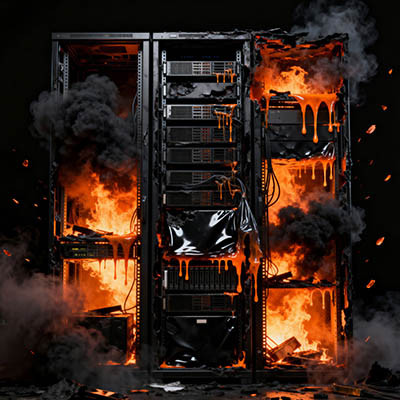
Forget the dramatic cyberattacks in the news. Often the real business killer is the boring box humming in your storage room. A lot of owners assume that if the server still runs, it is still fine. Hardware does not gracefully retire, though. It crashes, usually at the worst possible moment. When a main server dies it does not just take your data, it takes your ability to operate.
The hidden cost of good enough
Technology runs your business, but it has a shelf life. When hardware hits its breaking point you lose more than files. You lose operational momentum, with customer records and financial data suddenly out of reach. You can lose intellectual property, years of work gone in one failure. And you lose hard revenue, because every hour of downtime is a direct hit. You should not have to cross your fingers every time you boot up.
Recovery matters more than backups
Most providers talk about backups. The number that actually matters is uptime, specifically your Recovery Time Objective, the time from everything is down to everyone is working again. That is the difference between being back in half an hour and staring at a blank screen for three days. Without a managed recovery plan, a simple hard-drive failure stops being an inconvenience and becomes a liability that costs thousands in lost billable hours.
The 3-2-1 standard
To stay resilient against everything from worn-out hardware to a natural disaster, we run the 3-2-1 rule. Three total copies of your data, because redundancy is your friend. Two different media types, so a single kind of failure cannot wipe everything. And one copy kept offsite and immutable, in a secure cloud environment that cannot be altered and is isolated from whatever happens locally.
Hardware failure is a when, not an if. Book a call and we will turn your IT from a ticking clock into something you can count on.
In March 2026 the FCC added foreign-made consumer Wi-Fi routers to its Covered List, the roster of communications equipment the agency considers a national security risk. Once something lands on that list, it cannot be imported for sale or use in the US. Because nearly all consumer routers are made overseas, that sweeps in almost the entire market. Here is what it actually means for your business, and it is not simple.
What the ban covers
Routers you already own or that were already authorized are grandfathered in, so nothing on your network shuts off overnight. The catch is new hardware. So far only NETGEAR and Adtran have earned conditional approval, and even that only lets them push updates to existing models, not sell new ones. Those conditional approvals run only through October 1, 2027, after which the firmware stops getting patched and the devices drift toward being dangerously out of date.
Why the FCC did it
The agency points to the Volt, Flax, and Salt Typhoon attacks, where routers were part of the infrastructure attackers used to get in. FCC Chair Brendan Carr framed the move as protecting US networks, critical infrastructure, and supply chains. Whatever you think of the politics, the underlying problem is real. An unpatched router sitting at the edge of your network is exactly the kind of soft target these groups look for.
Expect shortages and higher prices
Only a small fraction of consumer routers currently meet the new requirements, so supply is going to tighten and prices are going to climb. If the rules ever extend to business-grade gear, the disruption gets much bigger. Remote workers feel this too. Anyone running a personal router from a brand like ASUS, Linksys, Eero, or D-Link, or renting one from their internet provider, will eventually have to swap it for a compliant device, and they will likely pay more for it.
What to do now
Move to professional-grade hardware. Ban or no ban, your business should not be running on residential routers. Enterprise gear is more secure and more capable by design, and getting ahead of the shortage beats scrambling later.
Keep your firmware patched. While your current router is still in service, stay fully up to date. Every missed update is a wider window for an attacker.
Kill the default passwords. Networking hardware ships with default logins that attackers know by heart. Change them to strong, unique passphrases today.
Encrypt your traffic. A VPN shields your business traffic even if someone manages to intercept it.
This is the kind of change that is easy to ignore until it bites. Book a call and we will check whether your network is exposed and map out the switch before prices spike.

© 2026 CybertronIT. All rights reserved.Privacy Policy · Sitemap