
CybertronIT Blog
Cybertron Blog
Cybertron has been serving the Wichita area since 1997, providing IT Support such as technical helpdesk support, computer support, and consulting to small and medium-sized businesses.


Your point-of-sale system is not just where you take payment. It is where sales, inventory, customer data, and daily operations all meet, which means when it gets neglected it quietly turns into the thing slowing your business down. These are the five POS and IT problems we see hitting businesses in 2026.
0 Comments

We've all seen the movie version of a hacker. A lone genius in a dark room, hammering a keyboard, green text flying, shouting "I'm in." It makes good TV. It's also nothing like the real thing.
Today's cybercriminal looks less like a movie villain and more like a mid-level manager. Cybercrime isn't a hobby anymore. It's an organized, multi-billion-dollar industry with org charts, help desks, performance targets, and marketing budgets.
If you run a business in the Wichita metro or south-central Kansas, you're not up against a bored kid making a statement. You're up against an enterprise whose entire product is stealing your data.
The tools they buy off the shelf
Because it's an industry, attackers don't build everything themselves. They buy their tools, the same way you buy accounting software.
Ransomware-as-a-service. Skilled developers write the encryption malware and rent it to other criminals for a cut. The person attacking you didn't have to know how to build any of it.
AI-written phishing. The era of obvious typos and broken English is over. Attackers use generative AI to write clean, convincing emails that mimic your vendor, your bank, even your own HR department.
Stolen-password marketplaces. When a big site gets breached, millions of email and password combos land on the dark web. Criminals buy the lists for pennies and run automated tools that try those passwords against hundreds of other business networks. If your team reuses passwords, that's the open door.
How the attack actually unfolds
An attacker rarely stumbles in and starts smashing things. The process is deliberate, and it usually runs in four steps.
First, reconnaissance. They research your company in the open. LinkedIn tells them who runs finance, who handles IT, and what software you use.
Second, access. Most of the time they don't break through a firewall. They log in. A targeted phishing email to one employee, or an unpatched software hole, and they're inside.
Third, quiet movement. Once they're on one machine, they wait. Days, sometimes weeks, moving through your network looking for the valuable stuff: customer data, financial records, and above all, your backups.
Fourth, the payload. Only after they've copied your data and disabled your backups do they pull the trigger. Files encrypted, systems locked, a note on the desktop demanding Bitcoin.
That's the pattern, not a guarantee. Not every attack follows it step for step. The point is that the weaknesses are spread across your whole environment, so your defenses have to be too.
An organized defense beats an organized attacker
If that sounds like a lot to carry on top of running a business, it is. The good news is you don't have to be defenseless. Getting hit isn't your fault. Leaving the front door unlocked is.
Antivirus and a prayer doesn't cut it anymore. A real defense is layered.
Managed detection and response. Not the antivirus that just scans for known bad files. Managed detection and response watches how your machines behave around the clock. If a computer starts encrypting thousands of files at 3 a.m., it isolates that machine before the damage spreads.
Multi-factor authentication. One of the highest-value controls you can turn on. Even if a criminal buys your exact password, MFA stops them cold by demanding a second code from your phone.
Immutable backups. If the worst happens, your backups are the safety net, as long as a hacker can't reach them. Immutable backups can't be deleted or altered, so you can restore your business without paying a cent to a criminal.
We do this for a living
You don't have to become a security expert. You just need a partner that takes your security as seriously as the criminals take their attacks.
We run our own systems and build our own hardware here in Wichita, so this isn't theory for us. We look at how your staff actually works and put a layered defense in place that protects them without getting in the way of the workday.
Want to know whether your business is actually covered? Book a call and let's have a straight, no-pressure conversation.
Antivirus and a firewall used to be enough. They aren't anymore. The attacks that put a business down for a week now use the operating system's own tools to move around, so the antivirus never flags anything and the firewall sees normal traffic.

Whatever the critics say, regulations exist for a reason, usually to protect people from organizations cutting corners with their data. Many are actual laws, and the ones built around data protection govern how you handle and safeguard sensitive information. If your industry is covered by them, compliance carries very real, very visible costs. Ignoring those costs does not make them go away. It just changes who pays and how much. Here is how to think about your compliance burden and plan for it.
Compliance Is Not Cheap
There is no point pretending otherwise. Meeting regulatory requirements takes time, tools, expertise, and ongoing effort, and that is true whether you are dealing with HIPAA in healthcare, PCI for payment data, or one of the broader data-protection regimes. The burden also lands unevenly. Smaller organizations often pay disproportionately more per employee than larger ones, because the fixed costs of compliance get spread across fewer people. For a small business, compliance can take a meaningful bite out of the IT budget.
Non-Compliance Costs Far More
Here is the number that reframes the whole conversation. The Ponemon Institute's widely cited research on the cost of compliance found that the average cost of staying compliant ran about 5.5 million dollars for the enterprises studied, while the average cost of non-compliance was roughly 14.82 million. In other words, compliance came in at about a third of what non-compliance cost. Skipping the work does not save you money. It defers a much larger bill, made up of fines, breach cleanup, legal exposure, and lost business, until the worst possible moment.
Those figures are from large enterprises, but the ratio holds at every size: doing it right is cheaper than getting caught doing it wrong.
Plan for It Instead of Reacting to It
If you are going to spend real money on compliance anyway, the smart move is to treat it as a planned, ongoing part of how you operate, not a fire drill you scramble through when an audit looms or a breach forces the issue. That means knowing exactly which regulations apply to you, understanding what they actually require, building those requirements into your systems and habits, and keeping current as the rules change. Done that way, compliance becomes a manageable line item. Done reactively, it becomes a crisis with a penalty attached.
Knowing your obligations and building toward them steadily also turns compliance from a pure cost into something closer to an asset, the proof to customers and partners that their data is safe with you.
We help regulated businesses understand exactly what applies to them and build toward it deliberately, as part of our compliance services and the security underneath them. If you are not sure where your business stands on its compliance burden, book a call and we will help you map it before it maps you.
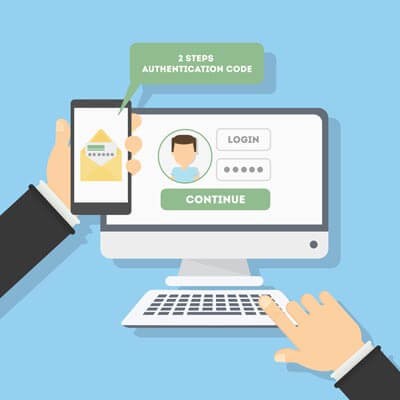
The password is not the protection it once was. Attackers now use software that guesses thousands of passwords a second, brute-forcing their way into accounts faster than ever, and they buy stolen passwords by the millions from old breaches. Relying on a password alone to guard your business is a losing bet. The fix is two-part: better passwords, and a second factor behind them. Here is how to do both.
Start With Better Passwords
Passwords still matter, so get them right. A strong one is long and complex, a mix of letters, numbers, and symbols, and not a word or date anyone could guess. Just as important, every account needs its own unique password. Reusing one across sites means a single breach hands attackers the keys to everything. Nobody can remember dozens of strong, unique passwords, which is exactly what a password manager is for. It generates and stores them so you only have to remember one.
Then Add a Second Factor
Here is the part that changes the game. Two-factor authentication, also called multifactor authentication, requires a second piece of proof beyond your password, usually a code from your phone or an app. The beauty of it is simple: even if an attacker steals or guesses your password, they still cannot get in without that second factor sitting in your pocket. It turns a stolen password from a disaster into a non-event, and it blocks the overwhelming majority of account-based attacks.
Turn It On Everywhere
The good news is that two-factor authentication is widely available and usually free. Most email, banking, and business apps support it, you just have to switch it on. The few extra seconds it adds to a login are nothing compared to the cleanup after a compromised account. Turn it on everywhere it is offered, starting with email and anything that touches money or sensitive data.
The Easiest Big Win in Security
Of all the things you can do to protect your business, combining strong, unique passwords with two-factor authentication is one of the cheapest and most effective. It closes off the single most common way attackers get in. If you have not turned it on across your accounts yet, that is the move to make this week.
We help businesses roll out strong authentication everywhere it counts, the right way, as part of managed cybersecurity, so it actually gets used instead of skipped. If you want to lock down your accounts before someone tests them, book a call.
Putting the whole team on company phones costs real money, so plenty of owners take the cheaper route and let staff use their own. Personal phones check company email, pull up client records, and sit in the company chat. It is convenient and it saves on hardware. It also hands your most sensitive data to devices you do not own, cannot see, and cannot secure.
Data security is not something to take lightly, as plenty of businesses have learned the hard way. The frustrating part is how many serious breaches trace back to simple, fixable mistakes. They are common enough that not fixing them is genuinely foolish. Let us look at one of the most infamous failures in modern history, then at the handful of fixes that would have prevented it, and most others like it.
The Equifax Disaster
Between May and July of 2017, the credit reporting giant Equifax suffered a breach that exposed roughly 148 million records packed with the most sensitive personal and financial data imaginable. What makes it a cautionary tale rather than just a tragedy is the cause. Attackers got in through a known vulnerability in a piece of software Equifax used, one that already had a patch available. The fix existed. It just had not been applied. A company with the resources to do anything left a documented, patchable hole open, and 148 million people paid for it.
How to Avoid the Same Fate
The Equifax story points straight at the fixes, and they are not exotic.
Patch known vulnerabilities promptly. This is the big one. Industry research has long found that the overwhelming majority of exploited vulnerabilities, by some counts around 99 percent, were already known, with fixes available, when the attack happened. Attackers are not mostly using secret zero-day exploits. They are walking through doors you forgot to lock. Keeping software patched on a schedule closes most of them.
Require multifactor authentication. A stolen password is only useful if it is enough to get in. Multifactor authentication means it is not, blocking the vast majority of account-based attacks for very little effort.
Limit access. Give people and systems access only to what they need. When something does get compromised, tight access controls keep the damage contained instead of company-wide.
Bring Your Employees Along
The last piece is your people. Most attacks still start by tricking a person, so a team that can spot a phishing email and knows to verify unusual requests is one of your strongest defenses. Train them, make security part of how things are done, and they go from your weakest point to your first line.
None of this is complicated. The hard part is doing it consistently, which is exactly what falls through the cracks in a busy business. We keep systems patched, accounts protected, and teams trained as part of managed cybersecurity, so the known holes get closed before anyone finds them. If you would rather not become the next headline, book a call.

Technology runs through almost everything your business does, from working on projects to dealing with clients. How your people handle that technology shapes how secure and efficient the whole company is. The good news is that most of security comes down to a few simple habits, and anyone can build them. Here are four every employee should make part of the workday.
Protect Your Digital Keys
Your passwords are the keys to your accounts, and to the company's. A weak or reused password is the front door left unlocked. The habit is straightforward: use strong, unique passwords for every account, lean on a password manager so that is actually doable, and turn on multifactor authentication wherever it is offered. That extra step means a stolen password alone is not enough to get in.
Stay Alert for Deception
Most attacks start by tricking a person, not by breaking a system. A convincing fake email, a text pretending to be the boss, a call that is not really the bank. The habit here is a healthy pause. Before clicking a link, opening an attachment, or acting on an urgent request, especially one involving money or data, stop and verify it is real. Slowing down for two seconds defeats a huge share of attacks.
Keep Software Current and Approved
Those update reminders are not just nagging. They often carry security fixes for holes attackers already know about. The habit is to install updates promptly instead of dismissing them, and to stick to software the company has approved. Random downloads and unapproved apps are a common way trouble gets onto a network.
Handle Information With Care
Be thoughtful about company and customer data. Do not send sensitive information over unsecured channels, do not leave it visible on an unattended screen, and only share it with people who actually need it. Treating data like it matters, because it does, prevents the quiet leaks that cause real damage.
Small Habits, Big Protection
None of these takes special skill. They take consistency. When every person on the team builds these four habits, your business gets dramatically harder to attack, because the most common ways in are already closed. Security is a team sport, and your people are the first line.
We help businesses turn these habits into second nature with training and the right tools behind them, as part of managed cybersecurity. If you want your whole team pulling in the same direction on security, book a call and we will help you build it.

Every so often a very public moment shows exactly why basic security matters everywhere, not just in IT departments. The 2025 NFL Draft was one of those moments. Several prospects got prank calls during the draft, and one in particular is a clean lesson for any business. Let us walk through it.
It Started With an Unlocked Tablet
Quarterback Shedeur Sanders received a prank call live on stream from someone impersonating an NFL general manager. How did the caller get his private draft number? It was found on an unlocked iPad at a coach's home, jotted down by a family member, and used for the prank. The NFL took it seriously, fining the team 250,000 dollars and the coach 100,000. One device left unlocked, one number left visible, and it became a national story with real consequences.
Why This Is a Business Problem Too
Swap the iPad for a laptop and the phone number for a client list, a password, or a wire instruction, and this is a Tuesday at a lot of companies. The exact same chain of small failures plays out in offices constantly. Three lessons stand out.
Limit Who Can See What
This is the principle of least privilege: people, and devices, should only have access to the information they actually need. That sensitive number should never have been sitting in the open on a device a visitor could pick up. In your business, the fewer people and screens that can reach your sensitive data, the smaller the chance it walks out the door by accident.
Lock Things Down
An unlocked device is an open filing cabinet. Screens should lock automatically, accounts should require real authentication, and sensitive systems should sit behind multifactor authentication so a glance over someone's shoulder is not enough to get in. Simple habits, enforced consistently, close the door this whole incident walked through.
Recognize Impersonation for What It Is
The call worked because someone pretended to be a person of authority. That is social engineering, the same trick behind most phishing, and it does not only come by email. It is the fake call from the bank, the urgent text from the boss, the message from a vendor that is not really the vendor. Train your people to verify before they act, especially when a request is urgent or involves money or data.
Avoid the Same Mistake
A prank during a football draft is harmless compared to what the same lapses cost a business: a drained account, a data breach, a lost client. The fixes are not complicated. Limit access, lock devices, verify identities. The hard part is doing them consistently, which is where most organizations slip.
That consistency is what we provide. We build least privilege, strong authentication, and phishing awareness into how our clients operate as part of managed cybersecurity, so a small lapse does not turn into a headline. If you want to make sure your unlocked-iPad moment never happens, book a call.

Technology is supposed to push your business forward, making the work smoother and faster. Sometimes it does. Other times it feels like a gremlin got loose in the engine room, and usually a small bad habit is the cause. We have seen the same patterns again and again. Here are three common missteps quietly sabotaging businesses, and how each one gets fixed.
Putting Off Updates
The update reminder pops up, you are busy, you hit later. Then later becomes never. The problem is that a lot of those updates are security patches closing holes that attackers already know about. Every day you delay leaves a known door open. The fix is simple: keep your systems set to update on a schedule, and do not let the reminder become a permanent fixture in the corner of the screen. If managing that across a whole team sounds like a hassle, it is exactly the kind of thing that should run automatically in the background.
Weak and Reused Passwords
Password123. Your company name with a 1 on the end. The same password on a dozen accounts. These are the digital equivalent of leaving the key under the mat. Attackers run automated tools that guess weak passwords in seconds, and a password reused from a site that got breached hands them the rest of your accounts for free. The fix is unique, strong passwords on every account, a password manager so that is actually realistic, and multifactor authentication so a stolen password alone is not enough to get in.
Running Without a Backup
This is the one that ends businesses. Operating with no real backup is fine right up until a drive dies, ransomware hits, or someone deletes the wrong thing, and then it is a catastrophe. Hope is not a backup. The fix is a real plan: copies made on a schedule, at least one kept off-site and out of reach of ransomware, and, most important, actually tested so you know they restore. A backup you have never restored is a guess.
Stop Putting Your Future on the Line
None of these three is hard or expensive to fix. What they have in common is that they are easy to ignore, right up until the day they are not. Get ahead of them and you have closed off a huge share of the ways a business gets hurt. Wait, and you are gambling with the whole thing.
Catching these before they bite is a core part of what we do. We keep systems patched, accounts locked down, and backups tested as part of managed cybersecurity, so the small habits never grow into the big disaster. If you are not sure where your business stands on these three, book a call and we will take a look.

Cybersecurity has a marketing problem. When it works, nothing happens, and nothing is hard to appreciate. There is no headline for the breach you avoided, no thank-you note for the ransomware that never hit. So it is easy to treat security as a cost you could trim, right up until the day it is the only thing between you and a closed business. The whole point is the disaster you never have to live through. Here is what is actually at stake.
You Are a Target, Whether You Believe It or Not
The most expensive assumption a small business makes is we are too small to bother with. Attackers do not hand-pick targets the way you might imagine. Much of it is automated, scanning the whole internet for any system with a weakness, and your size does not register. A smaller business with thinner defenses is often an easier score than a big one with a security team. Being overlooked is not a strategy. It is a coin flip you keep calling.
A Breach Brings the Regulators
If attackers get to sensitive data, customer records, payment details, health or financial information, the damage does not stop at cleanup. Depending on what you hold and what rules apply to you, a breach can trigger reporting obligations, investigations, and penalties. You end up paying for the incident and then paying again for the fallout. Prevention is a lot cheaper than a regulatory problem with your name on it.
Downtime Hits Everything at Once
An attack does not just expose data. It stops you working. Systems get locked, files get encrypted, and your team sits idle while you scramble to recover. Every hour down is revenue you do not earn, customers you cannot serve, and trust you have to win back later. For a lot of businesses, a long enough outage is the thing they never fully recover from.
Buy the Quiet
Real security is layered and ongoing, not a product you buy once. Monitoring that catches trouble early, patches applied before attackers find the holes, backups you have actually tested, and people trained to spot the tricks. None of it is flashy. All of it is the difference between a quiet year and a catastrophic one. The best money you spend on security is the money that buys you a year where nothing happened.
That quiet is what we sell. We handle layered cybersecurity for businesses, and where regulated data is involved we help with the compliance side too. If you are not sure your defenses would hold, the time to find out is before an attacker does. Book a call and we will take a look.

Android 16 is now rolling out, and the headline for businesses is a new security mode called Advanced Protection. Phones go everywhere your work does, full of email, files, and logins, which makes them a real target and an easy thing to overlook. This feature is worth knowing about, because it folds a lot of strong protection behind one switch.
What Advanced Protection Is
If the name sounds familiar, that is fair. Google has used Advanced Protection before for high-risk accounts. The Android 16 version is broader. It is a device-level mode that gathers the operating system's strongest security settings into a single group and turns them all on at once.
One Switch, and It Stays On
The smartest part is the simplicity. Instead of hunting through menus and flipping a dozen settings one at a time, hoping you did not miss one, you flip a single toggle. Even better, once it is on, those protections lock so they cannot be turned off individually. That matters in a business. A setting that an employee, or a piece of malware, can quietly switch off is not much of a protection. This one holds.
What You Actually Get
Behind that switch is a real list. Google Play Protect runs constant malware scanning that cannot be disabled. Installs from outside the official store, including sideloaded apps, get blocked, which closes one of the most common ways bad software gets onto a phone. Theft and offline device locks kick in if a phone is stolen. USB connections default to charging only while the device is locked, so someone cannot plug in and pull data off a phone they grabbed. And the phone automatically reboots after 72 hours locked, which puts your data back into its strongest encrypted state if a device goes missing and nobody touches it.
Why This Is Good News
We are always glad to see real security baked into the tools people already use, on Android and everywhere else. The hard part of mobile security has never been that the protections do not exist. It is that turning them all on is tedious, so most people never do. Putting the strong options behind one switch, and making them stick, is exactly the right move.
That said, a feature on a phone is one piece. Business mobile security is about every device that touches your data, consistently, not one well-configured phone among many. We help businesses lock down the phones, laptops, and accounts their people use every day as part of managed cybersecurity. If your team uses their phones for work and nobody is managing how those phones are secured, book a call and we will help you close that gap.

In June 2025 a headline went around that should have stopped anyone cold: 16 billion passwords leaked, with a b, covering social media, VPNs, corporate tools, and just about every online service you can name. The number got repeated everywhere, usually with the phrase largest breach in history attached. It is a great scary story. It is also not quite what happened. The real version matters, because the wrong takeaway leaves you focused on the wrong threat.
Was It Really 16 Billion?
Here is what actually occurred. Researchers at Cybernews found roughly 30 exposed datasets holding about 16 billion login records in total. The catch is that this was not one giant new break-in. It was a pile of credentials gathered over time, mostly by infostealer malware that quietly harvests logins off infected computers, mixed in with data from older breaches. There is heavy overlap and duplication, so the same login can be counted many times. So 16 billion unique brand-new passwords? No. 16 billion records swept together from countless smaller thefts? Closer to it.
Why the Fact-Twisting Is Its Own Problem
You might think a scarier headline is fine if it gets people to pay attention. It backfires. When the number turns out to be inflated, people decide the whole thing was hype and tune out the next warning, including the real ones. And a one-time mega-breach framing points you at the wrong fix. This was not a single event you wait out. It is a steady drip of credential theft happening every week, which calls for habits, not a panic.
What Exposed Credentials Actually Cost a Business
Whatever the headline number, the danger is real. One working username and password can hand an attacker the keys. That leads to drained accounts and fraud, the reputational hit of telling customers their data leaked, downtime while you lock everything back down, legal and compliance exposure if regulated data was involved, and real harm to the customers whose information you were trusted to hold. The credential is small. The blast radius is not.
How to Actually Protect Your Business
Because this is a steady threat rather than a single event, the defense is steady too. Use multifactor authentication everywhere it is offered, so a stolen password alone is not enough to get in. Stop reusing passwords across accounts, and use a password manager so unique ones are realistic. Watch for credentials of yours showing up in known leaks so you can change them before they are used. And keep machines clean and patched, because infostealer malware is how most of these credentials get grabbed in the first place.
We handle exactly this for businesses as part of managed cybersecurity: enforcing multifactor, monitoring for leaked credentials, and keeping the malware that steals them off your systems. If you are not sure how many of your logins are already floating around out there, book a call and we will help you find out and lock things down.

The more ways into your business, the more ways to get robbed. Every device that touches your network, every login, every app, is another door an attacker can rattle. That collection of doors is your attack surface, and most businesses have far more of them than they realize. Forget one oddball laptop or an old wearable still on the Wi-Fi and that can be the gap someone walks through. The good news is that shrinking the surface is straightforward. Here is a three-step way to do it.
Step One: Know Every Way In
You cannot protect doors you do not know exist. Start with a real inventory of everything that connects to your network. Laptops, phones, servers, printers, cameras, smart gadgets, and the cloud accounts and apps your people log into. Most businesses are surprised by how long this list gets. Old test devices, a former employee's login that was never shut off, an app someone signed up for two years ago. Each forgotten one is an open door nobody is watching.
Step Two: Lock the Doors You Keep
Once you can see the surface, start cutting it down. Turn off accounts and devices nobody uses. Remove software your team does not need. For everything that stays, lock it properly: strong, unique passwords, multifactor authentication on every account that offers it, and current patches so known holes are closed. The principle is simple. People and systems should have access to what they need to do their job, and nothing more. Fewer open doors, fewer ways to get hit.
Step Three: Train the People
Your biggest part of the attack surface is not a device. It is your team. Most breaches still start with a person, a clicked link, a convincing fake email, a password reused from a site that got hacked. All the locks in the world do not help if someone props the door open. Regular, plain training on how to spot a phishing attempt and what to do when something looks off turns your people from the weakest link into the first line of defense.
Smaller Surface, Bigger Sleep
You are never going to get the attack surface to zero, and you do not need to. The goal is to cut it down to what you actually use, lock what remains, and keep your people sharp. Do that and you have closed most of the doors before anyone comes knocking.
We do this work for businesses as part of managed cybersecurity, finding the forgotten doors, locking the ones that matter, and training the team that uses them. If you have no idea how many ways into your business are sitting open right now, book a call and we will help you map it.

Most breaches do not start with a genius hacker. They start with something old that nobody updated. Attackers go looking for known holes in systems that stopped getting fixes, because those holes are documented, public, and easy to walk through. If part of your setup has aged out of support, you are not running last year's technology. You are running an unlocked door. Here is where that risk tends to hide.
Operating Systems Past Their Expiration
When a vendor ends support for an operating system, the patches stop. Every flaw found after that date stays open forever, and attackers know exactly which systems are exposed. One laptop or one server still running an end-of-life OS can be the way into everything else on the network. The machine may still boot and run fine, which is the trap. It works right up until the day it is used against you.
This is not an argument to throw out hardware that still has life in it. It is an argument to keep the software on it current and to know the difference. A solid machine can often run a supported, modern OS for years. The problem is the software that stopped being maintained, not the metal it runs on.
Legacy Business Applications
Old line-of-business software is the risk people defend the hardest, because it still does the job and replacing it is a pain. The trouble is that abandoned applications stop getting security updates too, and they often demand an old OS or old plugins to run, dragging the rest of your environment backward with them. If a critical app only runs on something unsupported, that is a real exposure, and it deserves a plan, not a shrug.
Aging Network Gear
The quiet one is the network itself. Routers, switches, firewalls, and access points run firmware, and that firmware reaches end of life just like everything else. A firewall that no longer gets updates is a firewall guarding the front door with a lock the burglars already have the key to. This gear gets installed once and forgotten for years, which is exactly why attackers like it. Knowing when a piece of hardware has genuinely aged out, versus when it just needs a firmware update, is the kind of call you want made by someone who actually runs this equipment.
How to Close the Gap
You cannot fix what you have not found. The first step is a real inventory of what you are running, including the network gear nobody thinks about. From there it is steady work: keep supported software patched, plan replacements for what has aged out before it bites you, and isolate anything that truly cannot be updated yet so a breach there cannot spread.
We do this as part of managed cybersecurity, and because we build and run hardware ourselves, we can tell you honestly when a machine has real life left and when it is a liability. If you are not sure what in your setup has aged out, book a call and we will help you find it.

Almost everything ships with a connection now. Speakers, cameras, thermostats, doorbells, even refrigerators and kids toys. Manufacturers added apps and dashboards because customers asked for them. The trouble is what comes with the convenience. A lot of these devices collect more than they need, guard it poorly, and quietly become a way into the network they sit on. Here is how the gadgets you rely on can work against your privacy, and what to do about it.
The Data Collectors You Stopped Noticing
The features that make a device smart are the same features that make it nosy. A microphone that takes voice commands is a microphone in the room. A camera that lets you check in from your phone is a camera someone else might check in on too. Many devices log far more than they need to function, location, usage patterns, audio snippets, and ship it back to servers you never see.
Read the fine print and you often find the company reserves the right to share or sell that data. The product is cheap because you are part of what is being sold. At home that is uncomfortable. In a business, where the same devices creep into break rooms, lobbies, and offices, it is a real exposure.
The Weak Link on Your Network
Here is the part most people miss. Every connected device is a small computer, and most consumer gadgets are built for price, not security. They ship with default passwords, rarely get patched, and run software the maker forgets about a year later. Attackers know this. A cheap camera or smart plug is often the easiest way onto a network, and once they are on, your laptops, servers, and files are on the same network.
This is the danger of treating a smart device as an appliance instead of an endpoint. It does not feel like a computer, so nobody manages it. It sits there with a known flaw, waiting. One unpatched gadget can undo the careful work you put into protecting everything else.
Taking Control of Your Connected Workplace
You do not have to rip every smart device out. You have to treat them like what they are. Start by knowing what is actually on your network, because you cannot protect what you have not counted. Change default passwords, turn off features and data sharing you do not use, and keep firmware current on anything that matters.
The bigger move is separation. Consumer IoT belongs on its own network segment, walled off from the machines that hold your real data. If a smart thermostat gets compromised, the damage stops at the thermostat. This is standard practice in a well-run network, and it is exactly the kind of thing that gets skipped when nobody owns the problem.
We handle this as part of managed cybersecurity, mapping what is connected, locking it down, and segmenting the network so a weak device cannot reach a strong one. If you are not sure what is talking to the internet from inside your walls, that is worth finding out. Book a call and we will help you take a look.

Few things are as universally annoying as a flood of spam. Fake pharmacy deals, urgent pleas from foreign royalty, prizes you never entered to win. Your inbox starts to look like a digital landfill. What most people miss is that behind the nuisance sits a large, organized, and shockingly profitable industry. The junk in your folder is the visible edge of a criminal business.
Spam Is Not New
Unsolicited email is almost as old as the network it travels on. The first mass commercial message went out in 1978 over ARPANET, the precursor to the internet, to a few hundred recipients. People hated it then too. The difference now is scale. Sending email costs almost nothing, so a campaign can blast millions of addresses for the price of a coffee. Even a microscopic success rate turns a profit.
The math is the whole point. In a well-known 2008 study called Spamalytics, researchers at the University of California and the International Computer Science Institute infiltrated a live botnet and tracked nearly half a billion spam messages. They found a conversion rate well under 0.00001 percent, roughly one sale per 12.5 million emails sent. That sounds like failure. At spam volumes, it funds the operation and then some.
The Dark Side of Spam
If spam were only bad advertising, you could delete it and move on. The problem is what rides along with it. Modern spam is a delivery vehicle for several kinds of attack, and they all aim at your business.
Malware Delivery
Many spam messages exist to plant software on your machine. One opened attachment or one clicked link, and you can pick up ransomware, a keylogger, or a remote-access tool that hands an attacker the keys. A single infected workstation can become the foothold for an attack on your whole network.
Phishing
Phishing email impersonates a bank, a vendor, or your own IT department to trick someone into handing over a password or wiring money. The good ones are convincing. They copy real logos and real sender names, and they lean on urgency so the target acts before thinking. One set of stolen credentials can open the door to everything else.
Botnet Recruitment
Some spam is recruiting. The payload quietly enlists your computer into a botnet, a network of hijacked machines the attacker controls. Your hardware then gets used to send more spam, mine cryptocurrency, or hammer a target with a denial-of-service attack, all without you noticing. You become part of the problem and pay for the electricity.
Data Harvesting
Other campaigns are built to collect. They confirm which addresses are live, scrape personal details, and bundle that data for sale to the next operator. Every reply, every click on an unsubscribe link in a shady message, tells them you are real and worth targeting again.
Blackhat SEO and Scams
Spam also props up fraud further down the chain. It drives traffic to fake stores, counterfeit goods, and sites stuffed with malicious links that game search rankings. The whole machine runs on volume and on the small percentage of people who click.
What Actually Protects You
You cannot stop spam from being sent. You can control what reaches your people and what happens when something slips through. That means real email filtering, not just the default. It means training so your team can spot a phishing attempt and knows to slow down on anything urgent. And it means layered defenses on the endpoints, so one bad click does not turn into a network-wide incident.
We run this kind of cybersecurity for businesses that cannot afford a quiet breach. Filtering, monitoring, and the human training that backs it up, working together instead of one tool hoping to catch everything.
If your spam problem feels like more than a nuisance lately, it probably is. Book a call and we will take a look at what is getting through and what to do about it.

A business is a lot like a castle. It holds things worth protecting, and it needs defenses built to keep threats out. The mistake many businesses make is relying on a single wall. Real security works in layers, so that if one fails, others still stand. Here is how the pieces of a strong cyber defense map to the parts of a well-built castle.
Ransomware is one of the most dangerous threats a business faces, and it has gotten nastier. The old version just locked your files and demanded payment to unlock them. If you had good backups, you could often recover without paying. Attackers adapted. Now they use double and triple extortion to keep the pressure on even when your backups are solid. Here is how those tactics work and what actually stops them.
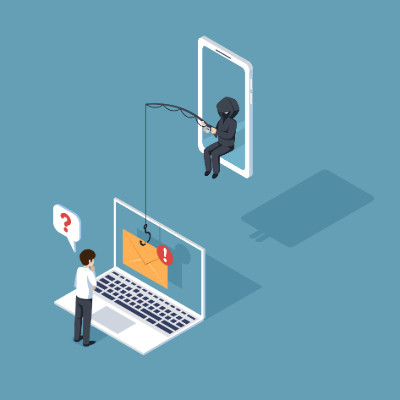
Why do smart, careful people still fall for scams? It is not about intelligence. It is about psychology. Attackers are experts at pulling the mental triggers we all have, and most security training tells you what a scam looks like without explaining why it works. Understanding the why is what makes you genuinely hard to fool. Here are the mind games to watch for.

© 2026 CybertronIT. All rights reserved.Privacy Policy · Sitemap