
CybertronIT Blog
Cybertron Blog
Cybertron has been serving the Wichita area since 1997, providing IT Support such as technical helpdesk support, computer support, and consulting to small and medium-sized businesses.


The cloud is supposed to make work easier. Remote access, flexibility, no aging server humming in a closet. A rushed move usually does the opposite. It grinds the workday to a halt.
Here's how it goes wrong. A business copies its data straight off an old local server into a cloud folder, no plan, and calls it done. Day one, the team is fighting slow file access, broken shortcuts, and folders nobody can find anything in. Work that used to take seconds takes minutes. Multiply that across everyone, every day, and the cloud you bought to speed things up is now the thing in the way.
Technology should get out of your people's way, not stand in it. When a cloud move leaves everyone frustrated, it's almost always because someone treated it as a quick admin task instead of an operational change.
Why "lift and shift" backfires
The common mistake is the lift and shift. You move the data exactly as it sits on the old drive, no changes, straight to the cloud. It looks like the cheapest, fastest option. It rarely is.
A real migration does the work most people skip. It restructures how files are organized, checks that your applications still work, and sets user permissions before a single file moves. Skip that and you get a mess where staff burn hours every week hunting for the file they need.
There's a security catch too. On a local office server, your network quietly handles a lot of access control. Payroll, HR files, client records, all walled off without anyone thinking about it. Move to the cloud without rebuilding that and the invisible walls vanish.
Then you land in one of two bad spots. Either sensitive folders sit wide open to the wrong people, or the whole thing is locked down so hard your team can't reach the tools they need. Neither works. A good migration maps out role-based access from the start, so security and daily usability both hold.
What an organized move looks like
Treat the move as a full audit of your setup, not a file copy. The prep is the part that pays off.
Clean house first. Don't pay a monthly cloud bill to store hundreds of gigabytes of dead files nobody's opened in years. Archive the junk before you pay to move it.
Teach new habits. Cloud sync doesn't work like an old local server. Train your team to work out of their synced local folders, not by digging through a laggy browser tab all day.
Stop working off big files over the open internet. Opening and editing large, active files straight across a standard connection is how you get crashed apps and lost work. Sync it down, work local, let it sync back up.
Build the roadmap before you move
Your team's productivity shouldn't ride on a generic, rushed migration. Your people deserve a setup that clears the clutter and lets them focus on the work.
We plan and run moves like this for Wichita businesses every week. We've been building and managing our own infrastructure here since 1997, so we map the move to how your business actually runs, not a template. And if you're not sure whether everything even belongs in the cloud, that's worth answering first. Some workloads are cheaper and faster to keep on hardware you own. Our managed IT team can build you a realistic roadmap, and we put together a free two-minute check on which workloads to own versus rent.
Ready to move without the slowdown? Book a call and we'll walk through it.
0 Comments


Your cloud bill climbs a little every month and nothing new shows up to explain it. No new servers, no new headcount, no new service. Just a bigger number. That slow climb is cloud sprawl, and it is one of the easier line items to fix once you can actually see it. We sign the checks for our own mix of on-prem and cloud, so watching that number is something we do for our own books, not just for clients.

For a small business, the technology you choose can shape your margins, and for a brand-new company it can be the difference between a strong start and a rough one. One of the biggest infrastructure decisions you will make is where your computing lives: in your own building, in the cloud, or some mix of both. It is genuinely a cost decision, and the honest answer is that neither option wins automatically. Here is how they actually compare.
The On-Premises Model
Running your own infrastructure means buying the hardware, the servers, storage, and networking gear, and housing it yourself. That is a real upfront investment, a capital expense you make once and then own. In exchange you get full control, fast local performance, and a clear home for data that has to stay on-site for compliance. Over a long enough horizon, owning gear you use heavily and predictably can cost less than renting equivalent capacity month after month. The trade-off is that you are responsible for maintaining, securing, and eventually replacing it.
The Cloud Model
The cloud flips the math. Instead of buying hardware, you rent capacity as a service and pay over time, an operating expense rather than a capital one. That means little upfront cost, easy scaling, and a lot of the maintenance handled for you. It is excellent for workloads that change, spike, or are hard to size in advance. The catch is that the meter never stops, and convenient scaling makes it easy for monthly costs to climb past what you expected if nobody is watching.
The Costs Nobody Puts on the Spreadsheet
The headline numbers are only part of the picture. Migrating to the cloud takes time and money of its own. Uptime guarantees sound great until you read what they actually promise. Estimating cloud costs accurately is genuinely hard, because usage is hard to predict. And both models carry security responsibilities, just different ones. Whoever designs your setup, your architect, needs to account for all of it honestly, not just the sticker price.
The Hybrid Answer
For a lot of businesses, the right answer is not one or the other. It is both. A hybrid approach puts each workload where it actually belongs: predictable, control-sensitive, or compliance-bound systems on hardware you own, and variable or fast-scaling workloads in the cloud. Done well, you get the strengths of each and limit the weaknesses of both. It takes thoughtful planning to manage, but the tools and practices for running hybrid well keep getting better, and it is increasingly the most cost-effective way to run a growing business.
The thread through all of it is the same: controlling your computing costs, on any platform, takes careful, deliberate planning rather than a default choice. Because we design, build, and run both on-premises hardware and cloud environments ourselves, we can give you a straight, balanced read on where each part of your infrastructure belongs, and the security to match. If you are weighing cloud against on-premises, book a call and we will run the real numbers with you.

The cloud is a genuinely useful tool. Anywhere, anytime access to your apps and data, delivered as a service you budget for monthly instead of buying outright, with a lot of the support and security handled for you. It sounds like the perfect setup for businesses of every size. And it often is. But not always. Plenty of businesses have found that the cloud quietly cost them far more than they expected, and the reasons are worth understanding before you assume more cloud is always the answer.
The Cost of Easy Scaling
One of the cloud's best features is also where the bills get away from you. Scaling up is effortless, just a few clicks to add more storage, more users, more capacity. That convenience makes it just as easy to keep adding without anyone watching the total. Services get switched on and never switched off. Capacity gets provisioned for a busy season and left running all year. Little monthly charges pile up into a number that would have made you flinch as a single invoice. The flexibility is real, but so is the meter, and it never stops running.
Going All-In Without Asking the Question
The bigger trap is treating the cloud as the default for everything. For some workloads it is exactly right. For others, the math is different. A system you run constantly and predictably can sometimes cost far less on hardware you own than on a meter that charges every hour. Data that has to stay on-site for compliance reasons may not belong in the cloud at all. Moving everything up by reflex, because that is what everyone seems to do, can leave you paying premium rates for things that would have been cheaper and just as good closer to home.
The Real Answer Is Deliberate
None of this is an argument against the cloud. It is an argument for choosing on purpose. The smart approach is to look at each workload and ask where it actually belongs: in the cloud, on hardware you control, or some mix of both. That deliberate, hybrid approach almost always beats an all-or-nothing reflex on both cost and fit. The businesses that get burned are the ones who never asked the question.
Because we both run cloud environments and build and operate hardware ourselves, we can give you a straight answer on where each part of your setup should live, with no incentive to push you one way. If your cloud bill has crept up and you are not sure it is buying you the right things, book a call and we will help you sort out what belongs where.

One of the biggest reasons businesses move workloads to the cloud is scalability, the ability to add or remove computing resources as your needs change. Instead of buying and maintaining enough hardware for your busiest possible day and letting it sit idle the rest of the time, you adjust on demand. Here is how cloud scalability works and where it pays off.

Cloud computing has changed how teams work together, especially when they are not in the same room. By putting documents, projects, and communication on a shared, accessible platform, the cloud removes a lot of the friction that used to slow collaboration down. Tools like Microsoft 365 and Google Workspace are built around this. Here are four ways the cloud makes teamwork easier.

Part of our job in IT is to worry so you do not have to, and the good news heading into 2026 is that a lot of what used to keep us up at night simply does not anymore. Better automation, smarter monitoring, and mature cloud tools have quietly killed off some of the manual, soul-draining work that used to define IT support. Here are five of them.

Downtime is not just an annoyance. It is lost revenue, stalled work, and customers who go elsewhere. Failover is one of the main ways serious operations avoid it. If you have ever wondered how big websites and services stay up even when something breaks behind the scenes, failover is a big part of the answer. Here is what it is and why it matters for your business.

Most businesses have one. That crusty, critical application the whole operation depends on, sitting on an old platform the vendor abandoned years ago. You cannot patch it, and you cannot rip it out overnight, so it sits there as a blinking security hole in the middle of your network. The good news is you do not have to replace it tomorrow to make it safe. You contain it. Here is how.

Business technology can gallop away from you. SaaS subscriptions, cloud bills, hardware, and maintenance fees pile up quietly, and the waste is bigger than most owners realize. Flexera's research puts wasted cloud spend at around a quarter of the total, and roughly a third of SaaS licenses go completely unused. The good news is that most of this comes back without giving up anything you actually need. Here are five places to look.
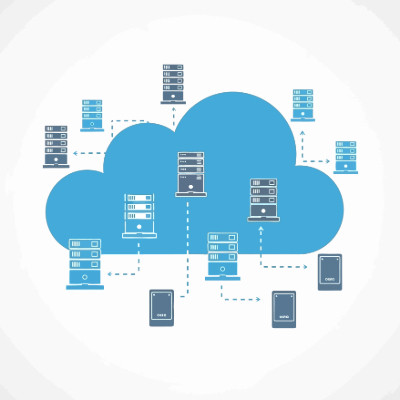
If your cloud bill is the second-largest line after payroll but you still cannot explain what you are paying for, you are not lean. You are paying a growth tax that keeps climbing. For an owner, cloud tracking is not about CPU and latency, it is about protecting your margin, the difference between scaling your profit and just scaling your provider revenue. Here are four steps to turn the monthly mystery into something you control.
Track cost per unit of value
Stop asking what the total bill is and start asking what your cloud cost is per unit of value, whether that is an active user, a transaction, or a completed order. As you grow, that number should stay flat or fall. If your cloud spend is rising faster than your revenue, the architecture is broken, and you are renting your own margins back from your provider.
Kill the zombie resources
If you had a leak in your warehouse costing you a couple hundred dollars a day, you would fix it within the hour. In the cloud those leaks are zombie resources, test environments and data volumes someone spun up and forgot to shut off, and you pay for them every second they exist. Tag every resource by department or project so every dollar has a home. If you cannot tell which team is driving the bill, you cannot hold anyone accountable.
Run a monthly cleanup report
Ask for a monthly report that flags idle resources. It turns vague waste into a specific list of things to turn off, and it makes accountability possible instead of theoretical.
Set 24-hour spike alerts
Waiting for the monthly invoice is like renting a 50-person office and finding out at rent time that only five people show up. Set alerts so a sudden spike reaches you within a day, not weeks later when the damage is done.
Cloud tracking is ongoing, not a one-time project. Without steady visibility, waste grows back like weeds. Book a call and we will help you get your cloud spend under control.

Few things are as aggravating as misplacing an important file. Here is how to find the one that vanished into your storage, whether it lives on your network or in a cloud drive, and look good doing it.
Search smarter in the moment
The keywords that pull up your missing document usually pull up dozens of near-identical ones too, which is no help. The fix is to use the advanced search options. Once your first results come back, narrow them by file type, author, or last modified date. These filters, sometimes called operators, let you ignore the irrelevant hits and get to the right file fast.
Give final documents a home
Be honest about how often a search turns up something like this. Proposal Draft Final. Proposal Final Draft Bill Edits. Proposal Final v2. Proposal USE THIS ONE finaldraft v3 FINAL. That mess is a problem waiting to happen. The real fix is to step in and set standards, one defined place where final documents live and one clear way to name them. Settle that and you cut errors and confusion before they start. This is exactly why collaborative platforms like Microsoft SharePoint and Google Drive earn their keep, they give you the structure to stop creating duplicates in the first place.
If your files have become a maze, we can help you build the system that keeps them findable. Book a call and we will get your storage in order.

© 2026 CybertronIT. All rights reserved.Privacy Policy · Sitemap