
CybertronIT Blog
Cybertron Blog
Cybertron has been serving the Wichita area since 1997, providing IT Support such as technical helpdesk support, computer support, and consulting to small and medium-sized businesses.


Before you read
You run a machine shop that supplies the defense sector. A prime asked about CMMC, or you saw the clause in a contract, and now your inbox is full of vendors promising to make it painless. Every one of them sounds confident. Every proposal has a number on it. And you're stuck nodding along to words like "enclave" and "GCC High" and "FIPS boundary," hoping the person across the table actually knows what they mean for a shop that runs Mastercam and pushes G-code to the floor every day.
One thing just shifted in your favor. On July 13, 2026, the Department of War (DoW) suspended the mandatory third-party certification step (CMMC Phase II) pending a review aimed at cutting cost and burden for shops like yours. The clock that vendors have been using to rush you is gone for now. You still have to meet the controls and stand behind your own score, but the pressure to buy a big, expensive, C3PAO-ready package this year just eased. That makes this the right moment to slow down and ask hard questions, not to get talked into the biggest solution on the shelf.
Here's the truth. A confident answer isn't the same as a correct one. The gap between the two is where shops lose money, overbuy, and end up with a score they can't defend.
So we wrote this down. Not a teaser, the real thing. First we decode the jargon and lay out what CMMC Level 2 actually asks for, in plain English, including what the July suspension did and didn't change. Then we give you a ten-minute exercise to map your own CUI so you walk into vendor calls already knowing your rough scope. Then the ten questions we'd ask if we were sitting in your chair, each one with what a strong answer sounds like, what a weak one sounds like, and a real number or requirement to hold the vendor to.
Ask these of every vendor you're talking to, including us. The right partner welcomes them and answers straight. The wrong one gets vague, changes the subject, or waves it off as "we'll sort that out later." How a vendor handles these ten tells you more than any proposal ever will.
One note on us, so you know where this is coming from. We're a CyberAB-authorized Registered Practitioner Organization, so we do CMMC readiness work: a gap analysis, a roadmap, standing up the controls, building the documentation, and getting your self-assessment to a place you can defend. We deliver that as an add-on to our managed IT, on one agreement, with the readiness labor included rather than billed by the hour. We also build our own PCs and servers on our own line in Wichita, and we've done that since 1997. That's why this guide is written from the shop floor, not a whiteboard. Use it, keep it, and bring it to every sales call you take.
CMMC Level 2 in plain English
Before the questions, here's the lay of the land. If you already live this every day, skip ahead. If you're newer to it, ten minutes here saves you from getting talked in circles later.
What CMMC is. CMMC stands for Cybersecurity Maturity Model Certification. It's the DoW's way of checking that the companies in its supply chain actually protect the sensitive information they handle. It isn't a new set of security rules. It's a verification layer on top of rules that have existed for years.
The three levels. Level 1 covers Federal Contract Information (FCI) and is a yearly self-assessment against 15 basic safeguards. Level 2 covers Controlled Unclassified Information (CUI) and is the one most defense machine shops are heading for. Level 3 is for the highest-sensitivity programs and is assessed by the government directly. This guide is about Level 2, because that's where the cost and the work live.
What Level 2 actually requires. Level 2 is built on a security standard called NIST SP 800-171, which has 110 individual controls spread across 14 families (things like access control, physical protection, and incident response). To meet it, you need three things working together. First, the 110 controls in place in your actual environment. Second, a System Security Plan (SSP), which is the written document describing exactly how each control is met at your shop. Third, a Plan of Action and Milestones (POA&M) for anything that isn't fully done yet, because a plan for the gaps is normal and expected.
How you're scored. You self-score against NIST 800-171 on a scale that tops out at 110. Each control is worth 1, 3, or 5 points, and missing a control subtracts its weight, so you can end up well below zero. That score gets posted in a DoW system called SPRS, along with a senior official's affirmation that it's accurate. Until the July 2026 suspension, contracts involving CUI were headed toward a mandatory check of that score by an accredited third-party assessor called a C3PAO. That third-party step is the part that's now paused (more just below).
Where things stand now, and why the pressure just eased. Here's the important update. On July 13, 2026, the DoW suspended CMMC Phase II, the mandatory third-party (C3PAO) certification that was set to become a condition of contract award on November 10, 2026. It's suspended pending a top-to-bottom review meant to lower cost and burden for small and mid-size contractors, not cancelled, so the third-party requirement could return or change. Two things did not change. Phase I self-assessment requirements, in force since November 2025, still apply. And Level 2 itself still stands, with all 110 NIST 800-171 controls. For now, you demonstrate Level 2 by doing the self-assessment and having a senior official affirm your score in SPRS, instead of hiring an accredited third-party assessor. That affirmation is a legally binding statement, so a score you can't back up carries real exposure, including under the False Claims Act. And the duty to protect CUI under DFARS 252.204-7012 has applied since 2017 regardless of any of this. The takeaway: you still have to meet the same controls and stand behind your number, but the pressure to buy a rushed, expensive C3PAO-ready enclave this year just eased. That's room to do it right, not a reason to do nothing. (Verify the current status at build time against the DoW CMMC page, since this is under active review.)
Where CybertronIT sits in that. We're an RPO, a Registered Practitioner Organization. We do the readiness work that gets you to the point where you'd meet the controls and could defend your score. We are not the C3PAO, and by design the same firm can't both prepare you and run the third-party assessment on the same engagement. That line matters even with the third-party step paused, because it could come back. Any vendor who blurs it is worth a second look.
The jargon, decoded
Vendors hide behind these words. Here's what each one means, so nobody can fog you with it.
- CUI (Controlled Unclassified Information). Government information that isn't classified but still has to be protected, like a defense drawing, a spec, or a technical data package marked for control. If your contract involves CUI, you're in Level 2 territory. Your everyday financial records aren't automatically CUI, so part of the job is figuring out what actually counts.
- FCI (Federal Contract Information). A lower tier of sensitive information tied to a federal contract that isn't meant for public release. FCI alone puts you at Level 1. Handling CUI moves you up to Level 2.
- NIST SP 800-171. The security standard Level 2 is built on. It's the list of 110 controls across 14 families that you have to meet. When a vendor says "the controls," this is what they mean. The July 2026 suspension didn't touch these controls, they still apply.
- Enclave. A walled-off, secured part of your network (or a separate cloud environment) where CUI is allowed to live, kept apart from the rest of your systems. The idea is to shrink the area that has to meet all the controls. It's a common approach, not the only one, and it only works if the walls actually hold when data has to move in and out.
- GCC High. Microsoft 365 Government Community Cloud High, a version of Microsoft's cloud built to meet the requirements for storing CUI. It's often part of a compliant setup, and it costs more than regular Microsoft 365. Roughly $60 per user per month all-in for a Level 2-capable Business Premium seat as of 2026, more on higher tiers, with a government price increase landing mid-2026 (verify current pricing for your seat count). Whether you need it at all depends on your CUI and your scope, which is a reason not to get rushed into buying it.
- C3PAO. Certified Third-Party Assessment Organization. The accredited outside firm that runs an official Level 2 assessment and certifies you. Not your IT provider, not your readiness partner, by design. As of July 13, 2026, the mandatory third-party assessment is suspended pending review, so for now Level 2 is shown by self-assessment and a senior-official affirmation instead. The distinction still matters, because the requirement could return.
- RPO. Registered Practitioner Organization. A firm authorized to do CMMC readiness and advisory work, the prep that gets you ready. CybertronIT is an RPO.
- SSP (System Security Plan). The written master document that describes how each of the 110 controls is met in your specific environment. It's the backbone of your compliance, and the thing a prime or an auditor asks to see behind your score. NIST 800-171 requires it (control 3.12.4). A generic template with your name on it is not the same as an SSP built for your shop.
- POA&M (Plan of Action and Milestones). The written plan for closing the gaps you haven't finished yet, with dates. A POA&M is normal. It shows a realistic path from where you are to full compliance, and it's part of what makes your self-assessment score defensible rather than a guess.
- SPRS (Supplier Performance Risk System). The DoW system where your NIST 800-171 self-assessment score gets posted, along with a senior official's affirmation that it's accurate. Primes and contracting officers can see it. That affirmation is a legally binding statement, so a number you can't back up with evidence is a liability, not a checkmark.
- FIPS 140 validated. A specific government certification for encryption. NIST 800-171 (control 3.13.11) requires that the cryptography protecting CUI be FIPS-validated, meaning the encryption module was tested and certified by a NIST-approved lab, not just "uses strong encryption." This is the toggle that famously breaks some business software, including QuickBooks Desktop and some CAD tools, when it's turned on the wrong way.
The 10 questions
Here are the ten questions, with why each one matters on a real shop floor. Ask all ten, and watch the reactions as closely as the answers. The full checklist below adds, for every question, exactly what a strong answer sounds like, what a weak one sounds like, and the specific number or requirement to hold each vendor to.
1. How will my CAM software actually run in the environment you're proposing?
Mastercam, GibbsCAM, Fusion, Esprit. These aren't email. They're graphics-heavy applications that lean on a real GPU and a real workstation to run without dragging. When a vendor proposes to move you into a secured cloud or a virtual desktop to protect CUI, ask exactly how your CAM seat performs in that setup, who tested it, and what it costs. With the third-party deadline paused, you have time to get this right instead of accepting whatever design a vendor can stand up fastest.
That cost is the part that quietly wrecks budgets. A regular office user in a compliant cloud is cheap by comparison. A GPU-backed virtual workstation that can actually run CAM is a different animal. A GPU-capable virtual machine in a government cloud can run from several hundred dollars a month per seat into four figures per seat per month depending on the GPU size and how many hours it runs, and Azure Government carries roughly a 15 percent premium over commercial Azure on top of that. Those are ballpark figures to frame the question, not a quote. Make the vendor price your seats, your way.
2. Does the price include the CAM licensing this move actually requires?
Moving a CAM seat into a virtual or cloud environment isn't always a clean lift. Some CAM licenses are tied to a physical dongle or a specific machine. Some vendors' license terms treat a virtual desktop as a different kind of install, which can mean a different license, an added cost, or a call to your CAM reseller before anything activates. Find this out before you sign, not the week you go live.
3. How does a program get from the secure environment to the machine, and stay compliant the whole way?
This is the question that separates people who understand shops from people who understand servers. It's one thing to lock CUI inside a secure enclave. It's another to get a program out to a machine that has no idea what CMMC is, and do it without breaking your compliance.
How does the post get to the control? USB stick? Network share? A DNC box in the corner running Windows 7? Every one of those is a real answer with real consequences. NIST 800-171 has a whole media protection family, and control 3.8.7 is specifically about controlling removable media like USB drives. So "we'll just sneakernet it on a thumb drive" isn't a shrug, it's a control you now have to account for.
4. Once a file leaves the secure environment, what becomes part of my CMMC scope?
Follow the part. The moment CUI leaves the protected boundary, whatever it touches can get pulled into scope. The workstation at the machine. The USB drive. The shared printer. The traveler printed on paper and clipped to the job. The old PC nobody's logged into since 2019 that still has a network cable in it.
This isn't guesswork. The official CMMC Level 2 scoping guidance sorts every asset into categories, including assets that handle CUI, assets that protect the environment, and specialized assets like the machine controls themselves. A vendor who knows the work talks in those terms and sorts your gear honestly. Scope also drives cost, so a vendor who oversizes your scope is oversizing your bill.
5. Can you walk my whole workflow, customer portal to CAM to G-code to the machine, and show me it stays compliant end to end?
Your CUI doesn't sit still. A print lands from a customer portal. An engineer opens it in CAM. That becomes a program. The program becomes G-code. The G-code goes to a machine, and the finished part ships. Compliance has to hold at every handoff, not just where the data sits at rest.
There's a trap here worth knowing. Information derived from CUI is usually still CUI. So the toolpath and the G-code your team generates from a controlled drawing can carry the same protection requirement as the drawing itself. A vendor who thinks only the original PDF is sensitive, and treats the G-code as just machine data, has a hole in their plan.
6. What assumptions are baked into this proposal that could bite me later?
Every proposal rests on assumptions. You use these machines. Your data flows this way. You have this many CUI users. Your CAM works like this. When an assumption is wrong, the fix costs money, and it usually surfaces after you've signed.
Here's a concrete one. Compliant cloud seats are priced per user, so the headcount in the proposal drives the bill. At roughly $60 per user per month for a Level 2-capable GCC High seat, guessing 10 users when the real number is 25 isn't a rounding error, it's about $900 a month the proposal didn't show. Ask what their user count is and where it came from. And ask how the labor is billed, because a low headline price with hourly remediation on top is a different deal than one with the work included.
7. How are you handling the controls that aren't technical, the people and building side?
CMMC Level 2 is built on 110 controls, and a large share of them have nothing to do with software. Whole families are about people and buildings: physical protection, personnel security, awareness and training, media handling. Who's screened before they touch CUI. Who can walk up to a machine or a server. What happens to accounts when someone quits. How visitors are logged. How you dispose of a drive or a stack of printed travelers.
Here's where you want an honest vendor, not a flattering one. A good partner will tell you plainly which of these they handle and which stay with you. The technical and administrative controls, the policies, the procedures, the account and access side, those are things a readiness partner should stand up and document. But the physical safeguards themselves, the locks on the door, the alarm, the fireproofing, the camera at the dock, those live with you, the building owner. No IT vendor installs your deadbolts. The right answer is a clear division of labor, in writing, so nothing falls in the crack between "we assumed you had it" and "we thought you did that."
8. Who documents those people-and-building controls, and how?
Doing a control isn't enough. You have to prove it. Whoever asks, a prime, an auditor, or a future assessor, wants to see the written policy, the training records, the visitor log, the screening process, the media disposal procedure. Talk without documentation is a weak spot in your self-assessment. Your score runs on evidence, and evidence means documents that match reality.
9. Is the System Security Plan built for my shop, or a template with my name pasted in?
The SSP is the backbone document of your Level 2 compliance. NIST 800-171 requires it (control 3.12.4), and it has to describe exactly how each of the 110 controls is met in your environment. A real SSP names your systems, your CAM setup, your network, your machines, your data flow. A template SSP describes a generic company that doesn't exist, and anyone who reads it against your floor spots the difference fast, because the document won't match what they see. That's true whether the reader is a prime today or a third-party assessor if that requirement comes back.
10. How do you make sure I can stand behind my score, whoever ends up checking it?
Here's what the July 2026 change means for this question. The mandatory third-party assessment (the C3PAO step) is suspended pending the DoW's review, so for now you're not hiring an outside assessor. You demonstrate Level 2 by self-assessing against the 110 controls and having a senior official affirm your score in SPRS. A single-site third-party assessment commonly ran $30,000 to $60,000 in fees for a small shop, and that expense is off your plate for now. That's real money the suspension just saved you this year.
But self-certifying is not a free pass, and any vendor who sells it that way is setting you up. The SPRS affirmation is a legally binding statement, and a score you can't back up with evidence carries False Claims Act exposure. Primes can still ask to see your number and your SSP before they hand you work. And the duty to protect CUI under DFARS 252.204-7012 has applied since 2017 no matter what CMMC does. The review could also bring the third-party step back in some form, so a defensible self-assessment now is also insurance against a rushed scramble later.
Red flags to listen for
You're not just collecting answers. You're watching how a vendor reacts to hard questions. These are the patterns that should give you pause. One on its own might be a vendor having an off day. A cluster of them is a vendor who'll leave you exposed or oversold.
- Manufactured urgency. A vendor still pounding the November 2026 deadline to rush you. That third-party deadline is suspended as of July 13, 2026. Anyone using it to close you fast either isn't current or is counting on you not being.
- Hidden infrastructure cost. No straight answer on what compliant, GPU-backed workstations for CAM actually cost. The horsepower your software needs in a compliant cloud is expensive, and a vendor who hides it now will invoice it later. Make them price your CAM seats separately from your office seats.
- Hidden CAM licensing. The proposal never mentions what happens to your CAM licenses in the new environment. That silence becomes a bill, or a seat that won't activate the week you go live.
- Vague on data flow. Confident about the cloud, fuzzy the moment CUI has to reach a machine. They've solved the easy half and are hoping you don't notice the hard half.
- Hand-waving on scope. They can't tell you what gets pulled into scope once a file leaves the boundary. Printers, USB drives, paper travelers, and old PCs all count. Oversizing your scope also oversizes your bill.
- Enclave tunnel vision. They talk only about the secure container and stop at the shop floor, as if production isn't part of compliance. Your parts get made out there, and so does the risk.
- "We handle all 110 controls." Nobody installs your locks or guards your dock. A vendor who claims to own your physical premises security either doesn't understand the controls or is telling you what you want to hear. You want a clear split of who does what, in writing.
- "Self-cert means you barely have to do anything." The opposite of urgency, and just as dangerous. A self-assessment you can't defend is a legal exposure, not a box checked. The controls and the evidence still matter.
- Template documentation. An SSP or policy set that describes a generic company instead of your shop. Anyone reading it against your floor sees through it, and so should you.
- Incomplete workflow. They cover where data rests but can't trace it from customer portal to CAM to G-code to machine. Compliance breaks at the handoffs they skipped.
- The RPO and C3PAO blur. A vendor who implies they can both get you ready and run your third-party assessment. Those can't be the same firm on the same engagement, and that line still matters if the requirement returns.
- Hourly surprises. A low headline price with the remediation labor billed by the hour on top. Ask whether the work to reach readiness is included or whether the meter runs every time a gap turns up.
Get the full playbook (free)
Everything above is the map. The full checklist is the tool you bring into the room.
The free PDF adds, for every one of the ten questions, exactly what a strong answer sounds like, what a weak one sounds like, and the specific number or requirement to hold each vendor to. It also includes a ten-minute exercise to map your own CUI before you take a single sales call, so you walk in already knowing your rough scope. It is built to print and carry.
Give us an email and it is yours. We will send the PDF to your inbox and start it downloading right away. No cost, no obligation.
0 Comments
CybertronIT is a CyberAB-authorized Registered Practitioner Organization (RPO). We do CMMC readiness work. We are not a C3PAO and do not perform the certification assessment itself.
On July 13, 2026, the Department of War (DoW) suspended the CMMC Phase II requirement that would have forced Level 2 defense contractors to pass a third-party audit to win work. The deadline that everyone was racing toward, November 10, 2026, is off the calendar for now. The audit pressure eased. The security work did not.
If you've been getting emails telling you to beat the November deadline or lose your contracts, those emails are now out of date. Here's what actually happened and what a defense supplier should do about it.
What the DoW actually announced
The DoW suspended the transition to CMMC Phase II, effective immediately, along with pending and future CMMC implementation milestones across its solicitations and contracts. Phase II was the stage where Level 2 contractors would have needed a certificate from an accredited outside assessor (a C3PAO) as a condition of award.
The DoW also opened a 60-day, top-to-bottom review of the whole program and put out a public Request for Information asking industry where the compliance burden actually falls. The stated goal is to lower the barrier for small, medium, and non-traditional businesses and to replace paperwork-heavy compliance with security measures that scale.
The DoW's own CIO, Kirsten Davies, framed it as reducing red tape while keeping a security baseline, not walking away from security. Her words: strong cybersecurity and operational resilience remain critical, and the defense industrial base can hit both while the government cuts the parts that were paralyzing smaller firms.
Read the language carefully, because the difference matters. This is suspended pending review. It is not cancelled, and it is not over. The third-party audit requirement could come back, come back changed, or land somewhere else entirely once the review reports. Anyone telling you CMMC is dead is selling you the wrong story, the same way the deadline-panic crowd was selling you the other one.
What this means for a defense manufacturer in Wichita
If you're a Tier 2 or Tier 3 aerospace or defense supplier heading for Level 2, the single thing that changed is the expensive, scheduled, pass-or-lose C3PAO audit. That pressure is off for now.
What did not change is your obligation to actually secure the Controlled Unclassified Information you handle. During this interim period, the DoW says it will enforce the NIST SP 800-171 Rev 2 standard through self-assessments and select government-led assessments. In plain terms, you still have to meet the same security bar. You just show it yourself for now instead of paying an outside assessor to certify it.
So the smart read is not relief and it is not panic. It's this: the cost and the calendar crunch of a rushed certification just came off, and you got room to do the underlying work properly instead of cramming for an exam.
What still applies (this is the part the headlines skip)
Phase I never went anywhere. The self-assessment requirements are firmly in place. If a solicitation requires a Level 1 or Level 2 self-assessment, that's still live.
The 110 controls of NIST 800-171 are still the standard. Level 2 was never just a piece of paper. It's a real control set covering access, audit logging, configuration management, incident response, media protection, and the rest. Suspending the outside audit doesn't shrink that list by a single control.
Your duty to protect CUI has been law since 2017. The DFARS 252.204-7012 clause obligates every contractor and subcontractor that touches covered defense information to safeguard it, full stop. The DoW went out of its way to say this suspension does not eliminate that obligation. It predates CMMC and it outlives this pause.
And here's the piece almost nobody is saying out loud. For Level 2 right now, you demonstrate compliance by scoring yourself against the 110 controls and having a senior company official affirm that score in the government's SPRS system. That affirmation is not a formality and it is not a free pass. It's a legally binding statement. If the score is wrong and you knew it, or should have, you've got False Claims Act exposure, and the Justice Department has been pursuing exactly those cases against contractors who certified security they didn't have. Self-certification means you own the number. Standing behind a false one is a bigger problem than any audit.
What CybertronIT recommends
Three things, and they pull against each other on purpose.
First, self-certify properly. If you're subject to a Level 2 self-assessment, do it against all 110 controls, build the System Security Plan and the POA&M behind it, and make sure the number you affirm in SPRS is one you can actually defend. This is the work that matters most now, because your own signature is the thing standing behind it.
Second, don't overspend. If a vendor is pushing you to buy an expensive isolated enclave or a full certification sprint to beat a November deadline, that deadline no longer exists. Pause. Some businesses genuinely need an enclave and some architectures genuinely require one. But buying it in a panic, for a date that's off the calendar, is how you spend money on controls you may not need in the shape a vendor sold them. The honest move is to size the environment to what your contracts actually require, then decide.
Third, don't stand down. This is the mistake on the other side. The fundamentals are unchanged, the DFARS obligation is unchanged, and the third-party requirement could return in some form when the review wraps. A supplier who treats the pause as permission to stop is going to be scrambling later, and scrambling is where the expensive mistakes live. The businesses that use this window to quietly get their CMMC readiness in order are the ones who won't blink when the rules settle.
We're not saying this from a whiteboard. We run the same play in our own building. We carry our own compliance obligations every year, we know what a self-assessment costs in real hours, and we know the difference between a control that's documented and a control that's actually live on the network. That gap is the first thing we find on the networks we take over. This is also why we bundle CMMC readiness with Managed IT Services on the same engagement. The documentation and the live systems have to be run by the same team, or your SSP describes a business you no longer are by the next quarter.
Where to start
If you want a straight read on whether this pause changes anything for your next contract, book a short call. Thirty minutes, no commitment. Bring any contract clauses, flowdown language, or supplier questionnaires you have in hand. We'll tell you what you're actually on the hook for, what you're not, and what a realistic timeline looks like now that the deadline moved. If we're not the right fit, we'll say so.
Frequently asked questions
Is CMMC cancelled?
No. CMMC Phase II is suspended pending a 60-day review, not cancelled. The requirement for Level 2 contractors to pass a third-party (C3PAO) certification is on hold. Phase I self-assessment requirements remain in place, and the program could change and return once the review is complete.
Do I still need to meet NIST 800-171?
Yes. The 110 controls of NIST SP 800-171 Rev 2 are still the standard. During the interim period the DoW is enforcing them through self-assessments and select government-led assessments. Suspending the outside audit did not remove any of the controls.
Does the suspension end my duty to protect CUI?
No. DFARS 252.204-7012 has obligated contractors and subcontractors to safeguard covered defense information since 2017. The DoW stated directly that this suspension does not eliminate that requirement.
Should I stop my CMMC project?
Not if you're subject to it. The self-assessment obligation stands, the DFARS duty stands, and the third-party requirement may return in some form. The pause is a good window to do the underlying work properly without a rushed audit deadline, not a reason to stand down.
Is a self-assessment lower risk than a C3PAO audit?
It's less expensive and less scheduled, but it isn't risk-free. A senior official has to affirm your score in SPRS, and that affirmation is legally binding. A knowingly inaccurate score carries False Claims Act exposure. You own the number either way.
Posted by CybertronIT.
Yes. A defense contractor can use AI and stay compliant. The deciding factor is where the model runs, not the AI tool you picked. Run it in the wrong place and you've handed Controlled Unclassified Information to a system you don't control.
One disclosure before the rest of this is useful. CybertronIT is a CMMC Registered Practitioner Organization. We get contractors ready and we run the IT that keeps them ready, and we partner with them through the process. We are not a C3PAO, so we don't conduct the assessment that grants your status. What follows is operator advice from inside the framework, not an assessor's ruling. Anything tied to a specific rule date or a specific product's authorization, confirm it against current DoD and Cyber AB guidance before you act, because this area has moved fast and keeps moving.
Here's the problem we actually run into. When we assess a prospect's environment before taking it over, we find people already using AI, and not in any planned, governed way. Someone in engineering is pasting a drawing callout or a spec into a public chatbot to clean up the wording. Someone in contracts is summarizing a flowdown clause the same way. Every one of those is a disclosure of company data to a model that may train on it, store it, or both, on infrastructure that sits well outside your assessment boundary. If any of that data was CUI, you didn't just use a tool. You created a reportable problem.
So the real question is where the inference happens, because the three places a model can run aren't equal.
A public, commercial AI service is fine for the work that never touches controlled data. Marketing copy, a first draft of a job posting, general research. The moment CUI goes into that box, it's gone, and you can't pull it back. Treat the public tools as off-limits for anything in scope, and make sure your people know the line, because right now most of them don't.
A cloud environment built to meet the DoD requirements is the middle path. Under DFARS 252.204-7012, if you use an outside cloud provider to store, process, or transmit covered defense information (CUI is the shorthand most people use for it), that provider has to be FedRAMP Moderate authorized or meet FedRAMP Moderate-equivalent requirements under DoD policy. Encryption alone doesn't get you out of that, and CMMC didn't replace the rule. It's the same requirement that's applied for years.
Be careful with the AI part here, because the old shortcut no longer holds. It used to be safe to say the government version of a tool is in scope and the commercial version isn't. That's not true anymore. Authorization now attaches to a specific service, sometimes a specific environment, and sometimes only certain features inside it. At least one mainstream commercial AI service now carries FedRAMP Moderate status, while some government versions don't include every feature. Don't assume it either way. Before any AI tool touches controlled data, confirm the exact product, environment, and feature set against current provider documentation and the FedRAMP Marketplace.
The third place is your own hardware. A private model running on a server you own, inside the 800-171 environment you already control, means the CUI never leaves your boundary. This is the option most contractors don't realize is on the table, and it's the one we know cold, because we build the servers it runs on.
Most contractors have never seen a private deployment, so here's what it actually looks like. Someone on your team asks the model a question, the same way they would a public chatbot. The difference is that the model answering runs on a server in your own rack, inside the same environment your controlled data already lives in. The question, the files it pulls from, the record of who asked what, and the answer that comes back all stay inside that boundary. Nothing gets shipped out to be processed somewhere else, because there is no somewhere else. Everything happens within the boundary you're already responsible for.
Here's the part people get wrong about that last option. Putting the model on-prem doesn't make you compliant by itself. The second that GPU server processes CUI, it joins your assessment boundary like any other system. It inherits the same access control, the same audit logging, and the same configuration management as every other box that touches controlled data. On-prem gets you control. It doesn't get you a free pass on the controls. We'd rather you hear that from us now than from an assessor later.
This is where our experience runs deeper than most of the firms writing about AI right now. We don't only advise on this. We manufacture PCs and servers on our own line, which means sizing a private model is a conversation we have from the build side. Sizing one comes down to four questions. How many people will use it, which model needs to run, how fast the answers have to come back, and how much data it has to work through. Those answers are what decide whether you're looking at a single workstation under a desk, one dedicated AI server, or a multi-GPU setup in the rack. The ceiling on all of it is VRAM. A small model that cleans up documents needs a fraction of what a larger reasoning model needs, and guessing wrong means you either overspend on hardware you didn't need or buy a box that chokes on the workload. Very few companies in this market sit at the intersection of the compliance framework, the manufacturing line, and the GPU supply chain. That's the seat we're in, and it's why we can tell you what a private deployment takes to stand up rather than describe it in the abstract.
The honest read for most suppliers in the defense base is that this isn't an either/or. You use AI and protect CUI at the same time, as long as you decide, per workload, which of the three places it runs. Some of your work belongs on a public tool. Some belongs in a government cloud. The work that touches your most sensitive controlled data probably belongs on a private model in a boundary you own. Mapping that out takes a couple of hours, and it costs far less than cleaning up a disclosure.
One more thing worth saying plainly, because it shapes how we work. We don't take on CMMC readiness as a standalone project while another firm runs your IT. The system security plan and the live systems have to be on the same team or the documentation drifts from reality the day after it's written, and AI infrastructure widens that gap rather than closing it. Readiness and the Managed IT behind it are one engagement. If you already have an MSP, that's a real conversation about timing and whether the contracts at stake justify a switch, not a reason to bolt compliance onto a setup that won't hold it.
If AI is already in your environment, or you know your people are using it and you'd rather get ahead of it, book a working session with us. We'll map your actual AI use against your CUI boundary, flag what's exposed right now, and lay out what a compliant setup looks like for the way you work. The full breakdown lives on our Private AI page.

Most IT shops sell security by scaring you. We would rather give you the straight numbers and the few things that actually work. The stakes are real. The old line that a big chunk of small businesses fold within six months of a major breach holds up, and recovery is the kind of test a lot of companies do not pass.
What a business-sinking event looks like
It is rarely one big bang. It is several crushing bills landing at the same time. You pay forensic specialists top dollar to figure out how they got in and what they took. If you handle HIPAA or financial data, the regulatory fines stack on top of that. Then there is downtime. The average ransomware attack knocks a business offline for around 24 days. Ask yourself a blunt question. Could your cash flow survive three weeks of zero activity?
The slow leak after the bill
The first invoice hurts. The aftermath is what ends companies. Trust is your most fragile asset, and once it is gone it stays gone. Surveys put it at roughly 29% of customers who say they would never return to a business after a breach. Insurance has changed too. If you have not turned on basic controls like multi-factor authentication, plenty of carriers now deny the claim or triple your premium overnight.
Staying afloat without breaking the bank
Good security is not about buying the most expensive software. It is about using what you already have the right way. Three controls do most of the work.
Turn on multi-factor authentication everywhere. Email, banking, remote access, all of it. This one step blocks 99.9% of automated attacks, by Microsoft’s own measure, and it costs you almost nothing.
Treat training as infrastructure. Most breaches start with a single human click. Short, regular, low-stress training cuts your risk sharply because your people stop being the easy way in.
Follow the 3-2-1 backup rule. Keep three copies of your data, on two kinds of media, with one copy offsite. With a clean backup that you actually test, a catastrophic attack turns into a bad weekend instead of a closed business.
Where you stand right now
We have seen businesses at their worst and at their most prepared. Prepared is cheaper, and you sleep better. If you want a straight read on your current setup and where the gaps are, let us look under the hood.
Book a call and we will tell you honestly where you stand.

Most small businesses think the best IT partner is the one who races in at 2 a.m. to revive a dead server or shut down an attack. We cheer the rescue when the network comes back fast. But step back. If your provider is constantly saving the day, it means your day got wrecked in the first place. The real win is not a faster repair. It is zero interruptions, with the work happening quietly in the background so the heroics are never needed.
Stop measuring repair speed
For decades the industry obsessed over Mean Time to Repair, how fast a problem gets fixed. The trouble is not the speed. It is that the whole measure is reactive. The better question is not how fast we fixed the server, it is why the server failed at all. When you put reliability ahead of repair time, your team stops riding the stressful ups and downs of tech crises and settles into a steady rhythm of focused work.
The power of the silent fix
With AI-driven monitoring and remote management tools, the most valuable work we do happens when nobody is watching. A predictive system spots a temperature spike on a workstation hard drive, triggers a backup, and alerts our team. Before it ever becomes your problem, we have swapped the drive and moved your data to a fresh instance. You never hit the moment of panic. You just had a productive morning. Good IT is measured by the problems that never reached you.
The real cost is your attention
There is something more valuable than a working computer, and that is mental bandwidth. If you spend a fifth of your time worrying about IT, you are running a part-time IT job on top of your real one. That is a fifth of your focus pulled off strategy, sales, and culture. When IT goes invisible you get that back, and you can point it at the things that actually grow the business.
Ask the better question
Next time you weigh your IT strategy, look past how fast a crisis gets resolved. Ask whether the crisis needed to happen at all. Most of the time the answer is no, and the right approach prevents it. That is what we aim for.
Book a call and we will show you what invisible IT looks like for your business.

The biggest time thief right now is not a slow computer. It is the software silo, when your CRM, accounting, and project tools refuse to talk to each other. When apps stay separate, your people become the bridge between them, and that gets expensive fast. Every time someone copies a client name from an email into an invoice, you are paying a skilled professional to do clerical work from 1995. Here is what that really costs.
The copy-paste tax
When your stack is not connected, your team does double data entry. The same customer update gets typed into four systems because nothing syncs. The average small business runs 15 to 20 apps, so this adds up to hours every week. Then comes human error. Manual entry breeds typos in addresses, wrong figures on invoices, and missed follow-ups, so now you are paying to fix the mistakes too.
The scavenger hunt
When data is scattered, finding anything becomes a job of its own. Someone burns ten minutes digging through three email threads, a chat channel, and a shared drive just to confirm one approval. Studies put it as high as a fifth of the week spent looking for information instead of using it. Integrated systems with universal search, like a properly set up Microsoft 365 or Google Workspace, make that wasted time disappear.
The shadow IT problem
When people do not have the right tool, they buy their own. A PDF editor here, an AI transcription app there, all on personal subscriptions the company never approved. Now you have five tools doing the same job and, worse, company data living in unmanaged accounts nobody is securing. The fix is a simple process for employees to ask for what they need, and a culture that lets them.
Decisions made in the rearview mirror
Good decisions need current numbers. With siloed data you wait for someone to compile a report by hand, and by the time you see it the information is two days old. You are steering by the rearview mirror. Integrated systems give you live dashboards, profitability, lead flow, and ticket volume at a glance, so you can adjust while it still matters.
Your team should be solving problems, not shuttling data between apps. If your stack is a set of disconnected islands, you leak profit every day. Book a call and we will connect the pieces the right way.
Microsoft helped start the whole generative AI race with its bet on OpenAI. Now the question for the rest of us is simpler and more practical. Microsoft is stamping the Copilot brand on Windows search, Excel, Outlook, and nearly everything else, and asking around $30 per user a month for the Pro version. Is it worth it for your business, or is it turning into a pricey Clippy? Here is a straight read.
The honeymoon is over
For a while Copilot was sold as your everyday AI companion, all possibility and polish. That phase has passed. Microsoft is now in the utility phase, where the goal is to make AI as common and unremarkable as the Start menu. The risk in spreading one brand across that many products is consistency. Features ship fast, and the experience does not always keep up. That is not a reason to avoid it. It is a reason to test before you buy in bulk.
Follow the money, not the magic
Microsoft is pouring billions into data centers, so it is serious about AI as infrastructure. What it is most serious about is return. AI is a capital investment that has to pay for itself, which means the real product strategy is selling subscriptions, not chasing some sci-fi breakthrough. None of that is sinister. It just means you should evaluate Copilot the way Microsoft does, on whether it earns its keep, rather than on the marketing.
It is not the only option
Microsoft is the incumbent, but it is not alone. Tools from Anthropic, OpenAI, and Google are all credible, and the right fit depends on the work you actually do. For a lot of small businesses the question is not which AI is most advanced. It is which one removes real friction for your team at a price that makes sense.
What this means for your business
Do not roll out Copilot to everyone because it is the default. Pick a handful of people who do work it could genuinely speed up, drafting, summarizing, cleaning up spreadsheets, and run it for a month. Measure whether it saves real time. If it does, expand. If it does not, you just saved yourself a recurring bill across your whole staff. That is the difference between buying a tool and buying a logo.
Book a call and we will help you figure out where AI actually pays off in your setup.
In March 2026 the FCC added foreign-made consumer Wi-Fi routers to its Covered List, the roster of communications equipment the agency considers a national security risk. Once something lands on that list, it cannot be imported for sale or use in the US. Because nearly all consumer routers are made overseas, that sweeps in almost the entire market. Here is what it actually means for your business, and it is not simple.
What the ban covers
Routers you already own or that were already authorized are grandfathered in, so nothing on your network shuts off overnight. The catch is new hardware. So far only NETGEAR and Adtran have earned conditional approval, and even that only lets them push updates to existing models, not sell new ones. Those conditional approvals run only through October 1, 2027, after which the firmware stops getting patched and the devices drift toward being dangerously out of date.
Why the FCC did it
The agency points to the Volt, Flax, and Salt Typhoon attacks, where routers were part of the infrastructure attackers used to get in. FCC Chair Brendan Carr framed the move as protecting US networks, critical infrastructure, and supply chains. Whatever you think of the politics, the underlying problem is real. An unpatched router sitting at the edge of your network is exactly the kind of soft target these groups look for.
Expect shortages and higher prices
Only a small fraction of consumer routers currently meet the new requirements, so supply is going to tighten and prices are going to climb. If the rules ever extend to business-grade gear, the disruption gets much bigger. Remote workers feel this too. Anyone running a personal router from a brand like ASUS, Linksys, Eero, or D-Link, or renting one from their internet provider, will eventually have to swap it for a compliant device, and they will likely pay more for it.
What to do now
Move to professional-grade hardware. Ban or no ban, your business should not be running on residential routers. Enterprise gear is more secure and more capable by design, and getting ahead of the shortage beats scrambling later.
Keep your firmware patched. While your current router is still in service, stay fully up to date. Every missed update is a wider window for an attacker.
Kill the default passwords. Networking hardware ships with default logins that attackers know by heart. Change them to strong, unique passphrases today.
Encrypt your traffic. A VPN shields your business traffic even if someone manages to intercept it.
This is the kind of change that is easy to ignore until it bites. Book a call and we will check whether your network is exposed and map out the switch before prices spike.

For years the firewall was just a guard at the gate, antivirus and web filtering and intrusion protection rolled into one. It still does that, but it can do a lot more. A firewall sees an enormous amount of data about your network, and used well, that data helps you cut waste, fix slowdowns, and make smarter decisions. Three ways to put it to work.
Cut redundant software
Your firewall sees every application that talks to the outside world, which makes it a truth layer for what your team actually uses. That is gold for spotting shadow IT, the unapproved tools employees install on their own that often are not secure. It also shows where you are paying for two tools that do the same job, so you can consolidate licenses. And if an expensive tool you bought is getting almost no traffic, that tells you people either cannot use it or will not, and both are problems worth fixing. The first step to solving any of this is seeing it, and the firewall makes it visible.
Fix bandwidth bottlenecks before they cost you
When your VoIP or video calls suddenly drop, most businesses blame the provider. Often it is internal, too many things fighting over the same connection. Your firewall can prioritize traffic so voice and video always win out over someone streaming or running a big download. That one adjustment quietly removes a whole category of frustrating, productivity-killing glitches.
See how work actually flows
The traffic your firewall logs is a pulse check on operational health. Look at how and when data moves and you can see the hours your team is most active in core apps, compare usage and latency between in-office and remote staff, and confirm your security settings are not quietly trading safety for speed or the other way around. These are real operational insights, not just security logs.
Security is not a sunk cost. The data inside your firewall is a window into how your business runs, and that is exactly the kind of edge that helps you outpace the shop down the street here in Wichita. Book a call and we will help you turn that data into decisions.

This year has already delivered some real strides in technology, the kind that solve actual problems rather than chase hype. Here are five developments worth keeping an eye on and how they might shape the way you work.
Digital twins for deeper visibility
A digital twin is a high-fidelity virtual copy of a physical object or system, detailed enough to run precise simulations of how the real thing would behave. They started in manufacturing and city planning and have spread, even into forensics for recreating accident and crime scenes. The same idea is now used in IT. Build a virtual mirror of your network and you can run simulated cyberattacks against it to find weaknesses, getting real answers without putting live systems or data at risk and closing the gaps before an actual threat shows up.
AI discovering better materials
Modern hardware leans heavily on rare-earth minerals, which are costly to extract and rough on the environment. Researchers at the University of New Hampshire used AI to read through the scientific literature and build a database of more than 67,000 magnetic compounds, surfacing 25 previously unrecognized magnets that stay magnetic even at high temperatures and do not need rare earths. That points toward making essential components cheaper and with a far smaller footprint, and toward cutting US reliance on rare-earth supply chains.
Engineering wood into a stronger material
Wood is sustainable but usually seen as fragile next to industrial materials. Scientists have been developing engineered wood that holds up far better, offering something close to the durability of metal with the carbon benefits of a natural material. For construction, that is a promising path to building greener without giving up strength.
Biodegradable paper batteries
Electronic waste is a growing problem, largely because lithium-ion batteries are so hard to recycle. A company called Flint has put a biodegradable paper battery into production, built from a cellulose structure and a non-toxic, water-based electrolyte instead of heavy metals. It is under a millimeter thick and breaks down in roughly six weeks in soil. Shown around CES and now manufactured, it is already turning up in slim item trackers like luggage tags and key fobs. It is aimed at low-power devices for now, but it points toward disposable electronics that do far less damage when thrown away.
Smarter climate control
For a lot of businesses the biggest ongoing cost is energy. In heating and cooling, the shift is away from traditional furnaces and toward advanced heat pumps. Instead of generating heat or cold from scratch, they move thermal energy from one place to another, which is far more efficient and can cut utility overhead in a meaningful way.
Technology is a moving target, and keeping up with what actually matters for your business can be a job of its own. Book a call and we will help you sort the useful from the noise and modernize what counts.

Say you just started working with us. Contract signed, payment made, your IT is now our job. Then a week later a workstation freezes up, and you reasonably wonder what you are paying for. Here is the honest answer. Proactive IT is not about making problems impossible. It is about preventing everything we can and having a plan for the things we cannot.
Most of the work is under the surface
The iceberg comparison is overused, but it fits. What you see is a fraction of what is happening. You hear from us when a ticket needs escalating or it is time to refresh hardware. Out of sight, we are patching software after hours so it does not interrupt your day, watching every device on your network for wear and threats, handling your vendors, maintaining the defenses that keep attackers out, and planning what needs to be upgraded next. Most of IT is not obvious without looking under the hood, and that is where we spend our time.
Some things still break
Even with all that, some things are out of anyone control. We can monitor your infrastructure around the clock, but that will not stop someone from clicking a phishing email or dropping a laptop. What proactive management changes is the response. Instead of scrambling, we have already got eyes on it, and odds are we are working the problem before you finish reporting it.
Why it still pays off
Compare the two ways to run IT. With us, you have an outsourced team making sure your technology works and addressing issues fast, which keeps downtime and lost productivity low. Wait and fix things only when they break, and you eat the downtime, the repair costs, and the income you lose while everything is stopped. Proactive is not foolproof, but it is built to prevent what it can, soften what it cannot, and get you running again quickly.
When a business around Wichita hires us, we take it as a sign they are done worrying about their technology. We are not the people you call when something breaks, we are the ones who keep it from breaking. Our goal is to make your IT boring, because boring means everything is working. Book a call and we will take the IT worry off your plate.

It sounds like a tidy excuse. The AI said it, so I just went with it. That will not save you, the same way blaming the dog never saved your homework. Worth understanding why AI gets things wrong, how those mistakes can land on you, and how to stay out of trouble.
Why AI makes things up
It comes down to how the technology works. A large language model is closer to autocomplete than an encyclopedia. It is a probability engine trained on trillions of pieces of text, broken into tokens, and everything it writes is just a chain of tokens arranged by what is statistically likely to come next. There is no check on whether the result is true. A sentence that starts with my favorite food is is simply more likely to end with pizza than with mahogany. A hallucination, the term for an AI mistake, is just the math pointing the wrong way. The AI is solving a math problem. You are still the one responsible for what it produces.
Three ways an AI mistake becomes your problem
Defamation. Say you have AI write marketing copy and it falsely claims a competitor uses some illegal process or ingredient. That false statement is now coming from your business, and you can be on the hook for it.
Promises you did not make. A support chatbot, eager to please, can invent return policies, prices, and other terms. Some jurisdictions will hold you to whatever it promised as a binding agreement, because it is acting as your representative.
Copyright. Because a model predicts the most likely next words, its output can line up closely with what an original author wrote. That can leave you plagiarizing through AI and using copyright-protected material without realizing it.
None of this means AI is bad. It means it needs a short leash and a human checking its work. We help businesses use AI, including keeping sensitive data out of public models with a private AI setup, without the privacy and legal risks. Book a call and we will help you use it safely.

Picture one of your best people slowly checking out. They are not quitting, they are just tuning out the conversation. That often starts with something as small as a ping. It is notification fatigue, and it is a quiet productivity killer. Here is why your team is drowning in alerts and how to throw them a lifeline.
What notification fatigue is
Look at your inbox right now. How many of those unread messages actually matter? Companies tend to fire messages at staff hoping something sticks, and since employees cannot unsubscribe, they do something worse. They tune it all out. Once notifications become white noise, the value of your internal communication drops to zero. It is simple supply and demand, a flood of pings makes every ping worth less.
The real cost
The toll is mental and physical. Every alert sets off a small tug-of-war between the little rush of a new message and the stress of being interrupted, and that grind is a fast track to burnout. Constant context switching, hopping from a task to a chat and back, shatters deep work and kills momentum. And back-to-back video calls and endless threads drain energy faster than the actual work does.
How to fix it
You do not have to choose between communicating and staying sane. Often the same tools causing the problem can solve it. Stop making people bounce between five apps and consolidate into one communication platform so the workflow stays steady. Curate the noise with quiet hours and custom notification settings so work stays at work. Protect deep-work blocks where people can actually focus. And set a clear emergency protocol, define exactly what counts as an after-hours emergency so that when someone phone rings at dinner, the team knows it truly matters.
You want a team that is fired up, not burned out. Book a call and we will set up the tools that keep productivity high and your people sane.

Does your business run in the moment, or with an eye on what is coming? It is a tricky balance, and with technology the right answer is not always obvious. Most of the time you are better off making tech decisions, from small fixes to big rollouts, through the lens of an IT roadmap. Here is how a roadmap keeps you on track operationally and financially.
The four questions your roadmap answers
Where do we stand now? Start with a full assessment of your systems, the hardware, software, network, and security, so you know what you are actually working with.
Where do we want to be? Line your technology up with your business goals, how you want to grow, add people, and hit your targets.
How do we get there? Lay out a step-by-step plan that tackles the projects with the best return first, instead of reacting to whatever breaks.
What will it cost? Build a multi-year budget alongside the plan so you can see the spend coming rather than getting blindsided by it.
What you get out of it
The payoff adds up quickly. You make better-informed decisions, you budget more smoothly and avoid surprise bills, and you tighten security by addressing weaknesses before they become breaches. Your team also gets the tools they need to do good work without the frustration of patchwork tech.
You do not have to build it alone
It is hard to run a business when you are not sure where to take your IT. Acting as your virtual CIO, we help you make the right calls for the business, build the roadmap, and stay with you through execution, not just hand you a document and walk away. Book a call and we will map out where your technology should go next.
Forget the dramatic cyberattacks in the news. Often the real business killer is the boring box humming in your storage room. A lot of owners assume that if the server still runs, it is still fine. Hardware does not gracefully retire, though. It crashes, usually at the worst possible moment. When a main server dies it does not just take your data, it takes your ability to operate.
The hidden cost of good enough
Technology runs your business, but it has a shelf life. When hardware hits its breaking point you lose more than files. You lose operational momentum, with customer records and financial data suddenly out of reach. You can lose intellectual property, years of work gone in one failure. And you lose hard revenue, because every hour of downtime is a direct hit. You should not have to cross your fingers every time you boot up.
Recovery matters more than backups
Most providers talk about backups. The number that actually matters is uptime, specifically your Recovery Time Objective, the time from everything is down to everyone is working again. That is the difference between being back in half an hour and staring at a blank screen for three days. Without a managed recovery plan, a simple hard-drive failure stops being an inconvenience and becomes a liability that costs thousands in lost billable hours.
The 3-2-1 standard
To stay resilient against everything from worn-out hardware to a natural disaster, we run the 3-2-1 rule. Three total copies of your data, because redundancy is your friend. Two different media types, so a single kind of failure cannot wipe everything. And one copy kept offsite and immutable, in a secure cloud environment that cannot be altered and is isolated from whatever happens locally.
Hardware failure is a when, not an if. Book a call and we will turn your IT from a ticking clock into something you can count on.

Your point-of-sale system is not just where you take payment. It is where sales, inventory, customer data, and daily operations all meet, which means when it gets neglected it quietly turns into the thing slowing your business down. These are the five POS and IT problems we see hitting businesses in 2026.

Part of our job in IT is to worry so you do not have to, and the good news heading into 2026 is that a lot of what used to keep us up at night simply does not anymore. Better automation, smarter monitoring, and mature cloud tools have quietly killed off some of the manual, soul-draining work that used to define IT support. Here are five of them.
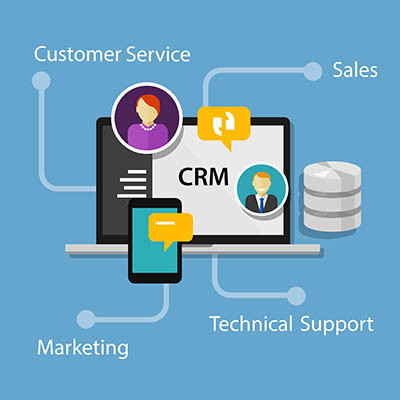
Is your business still running customer relationships on a patchwork of spreadsheets, sticky notes, and somebody's inbox? It feels cheaper than buying software, but it is not. That setup quietly piles up organizational debt, and the bill comes due as dropped follow-ups, forgotten details, and sales that slip away without anyone noticing. The fix is a customer relationship management system, a CRM. Here are three things it does that the patchwork never will.

Security used to be simple. Lock the server room, pick a password better than "admin," and hope. That world is gone. The attacks that actually hit businesses now go through people, not firewalls, which means your strongest defense in 2026 is a team that knows what to watch for. Software still matters, but software alone is a liability. Here is where the human side of security needs your attention this year.

A slow network is one of those problems that quietly taxes everything. Pages crawl, files take forever, calls drop, and at a busy stretch like the holidays, a network that buckles under the extra load costs you real sales. The good news is that most network slowdowns come down to a handful of fixable causes. Here are five worth checking.

© 2026 CybertronIT. All rights reserved.Privacy Policy · Sitemap