
CybertronIT Blog
Cybertron Blog
Cybertron has been serving the Wichita area since 1997, providing IT Support such as technical helpdesk support, computer support, and consulting to small and medium-sized businesses.


Data loss is not a question of if. For an unprepared business it is a question of when. The good news is that the ways data actually disappears are pretty predictable, which means you can get ahead of them. Almost every case comes down to one of three things. Here is what they are and how to make sure none of them takes you down.
Hardware Fails
It is wishful thinking to expect any machine to last forever. Drives, servers, and the components inside them wear out, overheat, and fail, sometimes with warning and sometimes without. A single dead drive at the wrong moment can take a lot of work with it. This is not a reason to fear your equipment. It is a reason to run it well and plan for the day a part gives out. Good hardware gives you three to five solid years when it is monitored, maintained, and refreshed while it's still under manufacturer support. We build and run hardware ourselves, so we know the warning signs and we know failure is a when, not an if. That is exactly why a backup is not optional.
You Get Attacked
The deliberate cause is the scariest one. Ransomware encrypts your files and demands payment. Other attacks wipe or corrupt data on the way out. The hard lesson many businesses learn too late is that modern attackers go after your backups first, because a company that cannot restore is a company that has to pay. Protecting your data means protecting the copies of it too, with at least one kept off-site and out of reach of whatever hits the main systems.
Someone Makes a Mistake
The most common cause is also the most human. Someone deletes the wrong folder, overwrites a file, spills coffee on a laptop, or formats the wrong drive. No malice, no hacker, just a normal person having a normal bad moment. You cannot train mistakes out of existence, so the answer is a safety net: regular backups that let you roll back to before the slip, and permissions that limit how much damage any one wrong click can do.
Do Not Let It Paralyze You
Three causes, one answer. A backup and recovery plan that actually works covers all of them, the dead drive, the ransomware, and the honest mistake alike. The trick is that the plan has to be real: copies made on a schedule, kept somewhere safe, and actually tested so you know they restore. A backup you have never restored is just a hope with a file size.
We design and run backup and recovery for businesses that cannot afford to lose their data, and we manage the security and the hardware it depends on. If you are not certain you could recover from any of these three tomorrow, book a call and we will help you get certain.
0 Comments
Kurt Vonnegut once called new knowledge "the most valuable commodity on earth." Twenty-first century business has taken him at his word. As the internet grew, so did the number of companies collecting data and the market for selling it. Some of the largest, most profitable companies in the world, names like Google, Apple, Amazon, Microsoft, Meta, and the big telecoms, make enormous sums not just from products but from data. Whether or not data is a commodity, one thing is clear for your business: it is an asset, and assets need protecting.
Why Data Is Worth So Much
Data gets collected, bought, and sold every year, and it is big business. Consider that a company like Meta earns tens of billions in profit annually, the vast majority of it from advertising built on what it knows about its users. That is the clearest possible signal of how valuable data has become. If having people's data is worth that much to the giants, it tells you something about the value of the data sitting in your own systems, your customer records, your financials, your operations.
Valuable to You Means Valuable to Attackers
Here is the flip side. Anything that valuable is a target. Attackers want your data because they can sell it, ransom it, or use it to impersonate you and your customers. Phishing remains one of the most common ways they go after it, and it is a frequent delivery method for malware and ransomware. The same data that gives your business an edge becomes a liability the moment it is not protected, which is exactly why treating it like the asset it is matters so much.
How to Protect the Asset
Protecting your data is not one product. It is a layered, ongoing effort: keeping systems patched so known holes stay closed, requiring strong authentication so a stolen password is not enough, backing your data up so it survives an attack or a failure, and training your people to spot the tricks that target it. Behind all of that, real protection means someone watching your network and infrastructure around the clock, so threats get caught early instead of after the damage is done.
That is the work we do. We treat our clients' data like the asset it is, with layered, around-the-clock cybersecurity built to keep it safe and recoverable. If your business runs on data, and every business does now, book a call and we will make sure it is protected like the asset it is.

Data gets called the new currency, but a lot of businesses are sitting on a pile of it they cannot actually spend. You pay to store it and protect it, yet it does little for you. That makes it a cost, a liability, rather than the asset it should be. Here is why that happens and how to turn your data into something useful.

AI is a real tool that smart businesses are already putting to work, but plenty of companies stall out somewhere between the hype and an actual result. The difference is usually approach, not technology. Here are five tips for integrating AI in a way that pays off instead of fizzling.
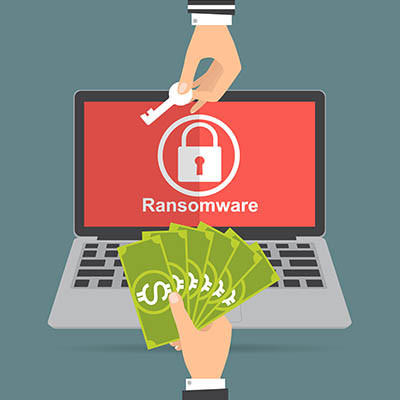
Spend two minutes on any security news site and you will hit a fresh ransomware story. It is everywhere, and it is genuinely scary, but your business does not have to live in fear of it. With the right defenses in place, ransomware goes from an existential threat to a manageable risk. Here is what it is and how to keep it from taking you down.

People reuse passwords because remembering a dozen of them is a pain. The problem is that when any one of those accounts is caught in a data breach, the stolen login can end up for sale on the dark web, and from there it becomes a key someone tries against your business. The dark web sounds like a horror story, but once you understand it, it is manageable. Here is what it is and how to stay ahead of it.

Clutter builds up everywhere, the junk drawer at home, the back of a closet, and your business network. On a network that clutter has a name, digital cruft, and it is more dangerous than it sounds. All the leftover accounts, unused software, and forgotten data piling up as a side effect of running a business may be your single biggest vulnerability. Here is what it is and why attackers love it.

If you keep dates in a spreadsheet and want to know what day of the week each one falls on, you do not have to look them up one at a time. One formula handles the whole column. The spreadsheet is probably the most underused tool on most desks, and this is one of those small tricks that saves real time once you know it.
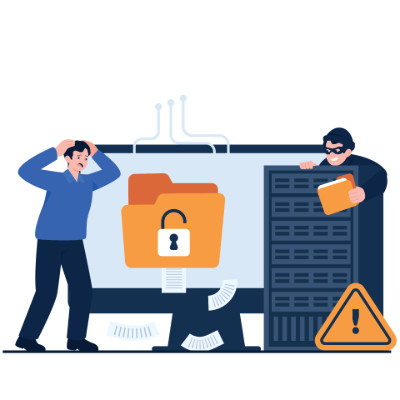
If you still treat IT as a secondary expense, you are probably overlooking the biggest threat to your profit. Your digital infrastructure is the plumbing of your revenue. It is either a vault protecting what you earn or a sieve quietly draining your margins. The real point is simple: cybersecurity is not a tech problem stuck in a back office, it is a direct pillar of your financial stability.
Look at it like a thief would
Standard IT companies promise safety, but that is abstract when you are trying to make payroll on Friday. A more useful lens is to ask where your money is actually exposed and what a specific weakness would cost you. Look at your business the way a thief does and one thing becomes clear: lazy habits are usually more dangerous than master hackers. The question is not just how good the lock is, it is how fast you can recover after the door gets kicked in.
The habits that stop the bleeding
Security is less about buying the right software and more about disciplined behavior. Start with a second-channel rule. No wire transfer or change to banking details, especially anything sizable, gets approved on email alone. A quick call to a known number to confirm the request stops most fraud cold. Move your team from passwords to passphrases, which are easier to remember and harder to crack. And treat a stray USB drive found in the parking lot, or an unlocked server closet, as the threat it is.
How the con actually works
Attackers rarely blast their way in. They exploit what you could call the nice-guy tax, weaponizing your employees natural urge to be helpful. The cycle is predictable. They research your company on social media, then send a message that mimics the boss tone and manufactures urgency, then ask for a small favor like checking an invoice. Once someone clicks, they vanish with the money before anyone notices. That is why small businesses are often better targets than banks, no billion-dollar defenses, plenty of helpful staff who do not want to tell the boss no.
What is actually at stake
Ignore these leaks and you risk the foundation of the company. Beyond the immediate loss, there is reputational damage and the very real possibility of sitting idle for weeks while systems are painstakingly restored.
Do not wait for a financial gut-punch to notice the bucket is leaking. Book a call and we will translate your security from jargon into real-world protection.

For a lot of owners, technology feels like a pile of subscriptions and hardware invoices that grows every year. But tech is how the work actually gets done, and it quietly tells new and departing employees a story about your company. When a new hire sits down and everything just works, you are signaling that this is a place worth staying. When people leave, your systems are what keep your data from walking out the door with them. Here is how to handle both ends well.
Make day one actually work
Most companies lose a new hire first week to waiting for access, which kills momentum and morale. Aim for ready-to-work on the first morning. The laptop is configured, every login is active, and licenses to the tools they need are live before the first cup of coffee. That immediate traction tells someone they joined a team that has it together. Push the digital paperwork out ahead of time too, so day one is about the mission and the team, not staring at a stack of PDF forms.
Make exits a clean break
Offboarding should not be a frantic checklist of did-we-change-the-password. It should be closer to a switch. Keep a single source of truth for logins through single sign-on, so when someone leaves you disable one master account and the rest of their access cascades shut. That is the only reliable way to close every door in a remote or hybrid setup. And put mobile device management on every company laptop, so if a device is lost, stolen, or an employee leaves on bad terms, you can wipe it remotely.
Track your hardware
Stop treating laptops as disposable. Real asset tracking follows every device through its life so you always know where your hardware, and your money, actually is. It prevents the laptop black hole, where expensive machines vanish into the closets of former remote employees and you have effectively written them a check for nothing.
Screen for it, do not hope for it
Do not wait until after hiring to learn whether someone can use your tools. Lean on async steps in the application, a quick video or browser-based task, and consider a small paid trial task inside your actual project management tool. It tells you fast whether a candidate has the basic digital literacy a modern workflow needs.
The goal is not to hire people who can survive a mess. It is to build systems clear enough that anyone can thrive. Stop hunting for the next app and start making your current ones work together. Book a call and we will set up onboarding and offboarding that just works.

Forget the dramatic cyberattacks in the news. Often the real business killer is the boring box humming in your storage room. A lot of owners assume that if the server still runs, it is still fine. Hardware does not gracefully retire, though. It crashes, usually at the worst possible moment. When a main server dies it does not just take your data, it takes your ability to operate.
The hidden cost of good enough
Technology runs your business, but it has a shelf life. When hardware hits its breaking point you lose more than files. You lose operational momentum, with customer records and financial data suddenly out of reach. You can lose intellectual property, years of work gone in one failure. And you lose hard revenue, because every hour of downtime is a direct hit. You should not have to cross your fingers every time you boot up.
Recovery matters more than backups
Most providers talk about backups. The number that actually matters is uptime, specifically your Recovery Time Objective, the time from everything is down to everyone is working again. That is the difference between being back in half an hour and staring at a blank screen for three days. Without a managed recovery plan, a simple hard-drive failure stops being an inconvenience and becomes a liability that costs thousands in lost billable hours.
The 3-2-1 standard
To stay resilient against everything from worn-out hardware to a natural disaster, we run the 3-2-1 rule. Three total copies of your data, because redundancy is your friend. Two different media types, so a single kind of failure cannot wipe everything. And one copy kept offsite and immutable, in a secure cloud environment that cannot be altered and is isolated from whatever happens locally.
Hardware failure is a when, not an if. Book a call and we will turn your IT from a ticking clock into something you can count on.

In the rush to roll out AI, most leaders fixate on the glamorous parts, picking the right model, tuning settings, polishing the interface. The thing that actually stalls high-budget projects is duller and structural: data silos. If your data is locked in departmental basements, marketing guarding one set, sales hoarding another, operations sitting on a third, your AI will not be a genius. It will be a confused, partial shadow of what it could be. Here is why silos are the real roadblock and how to clear them.
Silos give your AI tunnel vision
AI runs on context, not just volume. Build a churn-prediction model that can only see support tickets, with no billing history or product usage, and its conclusions will be lopsided. An AI is only as smart as its field of view. Wall the data off and the model produces answers that are technically correct but useless, because they miss the bigger business picture.
The data-quality death spiral
Silos breed inconsistency. When one customer lives in three databases in three formats, your AI hits a trust crisis. Marketing has John Doe as a hot lead while sales has him as closed-lost. Isolated data rarely gets cleaned, so it rots. That is garbage in, garbage out, running automatically at scale.
The hidden tax on innovation
Pulling data out of silos is not just annoying, it is a line on the balance sheet. Every hour your people spend writing custom scripts to rescue a file off a legacy server is an hour they are not building anything useful. And it feeds a vicious cycle: frustrated teams go buy their own shadow tools to get around the bottleneck, which creates more silos and more risk.
How to tear down the walls
This is not a quick software patch, it is part culture. Three moves matter. First, build a single source of truth, a central data lake or warehouse so every team draws from the same well instead of patching things together. Second, treat data as a company asset rather than departmental turf, because when people stop hoarding, the AI finally sees the whole picture. Third, set clear ownership and standardization rules that apply to everyone, no exceptions, so the data feeding your models stays clean, consistent, and compliant.
The integration work happens now so the AI payoff can happen later. Book a call and we will help you get your data in shape to actually work for you.

Few things are as aggravating as misplacing an important file. Here is how to find the one that vanished into your storage, whether it lives on your network or in a cloud drive, and look good doing it.
Search smarter in the moment
The keywords that pull up your missing document usually pull up dozens of near-identical ones too, which is no help. The fix is to use the advanced search options. Once your first results come back, narrow them by file type, author, or last modified date. These filters, sometimes called operators, let you ignore the irrelevant hits and get to the right file fast.
Give final documents a home
Be honest about how often a search turns up something like this. Proposal Draft Final. Proposal Final Draft Bill Edits. Proposal Final v2. Proposal USE THIS ONE finaldraft v3 FINAL. That mess is a problem waiting to happen. The real fix is to step in and set standards, one defined place where final documents live and one clear way to name them. Settle that and you cut errors and confusion before they start. This is exactly why collaborative platforms like Microsoft SharePoint and Google Drive earn their keep, they give you the structure to stop creating duplicates in the first place.
If your files have become a maze, we can help you build the system that keeps them findable. Book a call and we will get your storage in order.

Remember 2017? A company could say the word blockchain in a press release and watch its stock shoot straight up. It was sold as the cure for everything from global shipping to your coffee carbon footprint. Then came the crash in confidence. High fees, slow transactions, and a graveyard of pilots that never left the lab convinced a lot of people it was all smoke. As we move through 2026 the smoke has cleared, and what is left is finally useful. Blockchain stopped being magic and became plumbing.
Why the first wave crashed
The early failures were not really about the technology. They were about fit. In the rush to be first, teams built decentralized databases for problems a plain SQL table could solve faster, cheaper, and with a fraction of the electricity. There was also the oracle problem. Put garbage data about a physical shipping container onto a ledger and all you get is a permanent, tamper-proof record of garbage. And the user experience was brutal. Asking normal people to manage 24-word seed phrases and pay unpredictable fees for simple actions was a non-starter. The industry spent five years learning that decentralization is a feature, not a business model.
From revolution to infrastructure
The buzzword era was about burning down institutions. The current era is about quietly fitting into them. The action moved from public, wild-west chains to private, permissioned ones. The use cases narrowed too, away from tracking every head of lettuce and toward proving the provenance of high-value goods like luxury items, pharmaceuticals, and aircraft parts, where knowing something is genuine is worth real money.
Where it is heading
The blockchain projects that win from here are the ones you never notice, the same way you never think about TCP/IP. Two shifts matter. Modular scaling has replaced the one-chain-to-rule-them-all idea, with layered designs handling the heavy traffic and using the main chain only as a secure anchor. And tokenization is the quiet giant, with real estate, private equity, and carbon credits moving onto ledgers to add liquidity to markets that used to be stuck. This is not crypto trading. It is infrastructure.
What it means for you
Blockchain has graduated from a speculative asset to a specialized kind of database, and that is where it earns its keep, as a tool for multi-party trust. It shines when a group of partners needs one shared version of the truth and none of them wants a single company owning the server. So the goal is not to find a way to use blockchain. It is to recognize the rare moment when a distributed ledger is genuinely the best way to cut friction in a multi-party process, and to skip it the rest of the time.
Most businesses do not need it, and knowing that is worth something too. Book a call and we will help you tell the useful technology from the hype.

Security is not just million-dollar firewalls. Most of it is small daily habits that stop minor issues from turning into disasters. The line between personal and work life is blurry now, so a compromised personal device can hand someone the keys to your whole company network. The good news is you can get into much better shape in a week. Here is a seven-day digital hygiene sprint. One step a day.
The seven-day plan
Day 1, lock down your personal accounts. Most leaders read work email on personal devices. If your personal Apple or Google account gets popped, your work data is exposed too. Turn on multi-factor authentication for your main personal email and social accounts, and use an authenticator app instead of text codes.
Day 2, clean up shared files. Open your main shared drive, OneDrive, Dropbox, or SharePoint, and review shared folders and external access. Revoke anyone who is not actively working on a project right now.
Day 3, fix your passwords. Reusing one password everywhere is what makes credential-stuffing attacks work. Pick your ten most sensitive accounts, change them to unique passphrases, and store those in a password manager. Then keep going until you have worked through the rest.
Day 4, harden the home office. Home Wi-Fi is often the weakest link. If you are still on the default network name and password, log into your router, update the firmware, change the Wi-Fi password, and switch on a separate guest network for non-work devices.
Day 5, hunt for shadow IT. Quick fixes turn into security holes when nobody approves them. Make a list of the apps and tools you use that IT never signed off on, and ask your provider whether each one is safe to keep.
Day 6, update your emergency contacts. When a breach hits at 2 a.m., confusion is what the attacker counts on. Save your IT provider emergency number in your phone and make sure leadership knows who handles what if something goes wrong.
Day 7, plan for a lost device. Decide what happens to your data if a phone or laptop walks off. Enable remote wipe through a mobile device management tool and confirm Find My Device is active on everything.
That is it. A week of small moves and you are in a much stronger spot than you were, without much effort. If you want help working through any of these, we will walk you through it.
Book a call and we will tighten up the parts that matter most.

The biggest time thief right now is not a slow computer. It is the software silo, when your CRM, accounting, and project tools refuse to talk to each other. When apps stay separate, your people become the bridge between them, and that gets expensive fast. Every time someone copies a client name from an email into an invoice, you are paying a skilled professional to do clerical work from 1995. Here is what that really costs.
The copy-paste tax
When your stack is not connected, your team does double data entry. The same customer update gets typed into four systems because nothing syncs. The average small business runs 15 to 20 apps, so this adds up to hours every week. Then comes human error. Manual entry breeds typos in addresses, wrong figures on invoices, and missed follow-ups, so now you are paying to fix the mistakes too.
The scavenger hunt
When data is scattered, finding anything becomes a job of its own. Someone burns ten minutes digging through three email threads, a chat channel, and a shared drive just to confirm one approval. Studies put it as high as a fifth of the week spent looking for information instead of using it. Integrated systems with universal search, like a properly set up Microsoft 365 or Google Workspace, make that wasted time disappear.
The shadow IT problem
When people do not have the right tool, they buy their own. A PDF editor here, an AI transcription app there, all on personal subscriptions the company never approved. Now you have five tools doing the same job and, worse, company data living in unmanaged accounts nobody is securing. The fix is a simple process for employees to ask for what they need, and a culture that lets them.
Decisions made in the rearview mirror
Good decisions need current numbers. With siloed data you wait for someone to compile a report by hand, and by the time you see it the information is two days old. You are steering by the rearview mirror. Integrated systems give you live dashboards, profitability, lead flow, and ticket volume at a glance, so you can adjust while it still matters.
Your team should be solving problems, not shuttling data between apps. If your stack is a set of disconnected islands, you leak profit every day. Book a call and we will connect the pieces the right way.

If your IT plan is to wait for something to break and then fix it, you are on borrowed time. Maintenance gets treated as an afterthought, so servers wear out quietly, backups sit unverified, and firewalls run on firmware that is years out of date. Real IT leadership is not about buying the newest gear. It is about protecting and tuning what you already own. Three checks tell you whether your setup is actually proactive or just reactive with good luck.
Verified data recovery
A backup file is not a recovery plan. The only question that matters is when your team last ran a full restore test and watched it work. Plenty of businesses discover their backups were silently failing at the worst possible moment, right when they need the data back. Data is only an asset if it comes back clean and complete when you reach for it. If nobody can tell you the date of the last successful restore test, that is your answer.
Automated patch hygiene
Security updates should not depend on a busy employee remembering to click install. When patching is manual, it slips, and every skipped update is a door left open. Automating it closes those gaps on a schedule without yanking people out of their work. It is one of the cheapest, highest-return things you can do for security.
Credential integrity
Security starts at the door. Active logins for people who left months ago are a standing invitation for trouble, and most companies have more of them than they think. A regular sweep of your user directory makes sure only the right people still hold keys to your systems. It takes an afternoon and removes a whole category of risk.
From firefighting to stability
Moving to a proactive model is an investment in not having bad days. You find the weak points before they turn into emergencies, and you skip the brutal costs of downtime and lost data. Stop wondering whether your network is secure and start knowing. We run deep-dive infrastructure assessments for businesses around Wichita and turn technology from a ticking liability into something you can count on.
Book a call and we will give you a straight read on where your infrastructure stands.

© 2026 CybertronIT. All rights reserved.Privacy Policy · Sitemap