
CybertronIT Blog
Cybertron Blog
Cybertron has been serving the Wichita area since 1997, providing IT Support such as technical helpdesk support, computer support, and consulting to small and medium-sized businesses.
Why a Password Manager Beats Sticky Notes

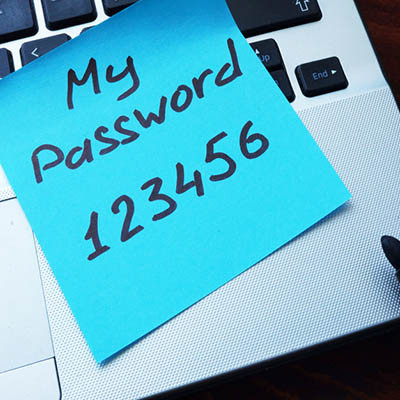
How many of your employees keep company passwords on sticky notes stuck to their monitors? It looks harmless, but anyone walking through the office can read them, including people who should not. Worse, the sticky note is a symptom of a deeper problem in how your business handles passwords. Here is why it happens and the system that actually fixes it.
Why people write passwords down
Nobody resorts to sticky notes because they want to. They do it because they have too many passwords to remember and a policy that forces frequent, complex changes without giving them a better tool. When the rules outrun what a human can keep in their head, people find shortcuts, and the shortcut is almost always less secure than the rule it works around.
The real danger is reuse
The bigger risk hiding behind the sticky note is reuse. When remembering is hard, people use the same password everywhere. So when one website gets breached, and breaches happen constantly, attackers take those leaked credentials and try them against your email, your banking, your business systems. One leak somewhere unrelated becomes a key to everything. A huge share of account takeovers start exactly this way, not through some clever hack but through a password that was reused.
The fix is a password manager
A password manager solves the root cause. It generates a long, unique password for every account and stores them encrypted, so your team only has to remember one strong master passphrase. No more sticky notes, no more reuse, no more weak passwords chosen because they were easy to recall. It also flags reused or breached passwords so you can clean them up. For most businesses this one tool removes the entire sticky-note problem in a single move.
Then add multi-factor authentication
Even a strong, unique password can be stolen, so pair the manager with multi-factor authentication. MFA requires a second proof, usually a code or a tap on a phone, before anyone gets in. A stolen password alone is then useless. Together, a password manager and MFA cover both halves of the problem, the password itself and what happens if it leaks.
We set this up, manager and MFA both, for our own operation and our clients'. It is one of the cheapest, highest-return security moves a business can make.
Book a call if you want help getting your team off sticky notes and onto a manager.

© 2026 CybertronIT. All rights reserved.Privacy Policy · Sitemap
Comments