
CybertronIT Blog
Cybertron Blog
Cybertron has been serving the Wichita area since 1997, providing IT Support such as technical helpdesk support, computer support, and consulting to small and medium-sized businesses.


Most of the workday now happens inside a browser. Chrome, Edge, whatever your team lives in. And because they practically live there, browsers quietly pile up background data, random plugins, and tracking cookies until they start to drag.
Here's the good news. You don't always need to throw money at a slow computer. Sometimes you just need to use what you already have better. Three quick fixes take the load off the machine and bring the speed back.
Clear the cache
When you visit a site, your browser saves pieces of it (images, logos, scripts) so it loads faster next time. That's the cache. Over months and years it grows huge, or the files inside it get corrupted, and the thing meant to speed you up does the opposite. Clearing it is quick and it gives a sluggish browser an instant lift.
In Chrome: click the three-dot menu at the top right, pick Clear Browsing Data, choose a time range, and clear cached images and files.
In Edge: go to Settings, then Privacy, Search, and Services. Scroll to Clear Browsing Data, click Choose what to clear, check cached images and files, and click Clear Now.
Drop the extensions you don't need
Browser extensions look harmless. Ad blockers, grammar checkers, coupon finders. But every extension is a small program running in the background all the time, and a lot of them are bloat that just eats system resources.
Worse, an unvetted extension can turn into spyware that watches keystrokes or scrapes company passwords. Take five minutes today and audit your extensions. If IT hasn't checked and approved it, pull it off the device. This is exactly the kind of quiet risk we screen for on the machines we manage.
Break the open-tab habit
Too many open tabs is one of the biggest drains on performance. Keeping dozens of pages open at once starves the machine of working memory, and it doesn't matter how good the laptop is. Enough tabs will bring a powerful one to its knees.
If your team needs to save a page for later, teach them to use bookmarks or a reading list instead of leaving the tab running all day.
Why this matters for the business
Look at it as the owner. When your staff fights slow, unresponsive computers, they lose momentum and get frustrated with the very tools meant to help them. That costs you more than any maintenance schedule ever would.
A few simple habits, a monthly browser cleanup and a quick plugin audit, keep things running smoothly. But if your computers are still crawling after all that, the real problem is usually deeper: network setup, outdated software, or hardware that's actually past its service life.
That's where we come in. We've built and maintained business systems in Wichita since 1997, and we do the heavy lifting so your team can get back to work. Book a call and we'll figure out what's really slowing you down.
0 Comments

The cloud is supposed to make work easier. Remote access, flexibility, no aging server humming in a closet. A rushed move usually does the opposite. It grinds the workday to a halt.
Here's how it goes wrong. A business copies its data straight off an old local server into a cloud folder, no plan, and calls it done. Day one, the team is fighting slow file access, broken shortcuts, and folders nobody can find anything in. Work that used to take seconds takes minutes. Multiply that across everyone, every day, and the cloud you bought to speed things up is now the thing in the way.
Technology should get out of your people's way, not stand in it. When a cloud move leaves everyone frustrated, it's almost always because someone treated it as a quick admin task instead of an operational change.
Why "lift and shift" backfires
The common mistake is the lift and shift. You move the data exactly as it sits on the old drive, no changes, straight to the cloud. It looks like the cheapest, fastest option. It rarely is.
A real migration does the work most people skip. It restructures how files are organized, checks that your applications still work, and sets user permissions before a single file moves. Skip that and you get a mess where staff burn hours every week hunting for the file they need.
There's a security catch too. On a local office server, your network quietly handles a lot of access control. Payroll, HR files, client records, all walled off without anyone thinking about it. Move to the cloud without rebuilding that and the invisible walls vanish.
Then you land in one of two bad spots. Either sensitive folders sit wide open to the wrong people, or the whole thing is locked down so hard your team can't reach the tools they need. Neither works. A good migration maps out role-based access from the start, so security and daily usability both hold.
What an organized move looks like
Treat the move as a full audit of your setup, not a file copy. The prep is the part that pays off.
Clean house first. Don't pay a monthly cloud bill to store hundreds of gigabytes of dead files nobody's opened in years. Archive the junk before you pay to move it.
Teach new habits. Cloud sync doesn't work like an old local server. Train your team to work out of their synced local folders, not by digging through a laggy browser tab all day.
Stop working off big files over the open internet. Opening and editing large, active files straight across a standard connection is how you get crashed apps and lost work. Sync it down, work local, let it sync back up.
Build the roadmap before you move
Your team's productivity shouldn't ride on a generic, rushed migration. Your people deserve a setup that clears the clutter and lets them focus on the work.
We plan and run moves like this for Wichita businesses every week. We've been building and managing our own infrastructure here since 1997, so we map the move to how your business actually runs, not a template. And if you're not sure whether everything even belongs in the cloud, that's worth answering first. Some workloads are cheaper and faster to keep on hardware you own. Our managed IT team can build you a realistic roadmap, and we put together a free two-minute check on which workloads to own versus rent.
Ready to move without the slowdown? Book a call and we'll walk through it.


Growing a business means making smart calls, and buying technology is one of the trickiest. You need capable tools to compete and grow, but you also have a budget to respect. Spend too little and you hamstring your team. Spend too much and you have paid for features nobody touches. Here is how to find the sweet spot where your technology truly supports your goals without wasting money.
Start With What You Actually Need
Before you look at a single product, get clear on the problem you are solving. What does this technology actually have to do for your business? It is easy to get dazzled by features and end up buying a tool built for a company twice your size. Pin down your real requirements first, and you have a yardstick to measure every option against.
Prioritize by Impact
Not every tech investment moves the needle the same amount. Some directly drive revenue or remove a major bottleneck. Others are nice to have. Put your money where the impact is biggest first. Spending on the thing that unblocks your whole team beats spreading the budget thin across upgrades nobody asked for.
Buy Something That Can Grow
The tool that fits you today should not break the moment you get bigger. Look for options that scale, that can add users, locations, or capacity without forcing a painful rip-and-replace in two years. Buying for where you are headed, not just where you are, saves you from paying for the same project twice.
Fit-for-Purpose Beats Feature-Packed
The most expensive, feature-loaded option is rarely the smartest buy. A well-chosen tool that does the core job well can cover most of your needs at a fraction of the cost of the deluxe version. Do not pay for a long list of capabilities you will never use. Match the tool to the job, not to the brochure.
Count the Total Cost, Not Just the Price Tag
The purchase price is only the start. The real cost includes setup, training, maintenance, support, and what it takes to keep the thing running over its whole life. A cheaper option that is a nightmare to maintain can easily cost more in the long run than a pricier one that just works. Always weigh the total cost of ownership before you decide.
Finding that balance between capability and cost is exactly the kind of decision we help businesses make every day, with advice grounded in what actually serves your goals rather than what is easiest to sell. If you are weighing a technology investment and want a straight answer on what is worth it, we are happy to help.

You hear it constantly: invest in the right technology and the returns will follow. What you rarely get is a straight answer on what those returns actually are. If you ask your IT provider what you are getting for your money and the answer is a fog of jargon, that is worth paying attention to. The ability to explain value in plain language is one of the clearest signs of a provider worth keeping.
Why ROI on IT Feels So Hard to Pin Down
There are a few honest reasons it gets murky. Some providers reach for jargon because it sounds impressive and hides the fact that they cannot connect what they do to your bottom line. Some genuinely do not understand the business value of the tools they sell. And some of the value really is hard to show, because the biggest win in IT is often the disaster that never happened, and it is tough to put a number on a breach you prevented or an outage that never occurred.
That last one is real, but it is not an excuse for vagueness. A good provider can still talk in concrete terms about what their work is protecting you from and what it is saving you.
How to Judge a Provider in About a Minute
Ask a simple question: how will this help my business? Then listen for whether the answer is tied to your goals and stated in outcomes you can picture. A strong provider speaks in specifics, things like switching certain workloads to cloud-hosted services could cut operational costs by a meaningful margin each year, or adding multifactor authentication blocks the overwhelming majority of phishing-based attacks, or the right customer system can measurably improve your sales forecasting. The exact numbers will depend on your situation, but the shape of the answer is what matters: concrete, tied to your goals, and explained in language you do not need a translator for.
If instead you get buzzwords, deflection, or a feature list with no link to your business, that tells you something. A provider who cannot explain the value clearly either does not understand it or does not want you looking too closely.
Clear Value, Not a Word Salad
Your technology is a significant investment, and you deserve to understand what it is doing for you. The right partner makes that easy. They tie every recommendation to a goal you actually have and an outcome you can measure, and they can do it without a glossary.
That is how we work. We connect what we do to your goals and explain the value in plain terms, because if we cannot tell you why something is worth it, it probably is not. If your current IT cannot give you a straight answer on what you are getting, we are happy to give you one.

The talk about artificial intelligence and jobs keeps getting louder, and a lot of people are quietly worried about their own. The idea of being replaced by software is unsettling. Knowledge helps. Once you understand what AI can and cannot do, the picture gets clearer, and a lot less scary, for employers and employees alike. Here is what the credible research actually says.
A Sober Look at the Numbers
The serious estimates are big, but they are about change, not pure elimination. A widely cited 2023 Goldman Sachs report estimated AI could affect as many as 300 million full-time jobs worldwide. McKinsey has estimated that current technology could automate around 45 percent of the specific activities people are paid to do, which is not the same as 45 percent of jobs disappearing. The World Economic Forum's Future of Jobs Report 2023 projected that 23 percent of jobs would change by 2027, with about 83 million roles eliminated and 69 million new ones created. That is real churn, and it points squarely at one thing: reskilling.
The impact is not even, either. The IMF found in early 2024 that roughly 40 percent of jobs globally are exposed to AI, rising to about 60 percent in advanced economies and falling to around 26 percent in low-income ones. And here is the part the scary headlines skip: the IMF also found that about half of those exposed jobs could be helped by AI rather than hurt, with the technology making people more productive instead of replacing them.
The Other Side of the Coin
Job displacement is the headline, but it is only half the story. The same technology that automates tasks also creates real opportunity. AI takes the repetitive, low-value work off people's plates, the data entry, the sorting, the first-draft grunt work, and frees them for the parts that actually need a human. Used well, it does not shrink your team. It makes the team you have more capable, faster, and able to focus on the work that grows the business. The companies that come out ahead are the ones that treat AI as a tool to hand their people, not a replacement for them.
How to Come Out Ahead
The difference between AI as a threat and AI as an advantage comes down to how you bring it in. Thrown at a team with no plan, it creates fear and security risk. Introduced deliberately, with the right guardrails and the right tools, it lifts what your people can do. That includes keeping your data under control, because feeding sensitive business information into the wrong AI tool is its own kind of risk.
That is the part we help with. Our Private AI work helps businesses put AI to use on their own terms, with their data kept private and under their control, so the productivity is real and the exposure is not. If your team is anxious about AI, or you are not sure how to adopt it without creating new problems, book a call and we will help you make it an advantage.
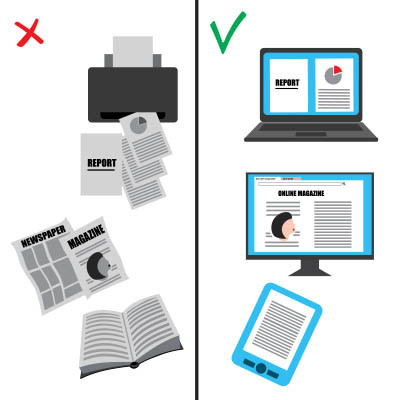
In nearly every office, the printer hums along in the background, so familiar that nobody questions it. Worth questioning, though. The average office worker goes through roughly 10,000 sheets of paper a year, a figure cited by the EPA and repeated across plenty of studies. That is real money, real clutter, and a real environmental cost. And much of it is waste: research has found nearly half of printed documents are tossed within a day. Cutting it down is not just about saving trees, it is about working smarter. Here are three ways to do it.
Move the Work Off Paper
Most of what gets printed never needed to be. Reviewing a document, sharing a draft, signing a form, collaborating on a file, all of it can happen on screen now, often better than on paper. Shared documents let several people work on the same file at once instead of printing copies for everyone. Digital signatures handle contracts without a single sheet. The less your workflow depends on paper, the faster and cheaper it gets, and the easier it is to find things later.
Build Better Printing Habits
Some printing is unavoidable, so make what remains intentional. Before anyone hits print, the question is simple: do I actually need this on paper? A lot of printing is reflex, not need. Encourage people to read on screen, print double-sided, and skip the cover pages and full-color graphics nobody asked for. Small habit changes across a whole team add up to a noticeably smaller stack and a smaller bill.
Make the Smart Choice the Default
The most reliable way to change behavior is to not rely on behavior. Set printers to double-sided and black-and-white by default, so the wasteful option takes extra effort instead of the other way around. Set up scanning that drops documents straight into your shared system so paper does not pile up in the first place. When the efficient choice is the automatic one, savings happen without anyone having to think about it.
Less Paper, Smoother Work
Cutting printing is one of those rare wins that saves money, reduces clutter, helps the environment, and makes your team faster all at once. It just takes the right setup and a few habits. The payoff shows up every month on the supply budget and every day in how easily people find what they need.
Helping businesses build smarter, faster workflows out of the tools they already have is a lot of what we do. If your office runs on more paper than it should and you want to fix that without disrupting how people work, we can help.

Good cybersecurity starts with an honest look in the mirror, not a shopping list. Before you buy tools or change anything, you need to know what you are actually protecting and what you stand to lose. These four questions cut through the noise and tell you where you really stand.
Are You Honest About Being a Target?
The most common and most expensive misconception is that smaller businesses are not worth attacking. They are. A lot of attacks are automated, sweeping the internet for any weakness regardless of company size, and a smaller business with lighter defenses is often the easier hit. The first step is dropping the assumption that you are too small to bother with. You are not.
What Does an Hour of Downtime Cost You?
Put a real number on it. If an attack took your systems offline for a day, or a week, what does that cost in lost revenue, idle staff, missed orders, and customers who go elsewhere? Most owners have never done this math, and the figure is almost always bigger than they guessed. Once you see it, the right level of spending on prevention becomes obvious, because you are weighing it against a number that hurts.
Where Do Your People Fit In?
Your team is both your first line of defense and your most common weak point. Most breaches still start with a person, a clicked link or a convincing fake email. So ask honestly: do your people know how to spot a scam? Is there a clear rule for verifying a payment request? Has anyone actually trained them, or are you hoping? The cheapest security upgrade available is usually a better-trained team.
Do You Know What You Are Up Against?
The threats do not hold still. The trick that worked on attackers last year is replaced by a new one, and defenses that were solid two years ago can be out of date now. You do not need to track every new exploit personally, but someone needs to be watching, because security set once and forgotten is security slowly going stale.
From Questions to a Plan
Answer these four honestly and you have the start of a real plan, grounded in your actual risk instead of generic advice. The next step is acting on it: monitoring, patching, tested backups, and trained people, kept up over time rather than bolted on once.
That ongoing work is what we do. We run managed cybersecurity for businesses, starting with an honest assessment of where you stand and what it would cost you if things went wrong. If you cannot confidently answer the four questions above, book a call and we will work through them with you.

Productivity is one of those goals every business chases and few feel they have caught. Today is World Productivity Day, which is as good an excuse as any to stop and ask why a busy day so often ends without the important work actually getting done. Usually it is not effort. It is friction. Here are three habits that cut the friction and give you your day back.
Put a Leash on Notifications
Every ping pulls your attention, and getting back to real focus after an interruption takes far longer than the interruption itself. You do not need to know the instant every email, chat, and app update arrives. Turn off the notifications that do not matter, silence the ones that can wait, and check messages on your schedule instead of theirs. Batch them into a few set times a day and protect the blocks in between for actual work. The quiet is where the good stuff gets done.
Automate What You Can
If you do the same small task by hand every day, that is time you are spending that a computer could spend for you. Recurring reports, file backups, sorting incoming email into folders, standard replies, calendar reminders. Most of the tools you already use can handle this kind of busywork on their own once they are set up. Each automated task is a few minutes back, every day, forever. They add up fast.
Get and Stay Organized
Time spent hunting for a file, a login, or the right version of a document is pure waste, and it is constant. A simple, consistent system for where things live, clear folder structures, shared drives your whole team uses the same way, and naming you can actually search, pays off every single time someone needs to find something. Boring to set up, quietly powerful forever.
The Habit Behind the Habits
Here is the one that ties the rest together: get a real IT partner who keeps your technology out of your way. The biggest productivity drain in most businesses is not a lack of discipline. It is tools that fight you, systems that break, and time lost to problems nobody is managing. When your technology just works, every other habit on this list gets easier.
That is the part we handle. We keep the systems businesses run on fast, secure, and out of the way, so your people can spend their time on the work that matters instead of fighting the tools. If technology is what keeps derailing your team's focus, we can help with that.

Time is not just money. It is the whole vault. You can buy more tools, hire more people, and add more software, but nobody sells you more hours. So the question worth asking is how to get more out of the ones you have. One of the simplest answers is a method named after a tomato.
What Is a Pomodoro
The Pomodoro Technique was created by Francesco Cirillo in the late 1980s, back when he was a university student trying to beat his own distraction. He grabbed a kitchen timer shaped like a tomato, pomodoro in Italian, and committed to one focused stretch of work before he let himself stop. That tomato timer gave the method its name. The idea stuck because it works.
How It Works
The whole system fits in a sentence. You pick one task, set a timer for 25 minutes, and work on nothing else until it rings. Then you take a five-minute break. Each 25-minute stretch is one pomodoro. After four of them, you take a longer break, 15 to 30 minutes. That is it. No app required, though plenty exist.
The magic is not the exact number. It is the boundary. Twenty-five minutes is short enough that starting does not feel daunting, and long enough to get real work done. The ticking clock makes it harder to drift to your inbox or your phone, because you know the break is coming soon.
Getting the Most From It
A few habits make the difference between trying it once and actually sticking with it.
Respect the timer, and respect the break. When the work timer runs, work. When the break timer runs, actually step away. The break is not optional. It is what keeps your focus fresh for the next round.
Break big jobs into pieces. If a task will take more than three or four pomodoros, it is too big. Split it into chunks that each fit in a block. A vague all-day project becomes a list of clear, finishable steps.
Plan your pomodoros at the start of the day. Roughly map which tasks get how many blocks. You will guess wrong at first. Within a week you will have a real sense of how long your work actually takes, which is useful on its own.
Use leftover time well. Finish early? Do not jump to the next thing. Use the rest of the block to review what you did, tidy your notes, or get a head start. The block belongs to that task until it rings.
Adjust the numbers to fit you. Twenty-five and five are the defaults, not the law. Some people focus better in 50-minute blocks with 10-minute breaks. Try the standard first, then tune it.
Reclaim Your Time
The Pomodoro Technique is free and you can start this afternoon. It will not fix everything, but it is a real dent in the constant pull of distraction. We spend our days helping businesses get time back by taking the IT headaches off their plate, so their people can stay in the work instead of fighting the tools. If technology is what keeps breaking your focus, we can help with that part.

A cluttered workspace tends to make for a cluttered mind. Whether you work from home or in an office, keeping your desk organized has a real effect on focus, stress, and even creativity. It is not about appearances. It is about an environment where you can actually do your best work. Here are five simple habits that keep a workspace working for you.
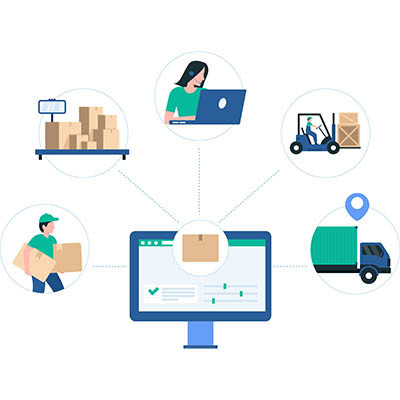
The daily grind of running a business can feel relentless. Overflowing inboxes, endless task lists, information scattered across a dozen apps, and the constant switching between them. None of it is the actual work, and all of it eats the day. The good news is that most of this drain is fixable with the right setup. Here is how to claw back the time the small stuff steals.

It is late, the workday is behind you, and you are finally relaxing at home. Then your phone dings, a work email, and you feel the pull to just check it. Every time you do, the line between work and the rest of your life gets a little thinner. The always-on culture our technology created is a real driver of burnout, but the same technology, set up thoughtfully, can help your team get their time back. Here is how.

There is a particular frustration in not knowing whether your IT spending is doing anything. You know what you are paying for, but that is different from knowing how it moves the business. Usually the problem is not the spending, it is the communication around it. Here is how to turn IT from a budget black hole into something you can actually understand and direct.

Every business loses time and money to inefficiency, and a lot of it is invisible until you go looking. The good news is that technology is good at finding and fixing exactly this kind of waste. Here are four types of tools that help you spot where time and money leak out, and plug the holes.

Business is complicated enough without making people remember a dozen passwords. Logins are a fact of work, but the way most companies handle them quietly drains time and creates security risk at the same time. The fix starts with one honest question, and the answer usually points to the same solution.

Everybody knows cut, copy, and paste. Those are table stakes. The shortcuts below are the next tier, the ones that quietly save a few seconds hundreds of times a day until the time really adds up. None of them take more than a minute to learn. Here are eight worth committing to memory on Windows.

A team can put in long hours, push hard, and still end the week roughly where it started. Effort is not the same as progress. If the work does not move the business forward, the energy spent on it counts for very little. So the question worth asking is not how busy your people are. It is how much of that effort actually turns into results, and what is quietly draining the rest.

A slow network is one of those problems that quietly taxes everything. Pages crawl, files take forever, calls drop, and at a busy stretch like the holidays, a network that buckles under the extra load costs you real sales. The good news is that most network slowdowns come down to a handful of fixable causes. Here are five worth checking.
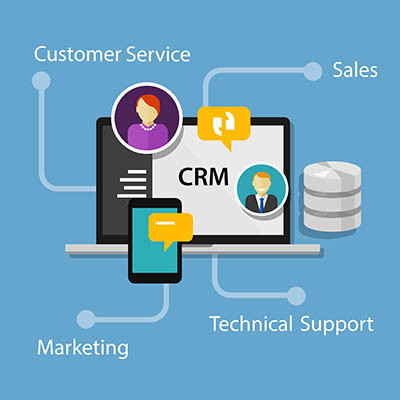
Is your business still running customer relationships on a patchwork of spreadsheets, sticky notes, and somebody's inbox? It feels cheaper than buying software, but it is not. That setup quietly piles up organizational debt, and the bill comes due as dropped follow-ups, forgotten details, and sales that slip away without anyone noticing. The fix is a customer relationship management system, a CRM. Here are three things it does that the patchwork never will.
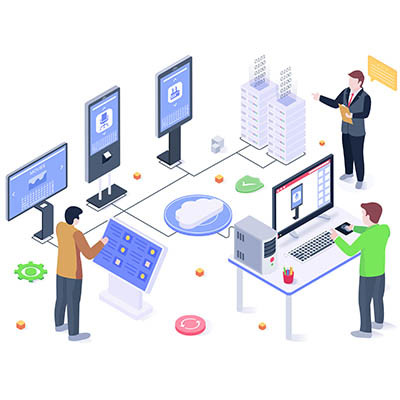
Take a walk through your office and look at the screens on the walls. If they are showing a generic weather widget, a Happy Monday slide that has been up for three weeks, or a No Signal box, you do not have a technology investment. You have an expensive screensaver. A lot of businesses put screens up because the lobby looked bare or someone suggested it, and then nobody gives them another thought. Done right, those screens should be doing real work.

© 2026 CybertronIT. All rights reserved.Privacy Policy · Sitemap