
CybertronIT Blog
Cybertron Blog
Cybertron has been serving the Wichita area since 1997, providing IT Support such as technical helpdesk support, computer support, and consulting to small and medium-sized businesses.

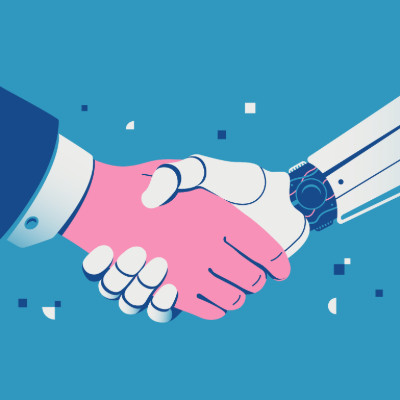
Pop culture trained us to picture AI as the menacing robot from the movies. The reality is far more useful and far less dramatic. AI is a collaborator, a powerful assistant that is only as good as the person directing it. Which means the rise of AI does not make human skills less important. It makes the right ones matter more. Here are the three that separate people who get real value from AI from people who get generic noise.
0 Comments

For a lot of owners, technology feels like a pile of subscriptions and hardware invoices that grows every year. But tech is how the work actually gets done, and it quietly tells new and departing employees a story about your company. When a new hire sits down and everything just works, you are signaling that this is a place worth staying. When people leave, your systems are what keep your data from walking out the door with them. Here is how to handle both ends well.
Make day one actually work
Most companies lose a new hire first week to waiting for access, which kills momentum and morale. Aim for ready-to-work on the first morning. The laptop is configured, every login is active, and licenses to the tools they need are live before the first cup of coffee. That immediate traction tells someone they joined a team that has it together. Push the digital paperwork out ahead of time too, so day one is about the mission and the team, not staring at a stack of PDF forms.
Make exits a clean break
Offboarding should not be a frantic checklist of did-we-change-the-password. It should be closer to a switch. Keep a single source of truth for logins through single sign-on, so when someone leaves you disable one master account and the rest of their access cascades shut. That is the only reliable way to close every door in a remote or hybrid setup. And put mobile device management on every company laptop, so if a device is lost, stolen, or an employee leaves on bad terms, you can wipe it remotely.
Track your hardware
Stop treating laptops as disposable. Real asset tracking follows every device through its life so you always know where your hardware, and your money, actually is. It prevents the laptop black hole, where expensive machines vanish into the closets of former remote employees and you have effectively written them a check for nothing.
Screen for it, do not hope for it
Do not wait until after hiring to learn whether someone can use your tools. Lean on async steps in the application, a quick video or browser-based task, and consider a small paid trial task inside your actual project management tool. It tells you fast whether a candidate has the basic digital literacy a modern workflow needs.
The goal is not to hire people who can survive a mess. It is to build systems clear enough that anyone can thrive. Stop hunting for the next app and start making your current ones work together. Book a call and we will set up onboarding and offboarding that just works.

© 2026 CybertronIT. All rights reserved.Privacy Policy · Sitemap