
CybertronIT Blog
Cybertron Blog
Cybertron has been serving the Wichita area since 1997, providing IT Support such as technical helpdesk support, computer support, and consulting to small and medium-sized businesses.


The point-of-sale system used to be a fancy cash register. That era is over. Today your POS handles payments, yes, but also inventory, customer records, sales reporting, and more. It has quietly become one of the most important systems you run. So choosing or upgrading one is not a payments decision. It is a decision about how well the core of your business is going to work for the next several years. Here are four things that actually matter.
It Has to Connect to Everything Else
A POS that sits on an island is a POS working against you. The real value shows up when it talks to your other systems, accounting, inventory, customer records, so a sale updates stock, feeds the books, and builds the customer history automatically. When everything connects, you stop rekeying the same numbers in three places and you get one honest picture of the business instead of several conflicting ones.
Security Is Not Optional
Your POS touches payment details and customer data, which makes it a prime target. A breach here is not just embarrassing, it can bring fines and a loss of trust you do not get back easily. Whatever system you run has to take security seriously: encrypted transactions, regular updates, and proper access controls so not everyone can see or change everything. If a POS vendor is vague about security, that is your answer.
It Should Grow With You
The system that fits one location and three employees may buckle at three locations and thirty. Think past today. Can it add registers, locations, and users without a painful rip-and-replace? Buying for where you are headed, not just where you are, saves you from doing this whole project again in two years.
It Should Make the Day Easier
A POS your staff fight with is a POS that slows down every transaction and frustrates customers in line. The good ones are fast, clear, and simple enough that training someone new takes minutes, not days. Speed at the counter and a smooth checkout are not nice-to-haves. They are repeat business.
The Full Picture
Connection, security, room to grow, and ease of use. Weigh a POS against all four and you are choosing a backbone for the business, not just a way to take payments. Skip one and it tends to be the thing that bites you later.
We help businesses choose, secure, and run the systems they depend on, including the hardware behind the counter and the security around the data it handles. If your POS is holding you back or you are weighing an upgrade, book a call and we will help you get it right.
0 Comments
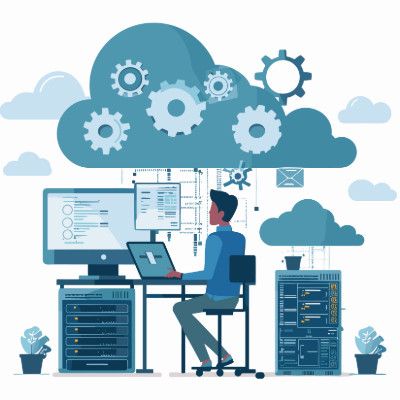
One of the biggest reasons businesses move workloads to the cloud is scalability, the ability to add or remove computing resources as your needs change. Instead of buying and maintaining enough hardware for your busiest possible day and letting it sit idle the rest of the time, you adjust on demand. Here is how cloud scalability works and where it pays off.
Cut, copy, and paste are some of the most-used commands in any office, but most people only use a fraction of what the Windows clipboard can do. By default it holds one thing at a time, the last item you copied. Windows can do much better than that, and turning it on takes about ten seconds. Here is how to get more out of it.

Business is complicated enough without making people remember a dozen passwords. Logins are a fact of work, but the way most companies handle them quietly drains time and creates security risk at the same time. The fix starts with one honest question, and the answer usually points to the same solution.

Good IT matters everywhere, even at a certain very busy operation up north. So in the spirit of the season, here is a short tale from the North Pole IT department, and the very real lesson hiding inside it.
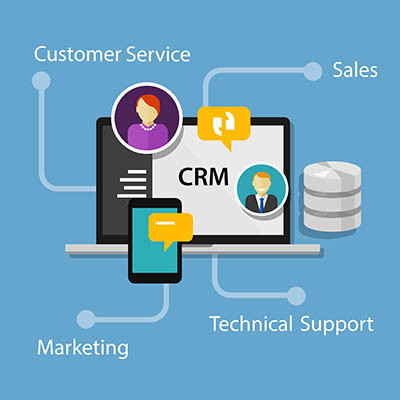
Is your business still running customer relationships on a patchwork of spreadsheets, sticky notes, and somebody's inbox? It feels cheaper than buying software, but it is not. That setup quietly piles up organizational debt, and the bill comes due as dropped follow-ups, forgotten details, and sales that slip away without anyone noticing. The fix is a customer relationship management system, a CRM. Here are three things it does that the patchwork never will.
Software as a service cuts both ways. Managed well, it is an engine for growth. Ignored, it is a slow leak, draining your budget through monthly charges nobody is tracking. The question is not whether you need SaaS, you do. It is whether your SaaS is working for you, or whether you are working to pay for it.
Access instead of ownership
The old way was buying a disc, installing it, and owning that version until it went stale. SaaS gives you a seat at the table for a monthly fee, and that brings real upside. You always have the latest features with no manual updates, you can add or drop users instantly as the team changes, and your office is wherever there is an internet connection. But those same conveniences set a trap: the subscriptions you forget about.
How ghost seats eat your return
In a perfect world your subscriptions match your headcount. They rarely do. Someone leaves for a new job, but their CRM license stays active for months because nobody told IT to cut it. Someone moves from sales to operations, gets new tools, and the old sales seat keeps billing forever. Marketing runs one platform while finance runs another that does the same thing, so you pay twice and your data is split in two. For a mid-sized company these ghost seats and duplicate tools quietly add up to thousands of dollars a year. And with pay-per-use AI tools now in the mix, every duplicated task or sloppy prompt is one more direct hit.
A better way to run it
The fix starts with visibility. A real audit shows what you actually use so you can stop double-paying and cut the fluff. Automating offboarding means that when someone leaves, their access and their cost leave with them instead of lingering. And good procurement helps, since the right relationships get you enterprise rates you will not find off the shelf.
Do not let death by a thousand subscriptions shrink your margins. Book a call and we will run a SaaS audit, find where the budget is leaking, and put that money back toward growth.

The biggest time thief right now is not a slow computer. It is the software silo, when your CRM, accounting, and project tools refuse to talk to each other. When apps stay separate, your people become the bridge between them, and that gets expensive fast. Every time someone copies a client name from an email into an invoice, you are paying a skilled professional to do clerical work from 1995. Here is what that really costs.
The copy-paste tax
When your stack is not connected, your team does double data entry. The same customer update gets typed into four systems because nothing syncs. The average small business runs 15 to 20 apps, so this adds up to hours every week. Then comes human error. Manual entry breeds typos in addresses, wrong figures on invoices, and missed follow-ups, so now you are paying to fix the mistakes too.
The scavenger hunt
When data is scattered, finding anything becomes a job of its own. Someone burns ten minutes digging through three email threads, a chat channel, and a shared drive just to confirm one approval. Studies put it as high as a fifth of the week spent looking for information instead of using it. Integrated systems with universal search, like a properly set up Microsoft 365 or Google Workspace, make that wasted time disappear.
The shadow IT problem
When people do not have the right tool, they buy their own. A PDF editor here, an AI transcription app there, all on personal subscriptions the company never approved. Now you have five tools doing the same job and, worse, company data living in unmanaged accounts nobody is securing. The fix is a simple process for employees to ask for what they need, and a culture that lets them.
Decisions made in the rearview mirror
Good decisions need current numbers. With siloed data you wait for someone to compile a report by hand, and by the time you see it the information is two days old. You are steering by the rearview mirror. Integrated systems give you live dashboards, profitability, lead flow, and ticket volume at a glance, so you can adjust while it still matters.
Your team should be solving problems, not shuttling data between apps. If your stack is a set of disconnected islands, you leak profit every day. Book a call and we will connect the pieces the right way.

© 2026 CybertronIT. All rights reserved.Privacy Policy · Sitemap