
CybertronIT Blog
Cybertron Blog
Cybertron has been serving the Wichita area since 1997, providing IT Support such as technical helpdesk support, computer support, and consulting to small and medium-sized businesses.


A client in the lobby asks for the Wi-Fi, and you want to say yes. Good hospitality is good business. The smart way to offer it is a guest network kept separate from the systems your business runs on. Put a visitor on your main network and their device sits a step from your servers and workstations. If that device is carrying malware nobody knew about, it now has a path in. A separate guest network gives visitors the internet they came for while your business stays walled off. It is the setup most well-run offices already use, and it is worth getting right.
Build a digital fence with segmentation
The fix is not to stop being helpful. It is to be smart about how people connect. Network segmentation puts visitors on a separate guest network that is walled off from the systems your business actually runs on. Guests get their internet, and your servers, files, and workstations stay on the other side of the fence where a guest device can never reach them.
It also protects your speed
A guest network is not only about security. Ever notice your video call stuttering or an upload crawling while the lobby is full? Without separation, everyone fights over the same pipe. A guest network lets you cap how much bandwidth visitors can use, so someone streaming HD video in the waiting area does not throttle your team trying to process transactions or make a deadline. Your business traffic stays in the fast lane.
Do it right
Use a different password. The guest network should never share a password with your internal network, and you should change it from time to time to stay in control.
Turn on device isolation. This keeps guest devices from seeing or talking to each other, so one infected laptop in the lobby cannot poke at anyone else connected.
Hide your private network. Your staff network does not need to be visible to everyone who walks in. Keep it from broadcasting so it is not even an option a visitor can see.
Your Wi-Fi should drive productivity, not sit open as a gateway for intruders or a drain on your speed. Book a call and we will set up a clean, secure guest network for you.
0 Comments
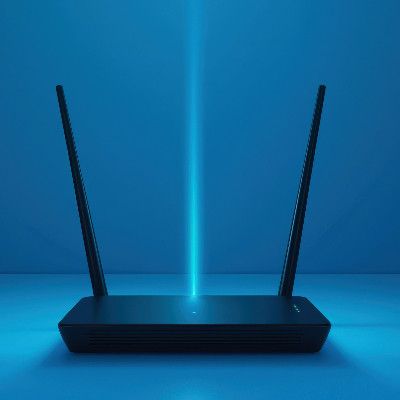
You are mid-meeting, or uploading a big proposal, and the loading wheel shows up. One sad bar of Wi-Fi. The usual reaction is to buy a faster plan or a router with eight antennas that looks like a robot spider. Hold off. Most of the time the internet and the hardware are fine. The problem is where the box sits. Here are three fixes that cost nothing.
Put the router in the middle
Think of your router like a lightbulb. Stick it in a far corner and the rest of the building stays dim. Wi-Fi radiates in every direction, so when the router is shoved against an outside wall, half of its signal is heading out into the parking lot. Move it toward the center of the space and every laptop, tablet, and printer has less distance to cover.
Get it off the floor
This is the mistake in about nine out of ten offices we walk into. The router is on the carpet, buried behind a filing cabinet and a knot of power strips. Radio waves spread sideways and down, so a floor-level router is firing a big chunk of its signal straight into the foundation. Concrete and metal floor supports act like a shield and kill it before it reaches your desk. Get it to eye level or higher. Mount it on a wall or set it on top of a bookshelf. Fewer obstacles, better connection.
Keep it away from interference
Your router does not play well with certain neighbors. Park it next to a microwave, a cordless phone base, or a big aquarium and you have a problem. Microwaves run on the same 2.4 GHz band as a lot of older Wi-Fi, and water absorbs signal, so a fish tank or heavy plumbing in the wall will choke it. Take a walk through your office. If the router is sitting beside the breakroom microwave or tucked behind a metal fire door, that is your dead zone explained. Metal, water, and competing electronics are the three things that wreck a wireless signal.
When placement is not enough
Your team should not have to do the Wi-Fi dance by the hallway just to send an email. If you have moved the router and still hit dead zones, the fix is usually a mesh system or proper wireless access points. Those blanket the whole office in one managed signal that does not drop the second someone walks into the conference room. We can map your coverage and tell you exactly what you need.
Book a call and we will run a quick network assessment.

© 2026 CybertronIT. All rights reserved.Privacy Policy · Sitemap