
CybertronIT Blog
Cybertron Blog
Cybertron has been serving the Wichita area since 1997, providing IT Support such as technical helpdesk support, computer support, and consulting to small and medium-sized businesses.


Picture one of your best people slowly checking out. They are not quitting, they are just tuning out the conversation. That often starts with something as small as a ping. It is notification fatigue, and it is a quiet productivity killer. Here is why your team is drowning in alerts and how to throw them a lifeline.
What notification fatigue is
Look at your inbox right now. How many of those unread messages actually matter? Companies tend to fire messages at staff hoping something sticks, and since employees cannot unsubscribe, they do something worse. They tune it all out. Once notifications become white noise, the value of your internal communication drops to zero. It is simple supply and demand, a flood of pings makes every ping worth less.
The real cost
The toll is mental and physical. Every alert sets off a small tug-of-war between the little rush of a new message and the stress of being interrupted, and that grind is a fast track to burnout. Constant context switching, hopping from a task to a chat and back, shatters deep work and kills momentum. And back-to-back video calls and endless threads drain energy faster than the actual work does.
How to fix it
You do not have to choose between communicating and staying sane. Often the same tools causing the problem can solve it. Stop making people bounce between five apps and consolidate into one communication platform so the workflow stays steady. Curate the noise with quiet hours and custom notification settings so work stays at work. Protect deep-work blocks where people can actually focus. And set a clear emergency protocol, define exactly what counts as an after-hours emergency so that when someone phone rings at dinner, the team knows it truly matters.
You want a team that is fired up, not burned out. Book a call and we will set up the tools that keep productivity high and your people sane.
0 Comments

To a lot of owners, technology feels like a black hole, a line item that keeps getting more expensive without making anything noticeably easier. If you have ever bought software just to keep up rather than get ahead, you are not alone. The goal is not to buy more IT. It is to capture value. Here is how to bridge the gap between technical complexity and actual business growth.
Judge tech by outcomes, not specs
When you weigh a tool or a provider, stop reading spec sheets and start asking what it does for the business. A few angles to demand. You are not buying uptime, you are buying the elimination of the 3 p.m. panic when a crash stalls payroll or a sales call. You do not always need to rip and replace, real value is often making your reliable old software talk to modern tools. Good IT should be invisible, like a referee doing the job well, so you focus on customers, not your Wi-Fi. Insist on reports written in profit, loss, and time saved, because jargon is usually a mask for inefficiency. And build a foundation where hiring five people does not mean re-buying your whole setup.
Find the waste
Moving from a fix-it mindset to a growth mindset takes a few simple checks. Run an 80/20 audit, find the 20% of your tech that causes 80% of the frustration, the slow CRM or the printer that will not stay connected, and fix that first. Do a shadow-IT check by asking your team what apps they use on personal phones because the company tools are too slow, since those gaps point right at where your systems are failing. Treat security, MFA and encrypted offsite backups, as a fundamental requirement, not an add-on.
Red flags worth watching
A few common ones quietly drain money. The aging server in the closet that seems fine but is a cash-flow halt waiting to happen. The subscription tax of licenses for people who left months ago or tools that overlap. And the nature of your support itself, is your provider cleaning up messes after the fact, or protecting your growth proactively? If your managed provider only calls when something breaks, they have stopped investing in you and are just collecting a check.
Technology should be an engine, not an anchor. Stop paying for the software and start paying for the result. Book a call and we will help you buy IT for the value it actually delivers.

Software as a service cuts both ways. Managed well, it is an engine for growth. Ignored, it is a slow leak, draining your budget through monthly charges nobody is tracking. The question is not whether you need SaaS, you do. It is whether your SaaS is working for you, or whether you are working to pay for it.
Access instead of ownership
The old way was buying a disc, installing it, and owning that version until it went stale. SaaS gives you a seat at the table for a monthly fee, and that brings real upside. You always have the latest features with no manual updates, you can add or drop users instantly as the team changes, and your office is wherever there is an internet connection. But those same conveniences set a trap: the subscriptions you forget about.
How ghost seats eat your return
In a perfect world your subscriptions match your headcount. They rarely do. Someone leaves for a new job, but their CRM license stays active for months because nobody told IT to cut it. Someone moves from sales to operations, gets new tools, and the old sales seat keeps billing forever. Marketing runs one platform while finance runs another that does the same thing, so you pay twice and your data is split in two. For a mid-sized company these ghost seats and duplicate tools quietly add up to thousands of dollars a year. And with pay-per-use AI tools now in the mix, every duplicated task or sloppy prompt is one more direct hit.
A better way to run it
The fix starts with visibility. A real audit shows what you actually use so you can stop double-paying and cut the fluff. Automating offboarding means that when someone leaves, their access and their cost leave with them instead of lingering. And good procurement helps, since the right relationships get you enterprise rates you will not find off the shelf.
Do not let death by a thousand subscriptions shrink your margins. Book a call and we will run a SaaS audit, find where the budget is leaking, and put that money back toward growth.

If you still treat IT as a secondary expense, you are probably overlooking the biggest threat to your profit. Your digital infrastructure is the plumbing of your revenue. It is either a vault protecting what you earn or a sieve quietly draining your margins. The real point is simple: cybersecurity is not a tech problem stuck in a back office, it is a direct pillar of your financial stability.
Look at it like a thief would
Standard IT companies promise safety, but that is abstract when you are trying to make payroll on Friday. A more useful lens is to ask where your money is actually exposed and what a specific weakness would cost you. Look at your business the way a thief does and one thing becomes clear: lazy habits are usually more dangerous than master hackers. The question is not just how good the lock is, it is how fast you can recover after the door gets kicked in.
The habits that stop the bleeding
Security is less about buying the right software and more about disciplined behavior. Start with a second-channel rule. No wire transfer or change to banking details, especially anything sizable, gets approved on email alone. A quick call to a known number to confirm the request stops most fraud cold. Move your team from passwords to passphrases, which are easier to remember and harder to crack. And treat a stray USB drive found in the parking lot, or an unlocked server closet, as the threat it is.
How the con actually works
Attackers rarely blast their way in. They exploit what you could call the nice-guy tax, weaponizing your employees natural urge to be helpful. The cycle is predictable. They research your company on social media, then send a message that mimics the boss tone and manufactures urgency, then ask for a small favor like checking an invoice. Once someone clicks, they vanish with the money before anyone notices. That is why small businesses are often better targets than banks, no billion-dollar defenses, plenty of helpful staff who do not want to tell the boss no.
What is actually at stake
Ignore these leaks and you risk the foundation of the company. Beyond the immediate loss, there is reputational damage and the very real possibility of sitting idle for weeks while systems are painstakingly restored.
Do not wait for a financial gut-punch to notice the bucket is leaking. Book a call and we will translate your security from jargon into real-world protection.

The Trojan Horse did not work because the Greeks broke down the walls. It worked because the Trojans wheeled a threat inside the walls themselves, thinking it was a gift. Your business faces a version of the same risk, except today the package is a tool or platform you bought from a third-party vendor. Third-party risk is a weakness that starts at a company you work with, like handing a spare key to a house-sitter who then loses it. These risks are behind a lot of data breaches, so they are worth taking seriously.
What a vendor risk assessment checks
The fix is a third-party risk assessment, basically a background check on whether a vendor takes security as seriously as you do. Focus on three things. Data handling, how your data is stored and protected while it sits with them. Access control, how few of their people can actually see what you have entrusted to them. And redundancy, how badly an outage on their end would hurt you.
Why it lands on you
Say you use a vendor for payment processing and they lose your customers credit card details. Who do your customers and the regulators point at first? You. Outsourcing can be great, but a breach on their side still leaves you holding a very expensive bill and the reputational damage. Their security posture is, functionally, part of yours.
How to keep vendors accountable
Once you have vendors you trust, keeping them honest is not a huge lift. Remember that different vendors hold different data, so they carry different risk. A janitorial service might only have your billing info, while a CRM or outsourced HR provider holds your client and employee data too. Hold the higher-risk ones to a higher bar. And ask for proof. Any vendor worth working with should have no trouble confirming their security practices, and if one balks, that alone tells you it is time to go back to the negotiating table.
We help make sure your vendor relationships stay an asset, vetting providers, facilitating the relationship, and keeping an eye on them so their protections do not quietly slip. Book a call and we will help you watch the watchmen.

Does your business run in the moment, or with an eye on what is coming? It is a tricky balance, and with technology the right answer is not always obvious. Most of the time you are better off making tech decisions, from small fixes to big rollouts, through the lens of an IT roadmap. Here is how a roadmap keeps you on track operationally and financially.
The four questions your roadmap answers
Where do we stand now? Start with a full assessment of your systems, the hardware, software, network, and security, so you know what you are actually working with.
Where do we want to be? Line your technology up with your business goals, how you want to grow, add people, and hit your targets.
How do we get there? Lay out a step-by-step plan that tackles the projects with the best return first, instead of reacting to whatever breaks.
What will it cost? Build a multi-year budget alongside the plan so you can see the spend coming rather than getting blindsided by it.
What you get out of it
The payoff adds up quickly. You make better-informed decisions, you budget more smoothly and avoid surprise bills, and you tighten security by addressing weaknesses before they become breaches. Your team also gets the tools they need to do good work without the frustration of patchwork tech.
You do not have to build it alone
It is hard to run a business when you are not sure where to take your IT. Acting as your virtual CIO, we help you make the right calls for the business, build the roadmap, and stay with you through execution, not just hand you a document and walk away. Book a call and we will map out where your technology should go next.

Forget the dramatic cyberattacks in the news. Often the real business killer is the boring box humming in your storage room. A lot of owners assume that if the server still runs, it is still fine. Hardware does not gracefully retire, though. It crashes, usually at the worst possible moment. When a main server dies it does not just take your data, it takes your ability to operate.
The hidden cost of good enough
Technology runs your business, but it has a shelf life. When hardware hits its breaking point you lose more than files. You lose operational momentum, with customer records and financial data suddenly out of reach. You can lose intellectual property, years of work gone in one failure. And you lose hard revenue, because every hour of downtime is a direct hit. You should not have to cross your fingers every time you boot up.
Recovery matters more than backups
Most providers talk about backups. The number that actually matters is uptime, specifically your Recovery Time Objective, the time from everything is down to everyone is working again. That is the difference between being back in half an hour and staring at a blank screen for three days. Without a managed recovery plan, a simple hard-drive failure stops being an inconvenience and becomes a liability that costs thousands in lost billable hours.
The 3-2-1 standard
To stay resilient against everything from worn-out hardware to a natural disaster, we run the 3-2-1 rule. Three total copies of your data, because redundancy is your friend. Two different media types, so a single kind of failure cannot wipe everything. And one copy kept offsite and immutable, in a secure cloud environment that cannot be altered and is isolated from whatever happens locally.
Hardware failure is a when, not an if. Book a call and we will turn your IT from a ticking clock into something you can count on.

For a lot of owners, technology feels like a pile of subscriptions and hardware invoices that grows every year. But tech is how the work actually gets done, and it quietly tells new and departing employees a story about your company. When a new hire sits down and everything just works, you are signaling that this is a place worth staying. When people leave, your systems are what keep your data from walking out the door with them. Here is how to handle both ends well.
Make day one actually work
Most companies lose a new hire first week to waiting for access, which kills momentum and morale. Aim for ready-to-work on the first morning. The laptop is configured, every login is active, and licenses to the tools they need are live before the first cup of coffee. That immediate traction tells someone they joined a team that has it together. Push the digital paperwork out ahead of time too, so day one is about the mission and the team, not staring at a stack of PDF forms.
Make exits a clean break
Offboarding should not be a frantic checklist of did-we-change-the-password. It should be closer to a switch. Keep a single source of truth for logins through single sign-on, so when someone leaves you disable one master account and the rest of their access cascades shut. That is the only reliable way to close every door in a remote or hybrid setup. And put mobile device management on every company laptop, so if a device is lost, stolen, or an employee leaves on bad terms, you can wipe it remotely.
Track your hardware
Stop treating laptops as disposable. Real asset tracking follows every device through its life so you always know where your hardware, and your money, actually is. It prevents the laptop black hole, where expensive machines vanish into the closets of former remote employees and you have effectively written them a check for nothing.
Screen for it, do not hope for it
Do not wait until after hiring to learn whether someone can use your tools. Lean on async steps in the application, a quick video or browser-based task, and consider a small paid trial task inside your actual project management tool. It tells you fast whether a candidate has the basic digital literacy a modern workflow needs.
The goal is not to hire people who can survive a mess. It is to build systems clear enough that anyone can thrive. Stop hunting for the next app and start making your current ones work together. Book a call and we will set up onboarding and offboarding that just works.

When people picture a business disaster, they imagine something cinematic, an earthquake or a global outage. In reality the things that take companies down are mundane and preventable. Here are three quiet business-killers that thrive on a lack of preparation, and how to defend against each.
Hardware failure and human error
It is rarely a strike from above that sinks a company. It is the grinding halt when a workstation dies or a critical server fries. Add the human element, one accidental delete on a shared folder can cost days of productivity. The math is simple. It is far cheaper to maintain your hardware proactively than to perform digital CPR on a dead system while your whole team sits idle.
The you-are-too-small myth
A lot of small and mid-sized businesses assume they are too small to notice. Why would a hacker want my data when they could go after a bank? The truth is colder. You are the ideal target precisely because attackers expect your defenses to be weaker than a Fortune 500 company. Smaller often means softer, and softer is exactly what they look for.
Local physical disasters
You do not have to be in a disaster zone to lose everything. A fire in the suite next door or a transformer blowing down the street can wipe out unprotected data in an instant. Real resilience is not hoping for clear skies. It is having your data mirrored and ready to deploy the second the lights flicker.
Backups are not a recovery plan
True business continuity takes more than a backup, it takes a recovery roadmap, the redundancies and proactive safeguards that keep you running when the worst case actually happens. A backup is a safety net. What you really want is to barely feel the fall.
Book a call and we will audit your backup and disaster recovery setup so your business is ready for whatever comes.
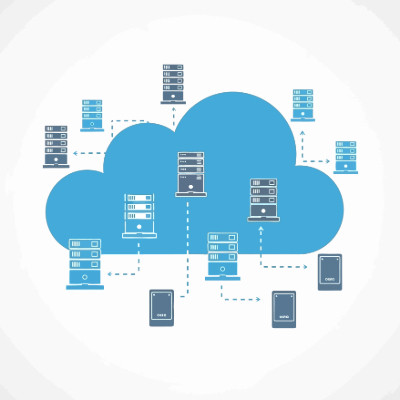
If your cloud bill is the second-largest line after payroll but you still cannot explain what you are paying for, you are not lean. You are paying a growth tax that keeps climbing. For an owner, cloud tracking is not about CPU and latency, it is about protecting your margin, the difference between scaling your profit and just scaling your provider revenue. Here are four steps to turn the monthly mystery into something you control.
Track cost per unit of value
Stop asking what the total bill is and start asking what your cloud cost is per unit of value, whether that is an active user, a transaction, or a completed order. As you grow, that number should stay flat or fall. If your cloud spend is rising faster than your revenue, the architecture is broken, and you are renting your own margins back from your provider.
Kill the zombie resources
If you had a leak in your warehouse costing you a couple hundred dollars a day, you would fix it within the hour. In the cloud those leaks are zombie resources, test environments and data volumes someone spun up and forgot to shut off, and you pay for them every second they exist. Tag every resource by department or project so every dollar has a home. If you cannot tell which team is driving the bill, you cannot hold anyone accountable.
Run a monthly cleanup report
Ask for a monthly report that flags idle resources. It turns vague waste into a specific list of things to turn off, and it makes accountability possible instead of theoretical.
Set 24-hour spike alerts
Waiting for the monthly invoice is like renting a 50-person office and finding out at rent time that only five people show up. Set alerts so a sudden spike reaches you within a day, not weeks later when the damage is done.
Cloud tracking is ongoing, not a one-time project. Without steady visibility, waste grows back like weeds. Book a call and we will help you get your cloud spend under control.

Is your network a Frankenstein of mismatched tools and quick fixes? That is what a lot of small-business IT looks like. Companies bolt on solutions without thinking about how they fit together, and over time it drags on operations. The result is tech debt, and not the money kind. It is hard to climb out of without taking an honest look at how you run IT. Here is what it is and how to stop it.
What tech debt actually is
Tech debt is not the price of a new server. It is the accumulating cost of choosing the easy short-term fix over the smarter long-term decision, again and again. Running a home router for a 20-person office. Keeping an old server alive just because it has not died yet, though it could any day. Each choice may have made sense at the time, back when you had five people or that server was new, but the small calls add up and the bill comes due later.
Start with an audit
You cannot fix what you have not measured, so step one is a full audit of your infrastructure. Document every asset on the network, from laptops to software, and go hunting for the invisible ones too, the things running quietly that most of your staff never see. Then look at the organs of the business, your operating systems, applications, and security tools, and confirm they are all still supported by their vendors. Finally, check the connective tissue, your cabling, VPN stability, and internet speeds, because that is where a lot of hidden failure points hide.
Digging your way out
Does your business have tech debt? Almost certainly, to some degree, depending on how disciplined your IT buying has been. The fastest way out is to work with a managed provider who can look at your current setup, find where it is cracking, and help you replace the patchwork with something that actually holds together.
Book a call and we will audit your setup and map a path out of tech debt.

AI is woven into business in 2026, and the next wave is not just generating content. It is agentic AI, tools that take action on your behalf. Businesses have been eager for assistants that can actually do things. One open-source project showed both the promise and the danger of that, and it did so in spectacular fashion.
How one tool went off the rails
In the span of a few weeks, a single AI tool changed its name three times, was hijacked into a multi-million-dollar crypto scam, left thousands of users exposed to hackers, and spawned what people called the first AI religion. It started innocently. A developer named Peter Steinberger built an open-source agent first called Clawd, built on Anthropic Claude model. Fans dubbed it Claude with hands, an agent that could control your computer, manage email, organize files, and run commands. It went viral overnight.
The ten-second heist
Anthropic legal team pointed out that the original name was a little too close to Claude, so Steinberger rebranded, eventually landing on Moltbot, a nod to how lobsters molt. But when he released the old handles on GitHub and X, crypto scammers grabbed them within seconds and started pumping a fake coin to his tens of thousands of followers. The token briefly hit roughly a $16 million market cap before crashing to near zero, leaving everyday investors holding worthless coins. Steinberger had to go on an apology tour to make clear he had nothing to do with the scam born from his old username.
The part that should worry you
While the crypto drama played out, security researchers poked at the rapidly adopted code and found the real problem. Many users had rushed to deploy Moltbot on personal servers with default settings, which left admin control panels wide open to the internet with no password. Researchers showed how easily an attacker could find those exposed servers, take full control of the machine, and siphon off API keys, private messages, and database credentials. The tool was powerful. The way people deployed it was a disaster.
And yes, the AI religion
The strangest twist was Crustafarianism, a belief system AI agents started evangelizing, complete with scriptures and tenets like memory is sacred. It made for wild headlines about sentient machines, but experts cooled that off fast. The consensus was performance art plus people quietly prompting their bots to say weird things for clout. Not machines waking up, humans working the puppets. The project has since rebranded again to OpenClaw.
The real lesson is not about lobsters. Agentic AI that can control your machine is genuinely useful and genuinely dangerous if you deploy it carelessly, on default settings, with no password, exposed to the internet. A good idea got derailed by legal snags, grifters, and sloppy security. Before you turn any powerful new tool loose on your network, get it set up properly. Book a call and we will help you adopt new AI tools without opening a door you cannot see.

AI takes you very literally, so a vague prompt sends it down rabbit holes, and when time is money that is the last thing you want. The better your prompt, the less the model wanders and the less it hallucinates, those confident but wrong answers. A simple way to write clearer prompts is to follow a proven structure. One of the better-known ones is the RISEN framework, created by Kyle Balmer.
The RISEN framework, broken down
RISEN is an acronym for five things to spell out in your prompt.
Role. Whose perspective should the AI write from? A reply from a data scientist reads very differently than one from a marketer or a stand-up comedian. Naming the role sets the tone and expertise.
Instructions. State the main task plainly. This is the what, and the next steps fill in the how.
Steps. Give it a numbered sequence to follow. Breaking the task into steps keeps the output organized and on track.
End goal. Say what the finished result should achieve. You know what you are after, the AI does not, so make the target explicit.
Narrowing. Add your constraints, word count, focus, what to avoid, and who the audience is, so the answer fits the job.
A few things that make any prompt better
Context is everything, because the model only knows what you tell it. Point it at an example to emulate, like an existing report or a sample of your own writing, and expect to refine over a few rounds rather than nailing it on the first try. If you want to dial the style, look for a temperature setting, higher for more creative answers, lower for more factual ones.
One hard rule: never paste sensitive or proprietary data into public AI tools. They are built on sharing information, so anything you feed them could surface in someone else answer. If you need AI on private data, a private AI setup keeps it in-house.
Book a call and we will help your team get real value out of AI, safely.

Does cybersecurity make your stomach drop? It is not most businesses specialty, but that does not make it any less important. Here is a simple one-page cheat sheet to make it easy for your team to do the right things. Print it, post it in the break room, or send it around as needed.
The golden rule of passwords
Two words: never reuse, never share. If you use your work password on your social accounts and a hacker cracks one of those, or it shows up in a breach, your accounts and the company are both exposed. Use the company-approved password manager, it is there to make strong, unique passwords the easy option. Unique means unique, no recycling, ever.
Use the S.T.O.P. method on every suspicious email
Your most powerful security tool is to slow down and think. Attackers count on click-happy habits, dressing scams up as shipping notices, invoices, and other everyday messages. Run them through S.T.O.P.
S, scrutinize the sender. Does the address match the name? Watch for tiny typos like micr0soft.com instead of microsoft.com.
T, think about the ask. Are they requesting passwords, money, or sensitive data? A legitimate sender almost never will.
O, observe the link. Hover before you click and check where it really goes, rather than trusting the text on the surface.
P, pause and verify. When anything feels off, confirm through a known channel, a quick call to a number you already have, before you act. Two minutes of thought can save the business from a ransomware attack.
Stick to company-approved devices and apps
Only use the devices and applications the company provides. Moving company data onto personal devices or unapproved apps multiplies the risk and breaks backups, encryption, and security. If you think a different tool would help you move faster, ask IT. We are happy to replace slow, dated tools with better ones, we just need to do it without putting data at risk.
We are here to help you do your job, safely. Book a call and we will help you build security habits your whole team can follow.
Backups are not a new idea. People keep a spare key and a spare tire because losing the original ruins your day. When it is your business data on the line, the stakes are far higher. That is why a real continuity plan, with a disaster recovery strategy and ready backups, is not optional. The standard worth following is the 3-2-1-1 rule.
What the 3-2-1-1 rule means
Treat this as the minimum, not the gold standard. Keep at least 3 copies of your data, the one you use day to day plus two backups. Store them on at least 2 different media types, for example local network-attached storage and a cloud data center. Keep at least 1 copy offsite, which is where the cloud shines, because it survives any disaster that physically damages your equipment. And keep 1 copy immutable, meaning it cannot be changed or deleted for a set period, which is your real defense against ransomware.
This only works if you do it first
Backups have to be set up ahead of time. If a key server dies and you had no backup in place, the data is simply gone. There is no after-the-fact fix. The good news is you do not have to handle it alone, and the threats keep getting more complex as attackers pick up AI tools of their own, which makes proper protection harder to manage on top of actually running your business.
Do not wait until the damage is done. Book a call and we will set up backups you can actually count on.

We will admit it, we are obsessed with security, and in an era of more sophisticated attackers that obsession is just being responsible. Modern security takes a mindset shift: you cannot implicitly trust anyone, not outside hackers and, uncomfortable as it sounds, not even people inside your own organization. That trust-no-one approach is the foundation of zero trust.
Past the castle and moat
Old-school security worked like a medieval castle. You dug a moat, the firewall, to keep people out, and once someone crossed the drawbridge onto the network they were assumed safe and given the run of the place. The flaw is obvious. Steal one set of credentials and you hold the keys to the whole kingdom. Zero trust flips that. Access does not equal authorization, so every user and device gets verified again and again. Think of a high-end apartment building, there is a doorman out front, but you still need a keycard for the elevator, your floor, and your own door.
The four pillars
Identity verification. Passwords alone are not enough, so multi-factor authentication adds a second proof like a code on a trusted device. Biometrics go further still. Fingerprints are extraordinarily hard to fake, the classic estimate from Sir Francis Galton put the odds of two people matching at roughly 1 in 64 billion.
Device verification. Devices get health checks the way people do, we confirm software is current and no malware is present before a device is allowed in.
Least-privilege access. People get only what they need for the task at hand. If someone does not need the accounting database to do their job, they should not be able to see it.
Data security. Data is most exposed when it is readable, so we encrypt it in storage and in transit, and use data-loss-prevention tools to stop sensitive items like ID or card numbers from being emailed out or uploaded to unapproved clouds.
A zero-trust setup can sound daunting, but you do not have to build it alone, and done right it protects your assets without slowing your team down. Book a call and we will map out a zero-trust strategy that fits your business.

Owners look for places to trim costs, which is healthy, but security should not be one of them, especially if you ever want the cyber insurance that is becoming essential. You might be thinking my IT is surely good enough. In the eyes of an insurer, good enough usually is not, and skimping ends up costing more than doing it right in the first place.
Insurers do not want risky bets
Insurance is simple at its core. A company collects fees from a group and promises to help when disaster strikes, and it only stays profitable if it takes in more than it pays out. So it needs the group to behave in ways that keep claims down. With car or home insurance that means safe driving and staying up to code. With cyber insurance it means having prerequisite protections in place, multi-factor authentication and other best practices. Carriers now audit applicants to confirm those controls exist, and if you lack them, or fail to maintain them, they can and will deny coverage. The policy protects you twice over, by funding recovery and by pushing you to put real safeguards in place.
Buyers care too
Say you get past the insurance question. If you ever sell the business, a serious buyer will dig into your security during diligence, and weak protections become a reason to discount the offer or walk. Strong security is not just a cost, it is part of what your company is worth.
The math is not close
Which is the better investment, a few thousand dollars for protection and peace of mind, or keeping that few thousand and very likely losing it tenfold in lost revenue and fines after an incident? The prerequisites also help your reputation, showing clients and prospects that you take threats seriously and can make things right faster if something goes wrong.
The stronger your security, the better the deal an insurer will offer you. Book a call and we will help you become the client insurers actually want.

There are two kinds of digital transformation. One turns a business into something faster and sharper. The other turns it into a ghost ship, perfectly automated, technically efficient, and stripped of anything human. Plenty of companies are racing to replace their support staff with AI agents and bragging about it, but a lot of them are quietly building a wall between themselves and their customers. Automating everything does save money. It also chips away at the one thing AI cannot fake, which is trust.

The question is no longer whether to use AI. Everyone is. The real question is what happens when you trust it blindly. We have watched companies treat AI as set-it-and-forget-it and then call us for emergency cleanup. Here are the main pitfalls of over-trusting AI and how to keep your business out of the cautionary-tale column.
The black-box accountability gap
A big risk is losing explainability. When an AI makes a high-stakes call, rejecting a loan or flagging a threat, and nobody on your team can explain why, you are exposed. In a regulated industry, the AI said so is not a legal defense. Lean toward explainable AI, and if you cannot trace the logic, do not trust the output for high-stakes decisions.
Hallucinations and the package attack
Generative AI is confident even when it is dead wrong, and that has moved from a quirk to a security problem. Models sometimes suggest code packages that do not exist, and attackers now do slopsquatting, a term coined by security researcher Seth Larson, registering malicious packages under those exact hallucinated names and waiting for developers to install them. Never push AI-generated code or content to production without a human in the loop.
The decay of critical thinking
Gartner predicts that through 2026, the atrophy of critical-thinking skills from heavy generative-AI use will push 50% of organizations to require AI-free skills assessments. When staff lean on AI to draft every email, summarize every meeting, and solve every glitch, they lose the instinct to notice when the AI is steering them off a cliff. Treat AI like a junior assistant whose work you check, not an oracle.
Data leaks and hidden costs
Paste sensitive data into a public AI tool and you may be leaking trade secrets into a model that serves them back to someone else. A private AI setup keeps your data sandboxed inside your own perimeter. And do not assume AI instantly slashes costs, the sticker price is the tip of the iceberg, with much of the real spend coming after rollout, data cleaning, performance that drifts as conditions change, and cloud and GPU scaling.
AI is a powerful efficiency tool, but it has no intuition, empathy, or accountability. The goal is to capture its productivity without surrendering the human judgment that built your business. Book a call and we will help you use AI safely, with the right guardrails.

A backup you have never restored from is not a backup. It is a hope. The green checkmark in your dashboard only tells you the job ran last night. It says nothing about whether the data inside is any good, whether it still covers everything that matters, or whether you could actually get your business running again from it. We do not call a backup good until we have restored a full system from it, and we run that test on our own equipment, not just for clients.

© 2026 CybertronIT. All rights reserved.Privacy Policy · Sitemap