
CybertronIT Blog
Cybertron Blog
Cybertron has been serving the Wichita area since 1997, providing IT Support such as technical helpdesk support, computer support, and consulting to small and medium-sized businesses.


Forget the frantic hacker scenes from movies. Real cybercrime is not a smash-and-grab, it is a slow burn. Most attackers are not trying to make a scene. They want to get comfortable. An intruder can sit inside a network for weeks before anyone notices, quietly copying data, mapping your systems, and waiting for the most profitable moment to strike. Mandiant puts the global median at around eleven days, and plenty of intrusions run far longer. Catching that early comes down to awareness. Here are seven red flags that someone uninvited is already in your infrastructure.
The warning signs
Machines running hot for no reason. If your computer fans are pinned at full speed and the office sounds like a runway, processors may be cryptojacking, secretly mining cryptocurrency or attacking other businesses on your electricity and hardware.
Admin accounts nobody created. Access should be tightly controlled. New administrator profiles with generic names like sysadmin or IT_Support that your team never set up are a classic backdoor.
The mouse moving on its own. A cursor drifting across the screen or windows opening and closing by themselves is rarely a glitch. It is often an attacker testing remote control of the machine.
Emails already marked as read. If unread messages are opened before you get to them, someone may be reading your mail to study your writing style and send convincing phishing from your account.
Sudden, lasting network lag. A persistent drop in speed is rarely just the provider. It can be data being siphoned out, or ransomware getting into position to lock you out.
Software you never installed. Programs, browser extensions, and toolbars do not appear on their own. Anything you or your IT team did not authorize is likely malware logging keystrokes or redirecting traffic.
Logins and alerts that do not add up. Failed login spikes, sign-ins at odd hours, or security tools quietly disabled all point to someone probing from inside.
What to do if this sounds familiar
Do not panic, but do act. First, isolate the device, do not shut it down. Unplug the network cable or turn off Wi-Fi, but leave it powered on, because shutting down wipes the memory where forensic evidence lives. Next, check your sent folder to see whether your account has been used to spread the infection to clients or partners so you can warn them. Then bring in professionals. Once a breach has happened, cleanup is not a DIY job, you need a real diagnostic to confirm the threat is fully gone and has not left anything behind.
You should not have to wait for a disaster to know your systems are clean. Book a call and we will run a full security audit before a quiet threat turns into a loud one.
0 Comments

Smartphones in 2026 are not just getting faster. The changes hitting the market this year reshape how businesses handle data, security, and connectivity on the go. For IT leaders these are not just consumer toys, they are shifts worth planning around. Here is what is actually moving the needle.
The rise of the AI agent
If 2025 was about asking AI questions, 2026 is about AI taking action. The newest flagships run AI-native processors like the Snapdragon 8 Elite Gen 5, and the on-device agents do more than summarize a meeting. They can coordinate work across apps, booking travel from an email thread, updating your CRM, and posting to your team channel, without you leaving the home screen. This is edge AI, processing more on the device instead of the cloud. It cuts latency and improves privacy, but it also means you need a plan for how those agents are allowed to touch company data.
Connectivity from the sky
Dead zones are fading. Satellite connectivity has gone from an emergency-only feature to a normal part of how phones stay online, with new devices switching seamlessly between 5G and low-earth-orbit satellites. For field workers that means dependable uptime no matter where the job is. Devices are also starting to handle logins automatically across public Wi-Fi, 5G, and satellite, so people stay connected and authenticated without fiddling with it.
Phones that replace the laptop
One of the bigger themes out of MWC Barcelona this year was devices interacting with the physical world, not just sitting in your hand as a black rectangle. Foldables now run a real workflow on one half of the screen and a full terminal or spreadsheet on the other, which is finally letting some employees leave the laptop at home and carry one device instead of two.
Privacy built into the hardware
Security is moving below the software layer. Recent flagships ship with a built-in privacy display, a mode that narrows the viewing angle so the screen is unreadable to anyone beside you, with no plastic filter to stick on. For compliance-heavy fields like legal, healthcare, and finance, where someone glancing over a shoulder is a real risk, that hardware-level privacy is a genuine win.
As this gear becomes standard, the gap between an up-to-date mobile fleet and an aging one widens fast. Book a call and we will help with your mobile strategy, from device management and procurement to bring-your-own-device.

In the rush to roll out AI, most leaders fixate on the glamorous parts, picking the right model, tuning settings, polishing the interface. The thing that actually stalls high-budget projects is duller and structural: data silos. If your data is locked in departmental basements, marketing guarding one set, sales hoarding another, operations sitting on a third, your AI will not be a genius. It will be a confused, partial shadow of what it could be. Here is why silos are the real roadblock and how to clear them.
Silos give your AI tunnel vision
AI runs on context, not just volume. Build a churn-prediction model that can only see support tickets, with no billing history or product usage, and its conclusions will be lopsided. An AI is only as smart as its field of view. Wall the data off and the model produces answers that are technically correct but useless, because they miss the bigger business picture.
The data-quality death spiral
Silos breed inconsistency. When one customer lives in three databases in three formats, your AI hits a trust crisis. Marketing has John Doe as a hot lead while sales has him as closed-lost. Isolated data rarely gets cleaned, so it rots. That is garbage in, garbage out, running automatically at scale.
The hidden tax on innovation
Pulling data out of silos is not just annoying, it is a line on the balance sheet. Every hour your people spend writing custom scripts to rescue a file off a legacy server is an hour they are not building anything useful. And it feeds a vicious cycle: frustrated teams go buy their own shadow tools to get around the bottleneck, which creates more silos and more risk.
How to tear down the walls
This is not a quick software patch, it is part culture. Three moves matter. First, build a single source of truth, a central data lake or warehouse so every team draws from the same well instead of patching things together. Second, treat data as a company asset rather than departmental turf, because when people stop hoarding, the AI finally sees the whole picture. Third, set clear ownership and standardization rules that apply to everyone, no exceptions, so the data feeding your models stays clean, consistent, and compliant.
The integration work happens now so the AI payoff can happen later. Book a call and we will help you get your data in shape to actually work for you.

This year has already delivered some real strides in technology, the kind that solve actual problems rather than chase hype. Here are five developments worth keeping an eye on and how they might shape the way you work.
Digital twins for deeper visibility
A digital twin is a high-fidelity virtual copy of a physical object or system, detailed enough to run precise simulations of how the real thing would behave. They started in manufacturing and city planning and have spread, even into forensics for recreating accident and crime scenes. The same idea is now used in IT. Build a virtual mirror of your network and you can run simulated cyberattacks against it to find weaknesses, getting real answers without putting live systems or data at risk and closing the gaps before an actual threat shows up.
AI discovering better materials
Modern hardware leans heavily on rare-earth minerals, which are costly to extract and rough on the environment. Researchers at the University of New Hampshire used AI to read through the scientific literature and build a database of more than 67,000 magnetic compounds, surfacing 25 previously unrecognized magnets that stay magnetic even at high temperatures and do not need rare earths. That points toward making essential components cheaper and with a far smaller footprint, and toward cutting US reliance on rare-earth supply chains.
Engineering wood into a stronger material
Wood is sustainable but usually seen as fragile next to industrial materials. Scientists have been developing engineered wood that holds up far better, offering something close to the durability of metal with the carbon benefits of a natural material. For construction, that is a promising path to building greener without giving up strength.
Biodegradable paper batteries
Electronic waste is a growing problem, largely because lithium-ion batteries are so hard to recycle. A company called Flint has put a biodegradable paper battery into production, built from a cellulose structure and a non-toxic, water-based electrolyte instead of heavy metals. It is under a millimeter thick and breaks down in roughly six weeks in soil. Shown around CES and now manufactured, it is already turning up in slim item trackers like luggage tags and key fobs. It is aimed at low-power devices for now, but it points toward disposable electronics that do far less damage when thrown away.
Smarter climate control
For a lot of businesses the biggest ongoing cost is energy. In heating and cooling, the shift is away from traditional furnaces and toward advanced heat pumps. Instead of generating heat or cold from scratch, they move thermal energy from one place to another, which is far more efficient and can cut utility overhead in a meaningful way.
Technology is a moving target, and keeping up with what actually matters for your business can be a job of its own. Book a call and we will help you sort the useful from the noise and modernize what counts.

Do you buy tools one at a time, or do you choose them based on how well they work together? It can sound like buzzwords, but solutions that reinforce each other make your whole operation tighter. Take three that look unrelated at first, VoIP, endpoint detection and response, and multi-factor authentication. Put the right combination together and the result is far stronger than any one of them alone.
VoIP and EDR: secure calls that follow the device
Your business phone is no longer a plastic box on a desk. It is an app on a laptop or smartphone. Because VoIP is software, it is only as secure as the device it runs on. EDR protects that device. If someone accidentally downloads a malicious file, EDR can catch it before an attacker can listen in on client calls or record meetings. With the traffic encrypted and the device monitored, your team can take calls confidently from anywhere, the coffee shop or the office. Security buys mobility, and mobility makes you more responsive.
MFA and VoIP: locking the front door
Think about the damage if someone took over your phone system. They could call your clients, spoof your caller ID, and request fraudulent wire transfers, all from your real business line. MFA shuts that down. It sends a push to a trusted phone, so a stolen password alone is not enough to get in. Pair it with single sign-on and your team logs in once, securely, instead of juggling passwords across every tool.
EDR and MFA: a stack that heals itself
The real payoff comes when these systems talk to each other and stop a breach in real time without anyone lifting a finger. If EDR spots suspicious behavior on a device, it can automatically trigger an MFA check. If the person cannot verify, EDR can lock the device and sign them out of every company app, including VoIP. That self-healing response keeps you protected even after the team has gone home for the night.
The lesson is not to buy more powerful software. It is to make the software you have work in tandem. Book a call and we will help you put VoIP, EDR, and MFA together into a stack that pulls its weight.

Say you just started working with us. Contract signed, payment made, your IT is now our job. Then a week later a workstation freezes up, and you reasonably wonder what you are paying for. Here is the honest answer. Proactive IT is not about making problems impossible. It is about preventing everything we can and having a plan for the things we cannot.
Most of the work is under the surface
The iceberg comparison is overused, but it fits. What you see is a fraction of what is happening. You hear from us when a ticket needs escalating or it is time to refresh hardware. Out of sight, we are patching software after hours so it does not interrupt your day, watching every device on your network for wear and threats, handling your vendors, maintaining the defenses that keep attackers out, and planning what needs to be upgraded next. Most of IT is not obvious without looking under the hood, and that is where we spend our time.
Some things still break
Even with all that, some things are out of anyone control. We can monitor your infrastructure around the clock, but that will not stop someone from clicking a phishing email or dropping a laptop. What proactive management changes is the response. Instead of scrambling, we have already got eyes on it, and odds are we are working the problem before you finish reporting it.
Why it still pays off
Compare the two ways to run IT. With us, you have an outsourced team making sure your technology works and addressing issues fast, which keeps downtime and lost productivity low. Wait and fix things only when they break, and you eat the downtime, the repair costs, and the income you lose while everything is stopped. Proactive is not foolproof, but it is built to prevent what it can, soften what it cannot, and get you running again quickly.
When a business around Wichita hires us, we take it as a sign they are done worrying about their technology. We are not the people you call when something breaks, we are the ones who keep it from breaking. Our goal is to make your IT boring, because boring means everything is working. Book a call and we will take the IT worry off your plate.

It sounds like a tidy excuse. The AI said it, so I just went with it. That will not save you, the same way blaming the dog never saved your homework. Worth understanding why AI gets things wrong, how those mistakes can land on you, and how to stay out of trouble.
Why AI makes things up
It comes down to how the technology works. A large language model is closer to autocomplete than an encyclopedia. It is a probability engine trained on trillions of pieces of text, broken into tokens, and everything it writes is just a chain of tokens arranged by what is statistically likely to come next. There is no check on whether the result is true. A sentence that starts with my favorite food is is simply more likely to end with pizza than with mahogany. A hallucination, the term for an AI mistake, is just the math pointing the wrong way. The AI is solving a math problem. You are still the one responsible for what it produces.
Three ways an AI mistake becomes your problem
Defamation. Say you have AI write marketing copy and it falsely claims a competitor uses some illegal process or ingredient. That false statement is now coming from your business, and you can be on the hook for it.
Promises you did not make. A support chatbot, eager to please, can invent return policies, prices, and other terms. Some jurisdictions will hold you to whatever it promised as a binding agreement, because it is acting as your representative.
Copyright. Because a model predicts the most likely next words, its output can line up closely with what an original author wrote. That can leave you plagiarizing through AI and using copyright-protected material without realizing it.
None of this means AI is bad. It means it needs a short leash and a human checking its work. We help businesses use AI, including keeping sensitive data out of public models with a private AI setup, without the privacy and legal risks. Book a call and we will help you use it safely.

Few things are as aggravating as misplacing an important file. Here is how to find the one that vanished into your storage, whether it lives on your network or in a cloud drive, and look good doing it.
Search smarter in the moment
The keywords that pull up your missing document usually pull up dozens of near-identical ones too, which is no help. The fix is to use the advanced search options. Once your first results come back, narrow them by file type, author, or last modified date. These filters, sometimes called operators, let you ignore the irrelevant hits and get to the right file fast.
Give final documents a home
Be honest about how often a search turns up something like this. Proposal Draft Final. Proposal Final Draft Bill Edits. Proposal Final v2. Proposal USE THIS ONE finaldraft v3 FINAL. That mess is a problem waiting to happen. The real fix is to step in and set standards, one defined place where final documents live and one clear way to name them. Settle that and you cut errors and confusion before they start. This is exactly why collaborative platforms like Microsoft SharePoint and Google Drive earn their keep, they give you the structure to stop creating duplicates in the first place.
If your files have become a maze, we can help you build the system that keeps them findable. Book a call and we will get your storage in order.

The most common thing we hear is some version of, why would a hacker bother with my small operation when there are Fortune 500 companies to hit? The reality is grimmer. Criminals do not just target small businesses, they prefer them. Smaller companies tend to have weaker defenses and no dedicated security staff. For an attacker it is the difference between cracking a bank vault and walking through an unlocked screen door. One breach can set off a chain of downtime, legal fees, and lost client trust. Here is how to harden up before it happens and contain the mess if it does.
Before a breach: build the foundation
Start with a real incident response plan. Not a break-glass folder, a living document that says who does what in a crisis. Pre-identify your legal counsel, cyber-insurance contact, and whoever handles communications, and keep the plan both digital and on paper so it survives even if ransomware encrypts your network. Then lock down backups with the 3-2-1-1 rule, three copies of your data, on two media types, one offsite, and one immutable copy that cannot be altered or deleted even by an administrator. That last copy is your real insurance against ransomware.
After a breach: preserve, do not panic
If something gets through, the first instinct should not be to start deleting. Preserve the evidence investigators need to understand the attack, and immediately shut the doors the attacker used by disabling VPNs and remote desktop access. Then bring in a security partner for a forensic look at three questions. How did they get in. How long were they inside before anyone noticed. And what exactly did they reach, which files left and which accounts were compromised. You cannot fix what you do not understand.
Communicate, then reset everything
A breach is a communication crisis as much as a technical one, and trying to hide it usually means harsher penalties and worse brand damage. Be straight with clients about what happened, what you are doing, and what they should do to protect themselves. Then assume every credential is burned. Force an organization-wide password reset, kill all active sessions, and require multi-factor authentication on every way into your systems.
Security is a marathon, not a sprint, and being prepared is what keeps you from becoming another statistic. Book a call and we will build the defenses that keep you off the easy-target list.

Picture one of your best people slowly checking out. They are not quitting, they are just tuning out the conversation. That often starts with something as small as a ping. It is notification fatigue, and it is a quiet productivity killer. Here is why your team is drowning in alerts and how to throw them a lifeline.
What notification fatigue is
Look at your inbox right now. How many of those unread messages actually matter? Companies tend to fire messages at staff hoping something sticks, and since employees cannot unsubscribe, they do something worse. They tune it all out. Once notifications become white noise, the value of your internal communication drops to zero. It is simple supply and demand, a flood of pings makes every ping worth less.
The real cost
The toll is mental and physical. Every alert sets off a small tug-of-war between the little rush of a new message and the stress of being interrupted, and that grind is a fast track to burnout. Constant context switching, hopping from a task to a chat and back, shatters deep work and kills momentum. And back-to-back video calls and endless threads drain energy faster than the actual work does.
How to fix it
You do not have to choose between communicating and staying sane. Often the same tools causing the problem can solve it. Stop making people bounce between five apps and consolidate into one communication platform so the workflow stays steady. Curate the noise with quiet hours and custom notification settings so work stays at work. Protect deep-work blocks where people can actually focus. And set a clear emergency protocol, define exactly what counts as an after-hours emergency so that when someone phone rings at dinner, the team knows it truly matters.
You want a team that is fired up, not burned out. Book a call and we will set up the tools that keep productivity high and your people sane.

To a lot of owners, technology feels like a black hole, a line item that keeps getting more expensive without making anything noticeably easier. If you have ever bought software just to keep up rather than get ahead, you are not alone. The goal is not to buy more IT. It is to capture value. Here is how to bridge the gap between technical complexity and actual business growth.
Judge tech by outcomes, not specs
When you weigh a tool or a provider, stop reading spec sheets and start asking what it does for the business. A few angles to demand. You are not buying uptime, you are buying the elimination of the 3 p.m. panic when a crash stalls payroll or a sales call. You do not always need to rip and replace, real value is often making your reliable old software talk to modern tools. Good IT should be invisible, like a referee doing the job well, so you focus on customers, not your Wi-Fi. Insist on reports written in profit, loss, and time saved, because jargon is usually a mask for inefficiency. And build a foundation where hiring five people does not mean re-buying your whole setup.
Find the waste
Moving from a fix-it mindset to a growth mindset takes a few simple checks. Run an 80/20 audit, find the 20% of your tech that causes 80% of the frustration, the slow CRM or the printer that will not stay connected, and fix that first. Do a shadow-IT check by asking your team what apps they use on personal phones because the company tools are too slow, since those gaps point right at where your systems are failing. Treat security, MFA and encrypted offsite backups, as a fundamental requirement, not an add-on.
Red flags worth watching
A few common ones quietly drain money. The aging server in the closet that seems fine but is a cash-flow halt waiting to happen. The subscription tax of licenses for people who left months ago or tools that overlap. And the nature of your support itself, is your provider cleaning up messes after the fact, or protecting your growth proactively? If your managed provider only calls when something breaks, they have stopped investing in you and are just collecting a check.
Technology should be an engine, not an anchor. Stop paying for the software and start paying for the result. Book a call and we will help you buy IT for the value it actually delivers.

Software as a service cuts both ways. Managed well, it is an engine for growth. Ignored, it is a slow leak, draining your budget through monthly charges nobody is tracking. The question is not whether you need SaaS, you do. It is whether your SaaS is working for you, or whether you are working to pay for it.
Access instead of ownership
The old way was buying a disc, installing it, and owning that version until it went stale. SaaS gives you a seat at the table for a monthly fee, and that brings real upside. You always have the latest features with no manual updates, you can add or drop users instantly as the team changes, and your office is wherever there is an internet connection. But those same conveniences set a trap: the subscriptions you forget about.
How ghost seats eat your return
In a perfect world your subscriptions match your headcount. They rarely do. Someone leaves for a new job, but their CRM license stays active for months because nobody told IT to cut it. Someone moves from sales to operations, gets new tools, and the old sales seat keeps billing forever. Marketing runs one platform while finance runs another that does the same thing, so you pay twice and your data is split in two. For a mid-sized company these ghost seats and duplicate tools quietly add up to thousands of dollars a year. And with pay-per-use AI tools now in the mix, every duplicated task or sloppy prompt is one more direct hit.
A better way to run it
The fix starts with visibility. A real audit shows what you actually use so you can stop double-paying and cut the fluff. Automating offboarding means that when someone leaves, their access and their cost leave with them instead of lingering. And good procurement helps, since the right relationships get you enterprise rates you will not find off the shelf.
Do not let death by a thousand subscriptions shrink your margins. Book a call and we will run a SaaS audit, find where the budget is leaking, and put that money back toward growth.
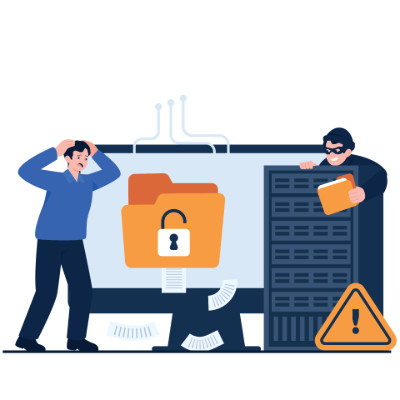
If you still treat IT as a secondary expense, you are probably overlooking the biggest threat to your profit. Your digital infrastructure is the plumbing of your revenue. It is either a vault protecting what you earn or a sieve quietly draining your margins. The real point is simple: cybersecurity is not a tech problem stuck in a back office, it is a direct pillar of your financial stability.
Look at it like a thief would
Standard IT companies promise safety, but that is abstract when you are trying to make payroll on Friday. A more useful lens is to ask where your money is actually exposed and what a specific weakness would cost you. Look at your business the way a thief does and one thing becomes clear: lazy habits are usually more dangerous than master hackers. The question is not just how good the lock is, it is how fast you can recover after the door gets kicked in.
The habits that stop the bleeding
Security is less about buying the right software and more about disciplined behavior. Start with a second-channel rule. No wire transfer or change to banking details, especially anything sizable, gets approved on email alone. A quick call to a known number to confirm the request stops most fraud cold. Move your team from passwords to passphrases, which are easier to remember and harder to crack. And treat a stray USB drive found in the parking lot, or an unlocked server closet, as the threat it is.
How the con actually works
Attackers rarely blast their way in. They exploit what you could call the nice-guy tax, weaponizing your employees natural urge to be helpful. The cycle is predictable. They research your company on social media, then send a message that mimics the boss tone and manufactures urgency, then ask for a small favor like checking an invoice. Once someone clicks, they vanish with the money before anyone notices. That is why small businesses are often better targets than banks, no billion-dollar defenses, plenty of helpful staff who do not want to tell the boss no.
What is actually at stake
Ignore these leaks and you risk the foundation of the company. Beyond the immediate loss, there is reputational damage and the very real possibility of sitting idle for weeks while systems are painstakingly restored.
Do not wait for a financial gut-punch to notice the bucket is leaking. Book a call and we will translate your security from jargon into real-world protection.
The Trojan Horse did not work because the Greeks broke down the walls. It worked because the Trojans wheeled a threat inside the walls themselves, thinking it was a gift. Your business faces a version of the same risk, except today the package is a tool or platform you bought from a third-party vendor. Third-party risk is a weakness that starts at a company you work with, like handing a spare key to a house-sitter who then loses it. These risks are behind a lot of data breaches, so they are worth taking seriously.
What a vendor risk assessment checks
The fix is a third-party risk assessment, basically a background check on whether a vendor takes security as seriously as you do. Focus on three things. Data handling, how your data is stored and protected while it sits with them. Access control, how few of their people can actually see what you have entrusted to them. And redundancy, how badly an outage on their end would hurt you.
Why it lands on you
Say you use a vendor for payment processing and they lose your customers credit card details. Who do your customers and the regulators point at first? You. Outsourcing can be great, but a breach on their side still leaves you holding a very expensive bill and the reputational damage. Their security posture is, functionally, part of yours.
How to keep vendors accountable
Once you have vendors you trust, keeping them honest is not a huge lift. Remember that different vendors hold different data, so they carry different risk. A janitorial service might only have your billing info, while a CRM or outsourced HR provider holds your client and employee data too. Hold the higher-risk ones to a higher bar. And ask for proof. Any vendor worth working with should have no trouble confirming their security practices, and if one balks, that alone tells you it is time to go back to the negotiating table.
We help make sure your vendor relationships stay an asset, vetting providers, facilitating the relationship, and keeping an eye on them so their protections do not quietly slip. Book a call and we will help you watch the watchmen.

Does your business run in the moment, or with an eye on what is coming? It is a tricky balance, and with technology the right answer is not always obvious. Most of the time you are better off making tech decisions, from small fixes to big rollouts, through the lens of an IT roadmap. Here is how a roadmap keeps you on track operationally and financially.
The four questions your roadmap answers
Where do we stand now? Start with a full assessment of your systems, the hardware, software, network, and security, so you know what you are actually working with.
Where do we want to be? Line your technology up with your business goals, how you want to grow, add people, and hit your targets.
How do we get there? Lay out a step-by-step plan that tackles the projects with the best return first, instead of reacting to whatever breaks.
What will it cost? Build a multi-year budget alongside the plan so you can see the spend coming rather than getting blindsided by it.
What you get out of it
The payoff adds up quickly. You make better-informed decisions, you budget more smoothly and avoid surprise bills, and you tighten security by addressing weaknesses before they become breaches. Your team also gets the tools they need to do good work without the frustration of patchwork tech.
You do not have to build it alone
It is hard to run a business when you are not sure where to take your IT. Acting as your virtual CIO, we help you make the right calls for the business, build the roadmap, and stay with you through execution, not just hand you a document and walk away. Book a call and we will map out where your technology should go next.

Forget the dramatic cyberattacks in the news. Often the real business killer is the boring box humming in your storage room. A lot of owners assume that if the server still runs, it is still fine. Hardware does not gracefully retire, though. It crashes, usually at the worst possible moment. When a main server dies it does not just take your data, it takes your ability to operate.
The hidden cost of good enough
Technology runs your business, but it has a shelf life. When hardware hits its breaking point you lose more than files. You lose operational momentum, with customer records and financial data suddenly out of reach. You can lose intellectual property, years of work gone in one failure. And you lose hard revenue, because every hour of downtime is a direct hit. You should not have to cross your fingers every time you boot up.
Recovery matters more than backups
Most providers talk about backups. The number that actually matters is uptime, specifically your Recovery Time Objective, the time from everything is down to everyone is working again. That is the difference between being back in half an hour and staring at a blank screen for three days. Without a managed recovery plan, a simple hard-drive failure stops being an inconvenience and becomes a liability that costs thousands in lost billable hours.
The 3-2-1 standard
To stay resilient against everything from worn-out hardware to a natural disaster, we run the 3-2-1 rule. Three total copies of your data, because redundancy is your friend. Two different media types, so a single kind of failure cannot wipe everything. And one copy kept offsite and immutable, in a secure cloud environment that cannot be altered and is isolated from whatever happens locally.
Hardware failure is a when, not an if. Book a call and we will turn your IT from a ticking clock into something you can count on.

For a lot of owners, technology feels like a pile of subscriptions and hardware invoices that grows every year. But tech is how the work actually gets done, and it quietly tells new and departing employees a story about your company. When a new hire sits down and everything just works, you are signaling that this is a place worth staying. When people leave, your systems are what keep your data from walking out the door with them. Here is how to handle both ends well.
Make day one actually work
Most companies lose a new hire first week to waiting for access, which kills momentum and morale. Aim for ready-to-work on the first morning. The laptop is configured, every login is active, and licenses to the tools they need are live before the first cup of coffee. That immediate traction tells someone they joined a team that has it together. Push the digital paperwork out ahead of time too, so day one is about the mission and the team, not staring at a stack of PDF forms.
Make exits a clean break
Offboarding should not be a frantic checklist of did-we-change-the-password. It should be closer to a switch. Keep a single source of truth for logins through single sign-on, so when someone leaves you disable one master account and the rest of their access cascades shut. That is the only reliable way to close every door in a remote or hybrid setup. And put mobile device management on every company laptop, so if a device is lost, stolen, or an employee leaves on bad terms, you can wipe it remotely.
Track your hardware
Stop treating laptops as disposable. Real asset tracking follows every device through its life so you always know where your hardware, and your money, actually is. It prevents the laptop black hole, where expensive machines vanish into the closets of former remote employees and you have effectively written them a check for nothing.
Screen for it, do not hope for it
Do not wait until after hiring to learn whether someone can use your tools. Lean on async steps in the application, a quick video or browser-based task, and consider a small paid trial task inside your actual project management tool. It tells you fast whether a candidate has the basic digital literacy a modern workflow needs.
The goal is not to hire people who can survive a mess. It is to build systems clear enough that anyone can thrive. Stop hunting for the next app and start making your current ones work together. Book a call and we will set up onboarding and offboarding that just works.

When people picture a business disaster, they imagine something cinematic, an earthquake or a global outage. In reality the things that take companies down are mundane and preventable. Here are three quiet business-killers that thrive on a lack of preparation, and how to defend against each.
Hardware failure and human error
It is rarely a strike from above that sinks a company. It is the grinding halt when a workstation dies or a critical server fries. Add the human element, one accidental delete on a shared folder can cost days of productivity. The math is simple. It is far cheaper to maintain your hardware proactively than to perform digital CPR on a dead system while your whole team sits idle.
The you-are-too-small myth
A lot of small and mid-sized businesses assume they are too small to notice. Why would a hacker want my data when they could go after a bank? The truth is colder. You are the ideal target precisely because attackers expect your defenses to be weaker than a Fortune 500 company. Smaller often means softer, and softer is exactly what they look for.
Local physical disasters
You do not have to be in a disaster zone to lose everything. A fire in the suite next door or a transformer blowing down the street can wipe out unprotected data in an instant. Real resilience is not hoping for clear skies. It is having your data mirrored and ready to deploy the second the lights flicker.
Backups are not a recovery plan
True business continuity takes more than a backup, it takes a recovery roadmap, the redundancies and proactive safeguards that keep you running when the worst case actually happens. A backup is a safety net. What you really want is to barely feel the fall.
Book a call and we will audit your backup and disaster recovery setup so your business is ready for whatever comes.
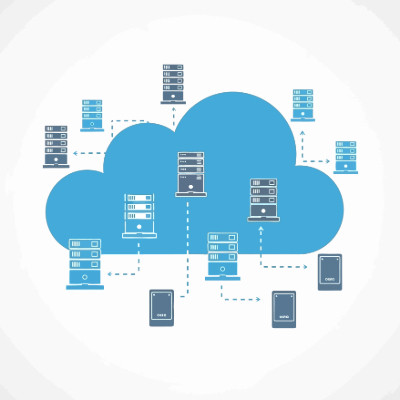
If your cloud bill is the second-largest line after payroll but you still cannot explain what you are paying for, you are not lean. You are paying a growth tax that keeps climbing. For an owner, cloud tracking is not about CPU and latency, it is about protecting your margin, the difference between scaling your profit and just scaling your provider revenue. Here are four steps to turn the monthly mystery into something you control.
Track cost per unit of value
Stop asking what the total bill is and start asking what your cloud cost is per unit of value, whether that is an active user, a transaction, or a completed order. As you grow, that number should stay flat or fall. If your cloud spend is rising faster than your revenue, the architecture is broken, and you are renting your own margins back from your provider.
Kill the zombie resources
If you had a leak in your warehouse costing you a couple hundred dollars a day, you would fix it within the hour. In the cloud those leaks are zombie resources, test environments and data volumes someone spun up and forgot to shut off, and you pay for them every second they exist. Tag every resource by department or project so every dollar has a home. If you cannot tell which team is driving the bill, you cannot hold anyone accountable.
Run a monthly cleanup report
Ask for a monthly report that flags idle resources. It turns vague waste into a specific list of things to turn off, and it makes accountability possible instead of theoretical.
Set 24-hour spike alerts
Waiting for the monthly invoice is like renting a 50-person office and finding out at rent time that only five people show up. Set alerts so a sudden spike reaches you within a day, not weeks later when the damage is done.
Cloud tracking is ongoing, not a one-time project. Without steady visibility, waste grows back like weeds. Book a call and we will help you get your cloud spend under control.

Is your network a Frankenstein of mismatched tools and quick fixes? That is what a lot of small-business IT looks like. Companies bolt on solutions without thinking about how they fit together, and over time it drags on operations. The result is tech debt, and not the money kind. It is hard to climb out of without taking an honest look at how you run IT. Here is what it is and how to stop it.
What tech debt actually is
Tech debt is not the price of a new server. It is the accumulating cost of choosing the easy short-term fix over the smarter long-term decision, again and again. Running a home router for a 20-person office. Keeping an old server alive just because it has not died yet, though it could any day. Each choice may have made sense at the time, back when you had five people or that server was new, but the small calls add up and the bill comes due later.
Start with an audit
You cannot fix what you have not measured, so step one is a full audit of your infrastructure. Document every asset on the network, from laptops to software, and go hunting for the invisible ones too, the things running quietly that most of your staff never see. Then look at the organs of the business, your operating systems, applications, and security tools, and confirm they are all still supported by their vendors. Finally, check the connective tissue, your cabling, VPN stability, and internet speeds, because that is where a lot of hidden failure points hide.
Digging your way out
Does your business have tech debt? Almost certainly, to some degree, depending on how disciplined your IT buying has been. The fastest way out is to work with a managed provider who can look at your current setup, find where it is cracking, and help you replace the patchwork with something that actually holds together.
Book a call and we will audit your setup and map a path out of tech debt.

© 2026 CybertronIT. All rights reserved.Privacy Policy · Sitemap